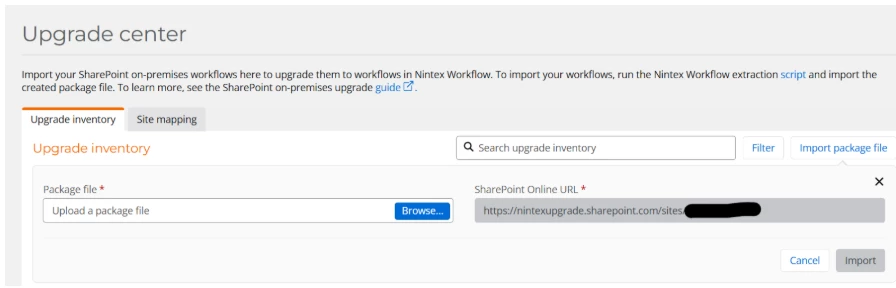



When importing the package file, that was generated using the workflow extraction script, you will be prompted to provide a SharePoint Online URL, which is compulsory. However, what happens if your SharePoint data remains on-premises and you don’t have a SharePoint Online URL to enter?
The Nintex On-premises upgrade tooling assumes that when workflows are migrated to Nintex Workflow, the SharePoint data is also being moved to the cloud. As a result, the upgrading tooling expects the SharePoint Online URL to be provided during the import of the package file. But for organizations where SharePoint data will remain on-premises, this requirement can cause confusion.The current workaround for this, should you not have a SharePoint Online URL, as your SharePoint data is remaining in SharePoint On-premises, is to provide any SharePoint online URL to bypass this compulsory field.
While you can use any SharePoint Online URL to bypass the URL prompt, we recommend using https://microsoft.com.