



Topic
This article describes how to obtain logs from Robot or Studio.
Instructions
1st option:
Open Windows Explorer and in the Address bar type in %appdata% then go back one folder and navigate to Local/Kryon/<machine name>/Logs/Player (change Player to Studio if you are looking for Studio logs):
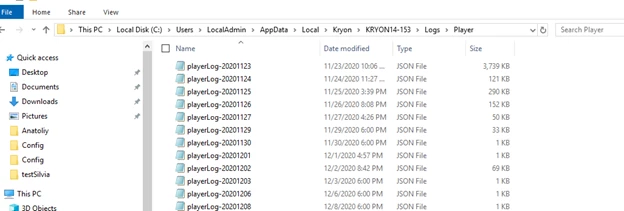
2nd option:
Just copy and paste in the Windows Explorer's address bar the following: %localappdata%\Kryon\<computerName>\Logs\Player
Make sure this is performed on the Robot/Studio machine where the issue occurs.
3rd option:
Open the Robot UI and select Options > advanced > open folder.
The name of the robot > archive all the folders.