



Topic
How to set up Promapp SSO from Okta Gallery.
Instructions
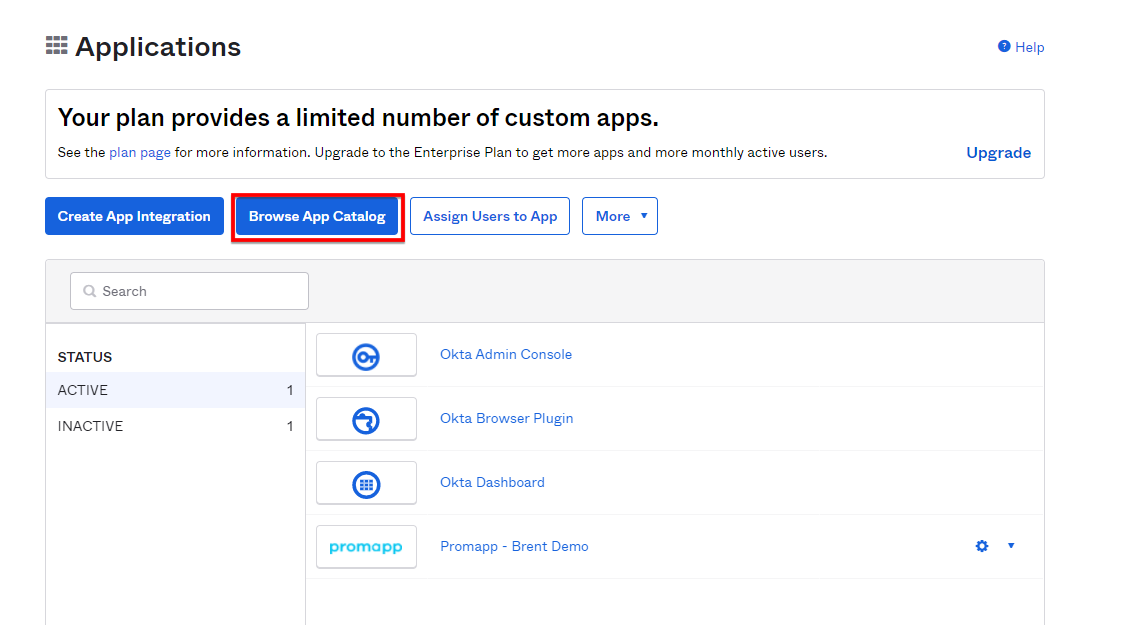
Step 1. Select 'Browse Catalog':
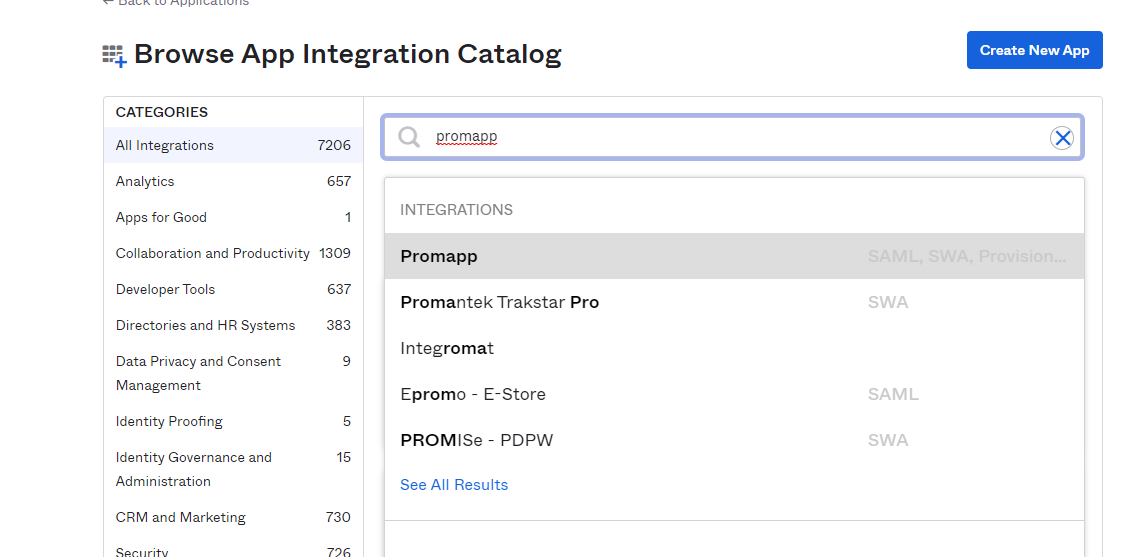
Step 2. Search for 'Promapp':
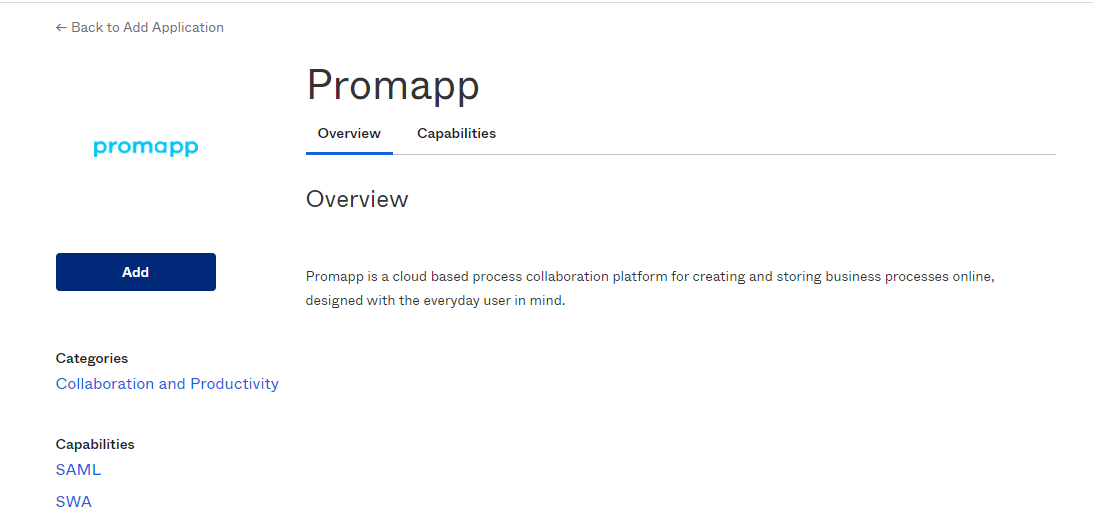
Step 3. Select 'Add':
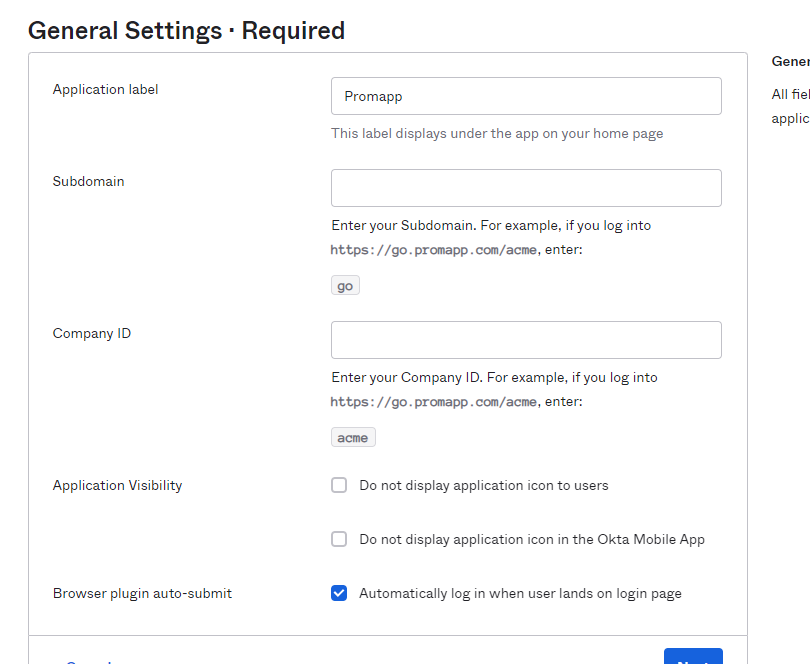
Step 4. Enter au in the 'Subdomain' field and tenant name in the companyID field (for example, the companyID will be 'uts' for client Promapp site https://au.promapp.com/uts/ :
Additional Information
If you need any assistance with this, please contact Promapp Support (select Help > Contact Support).
Related Links