Nintex Community Menu Bar
Question

UI-Only Field on public facing site

  • July 11, 2024
  • 8 replies
  • 57 views
  • Translate All

Forum|alt.badge.img+14

I have a page which is viewable on a site. When the page loads I write 3 fields of data to a UI-Only fields. On the public facing site how do I get the fields to show?

On the public facing https://dorothy.secure.force.com/Profit/?id=a1hf1000000S6BW you will see the 2 fields do not show.

Here are 2 of the merge fields which are not showing but do show when I am signed on to salesforce.
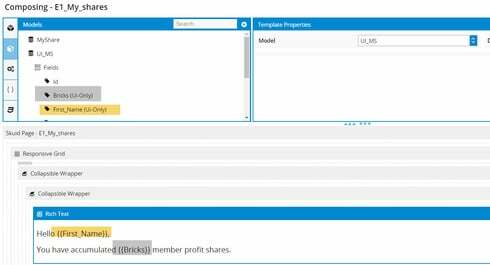
I have the following setting for thesite object

This topic has been closed for replies.

8 replies

Forum|alt.badge.img+18

Bill,

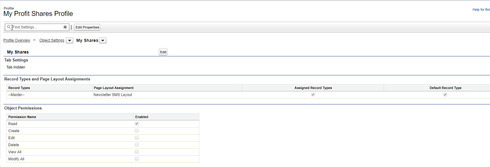
It looks like your settings for the object didn’t come through. First step is to ensure that your site user has read access to your object and the fields.

Translate

Forum|alt.badge.img+14

They have read access to the object.  

Translate

Forum|alt.badge.img+18

Do they have read access to the specific fields?

Translate

Forum|alt.badge.img+10

Also, the UI Only Field must be populated with something. That can be shown in the XML below: (Working in Skuid 11.2.8)

UI Only Field <p>Hey guys! {{Name}} and {{UImeThis}}</p>
Translate

Forum|alt.badge.img+10

If you change the UI Only Field to have something in the Table, you’ll see it reflected in the Rich Text

Translate

Forum|alt.badge.img+14

I found the issue.  UI-Only fields can be used in Sites.

Translate

Forum|alt.badge.img+7

Can you elaborate?

Translate

Forum|alt.badge.img+6

I’d be curious about this as well, Bill

Translate