

Nintex Community Menu Bar
Question

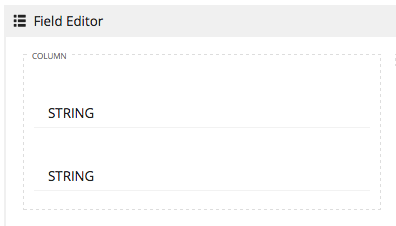
Field editor with single spacing between vertical fields

  • July 10, 2024
  • 2 replies
  • 4 views

Forum|alt.badge.img+7

I am using a field editor to display multiple records with parent and child records. I have used a custom field renderer to create string for the parent and another for the child.
The end result has many lines like this for a kid’s music performance program:
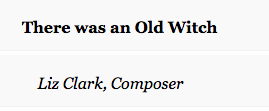

How can I decrease the distance between the fields so that it looks like they are single spaced?


This topic has been closed for replies.

2 replies

Forum|alt.badge.img+17

Instead of using two fields, you could display both fields inside of a template field. Then you can control spacing, font, etc. I have made multi line template fields that include multiple fields. Works well for managing space horizontal space limitations. Hope this helps.


Forum|alt.badge.img+17
  • Nintex Employee
  • July 10, 2024

Raymond has a good approach.  You could also hack the CSS.  Adding a custom css resource to your skuid page that targets the field editor components.  Find which element to target by inspecting the element on your output page.

