Solution showcase: Learn how to use Nintex CE Platform
^^^^ bump ^^^^Happened again.
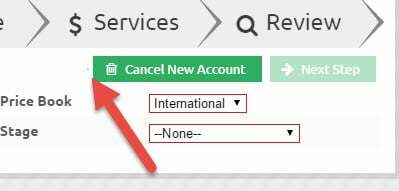
This is because of the border of the button.
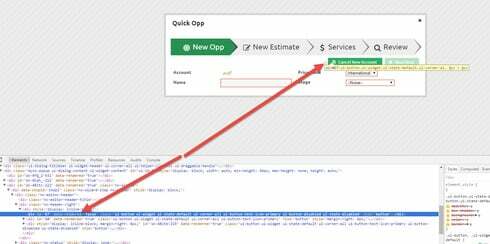
when a button is shown and dynamically conditions make it disappear, not all the styles are gone (some classes still apply)
In my case was a extra class in the button:
<div class="nx-pagetitle-action ui-button ui-widget ui-state-default ui-corner-all ui-button-text-only buttonred" role="button"><span class="ui-button-text">Cancel order</span></div>
buttonred is a class to show the button in red
When showed the html code is the above one, but when dynamically hidden the code is:
<div class="nx-pagetitle-action buttonred" style="display: inline-block;"></div>
and not the standard not shown button :
<div style="display: none;"></div>
I just had to add a css rule to solve that:
.buttonred:empty { display:none!important; }
I think you are using standard styles , so maybe
.nx-pagetitle-action:empty { display:none!important;}
works for you.
warning: :empty is a css3 selector if your browser does not support it… please, update your browser…
confirmed,
Removes completely a button if its hidden dynamically.
Also, It solves the extra white space if you are showing the buttons vertically:
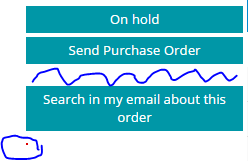
Before (in blue the extra margin (or padding or both) and the button with border hidden)
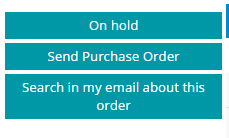
After (with the css rule applied)
Thanks Pablo. That is a great workaround. But essentially Pat’s report is a bug. I’ll document it for our devs. Thanks
Already have an account? Login
Enter your E-mail address. We'll send you an e-mail with instructions to reset your password.




 +20
+20