Nintex Community Menu Bar
Question

Background as an image for a wrapper from the field of a model?

  • July 12, 2024
  • 11 replies
  • 61 views
  • Translate All

Forum|alt.badge.img+3

Hi folks,

I love using wrappers for image placement. I usually hard code an image URL into the wrapper, but I want to use a field that hosts the URL in SF… doesn’t seem to like it.

Any suggestions?

11 replies

Forum|alt.badge.img+17

Try referencing the field with triple brackets:
{{{my_image_field__c}}}

Translate

Forum|alt.badge.img+3
  • Author
  • July 12, 2024

I thought that was going to do it! but sadly… it did not. thank you for the idea though!

Translate

Forum|alt.badge.img+17
  • Nintex Employee
  • July 12, 2024

A few things could go wrong.

  1. If the wrapper height is set to “fit to content” the image background will actually not provide any height, and the wrapper will be 0 pixels high. Set it to “fixed height”

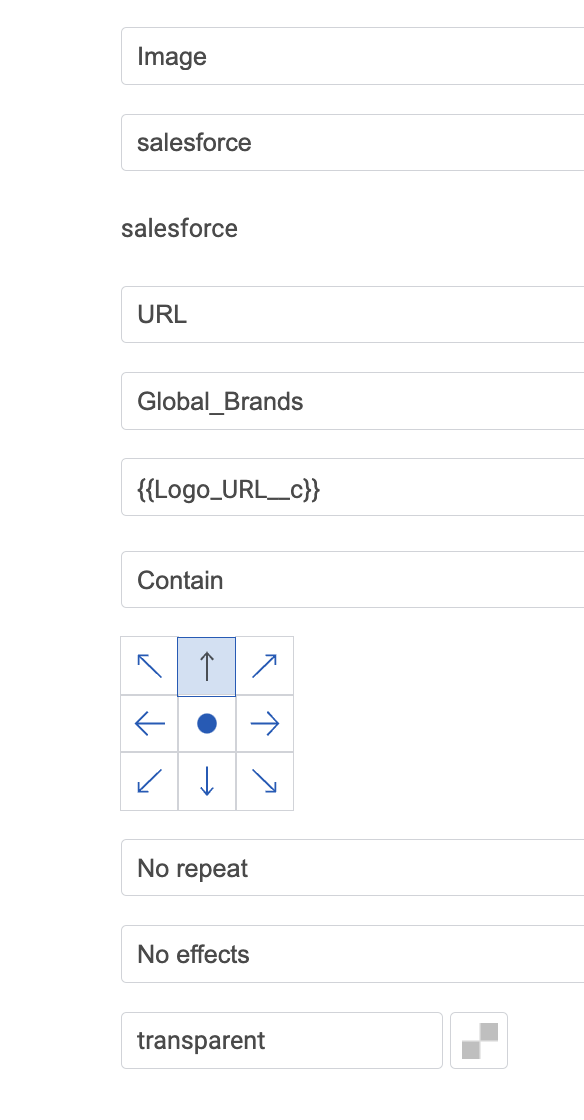
  2. Are you using the image background type? Can you post your configuration?

  3. Are you sure the field is in a model availalbe on the page? Is there data available?

It could be so many things…

Translate

Forum|alt.badge.img+3
  • Author
  • July 12, 2024

Rob,

Great points!

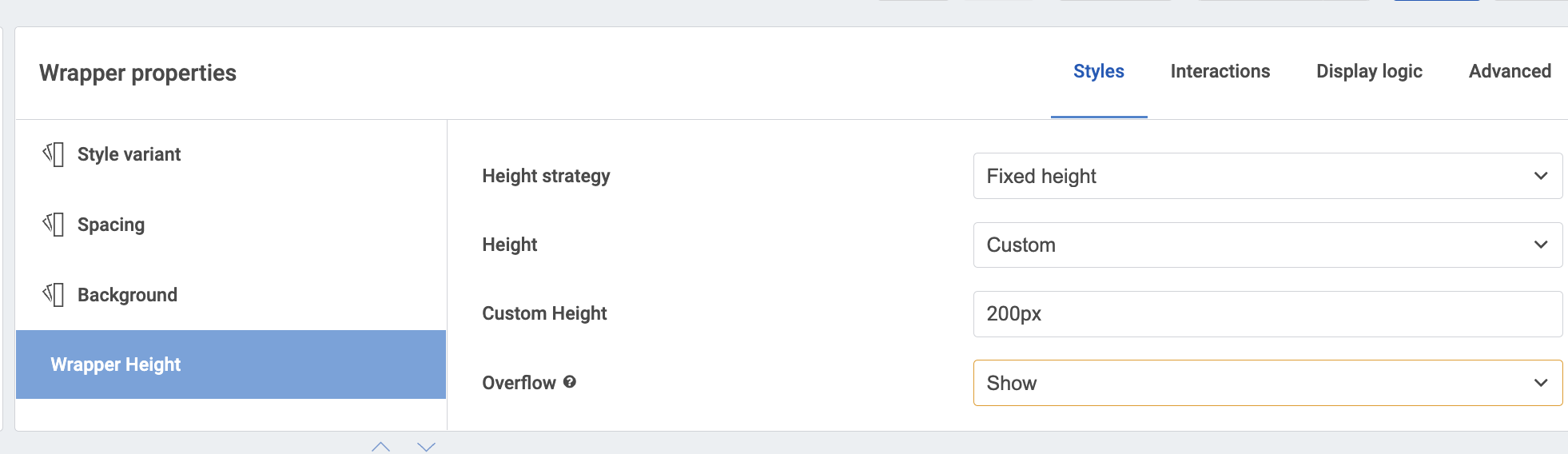
  1. Yes wrapper is set to a custom height that absolutely is large enough for the content, no scroll on, etc.

  2. Yes, image background type.

  1. Yes. Using the exact same field to populate an image component and its working fine.
Translate

Forum|alt.badge.img+3
  • Author
  • July 12, 2024

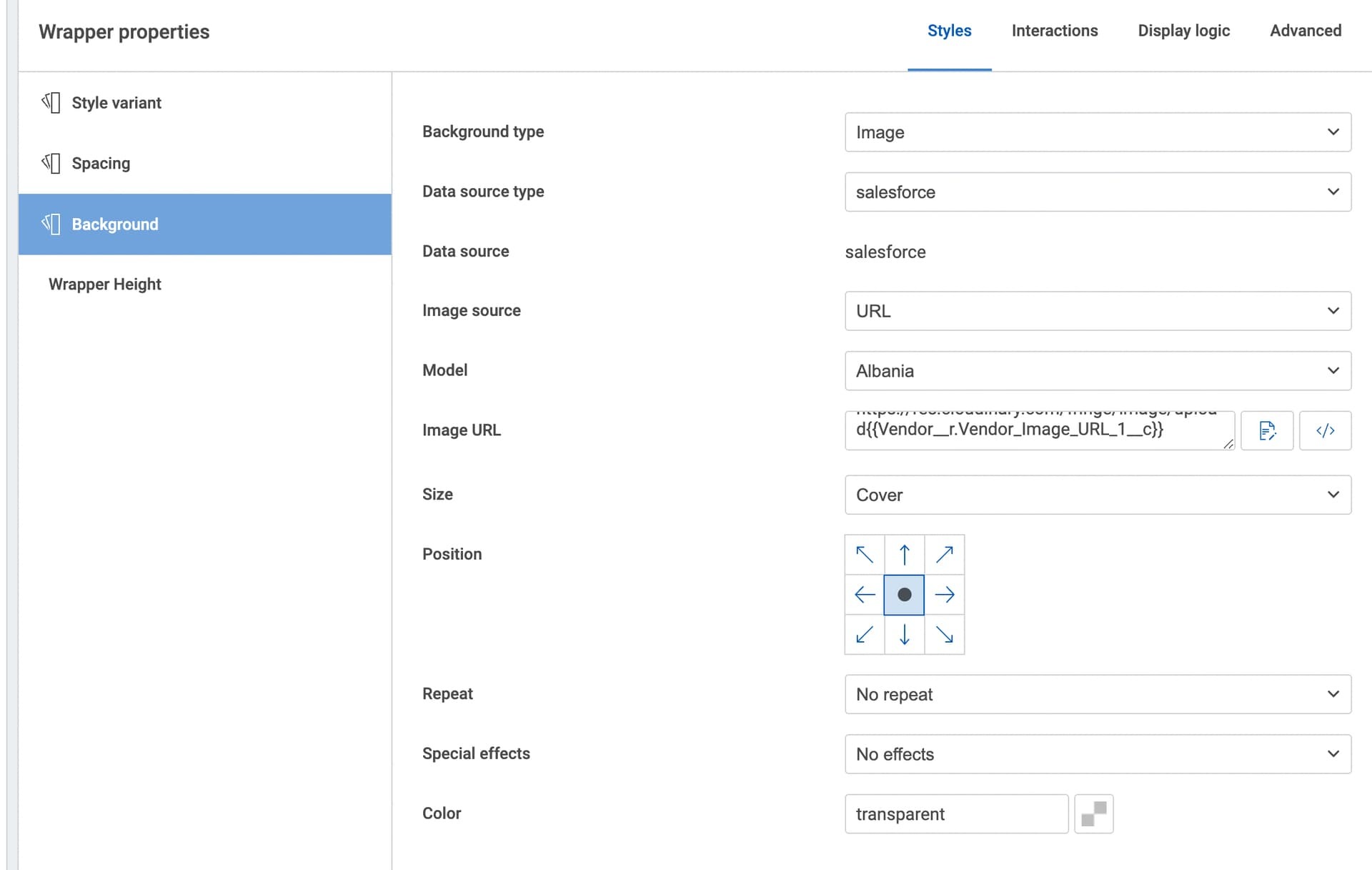
More settings here:

What’s blowing my mind here, is that i can use the exact same field from the model to populate an image just fine. But inside this wrapper… it doesn’t work @Rob_Hatch

Translate

Forum|alt.badge.img+17
  • Nintex Employee
  • July 12, 2024

Yup. Its blowing my mind too.

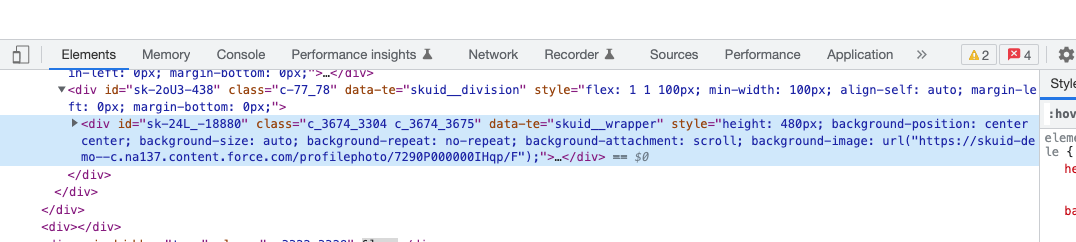
If you use the developer tools to inspect the element where the image should be - is anything in the URL space? If there is an URL there - it may be that there is not really an image at that destination.

If no URL is there - it may be that your model is not actually returning the data. I have often fat-fingered the merge syntax (though I see nothing obviously wrong in your screenshots)

Translate

Forum|alt.badge.img+3
  • Author
  • July 12, 2024

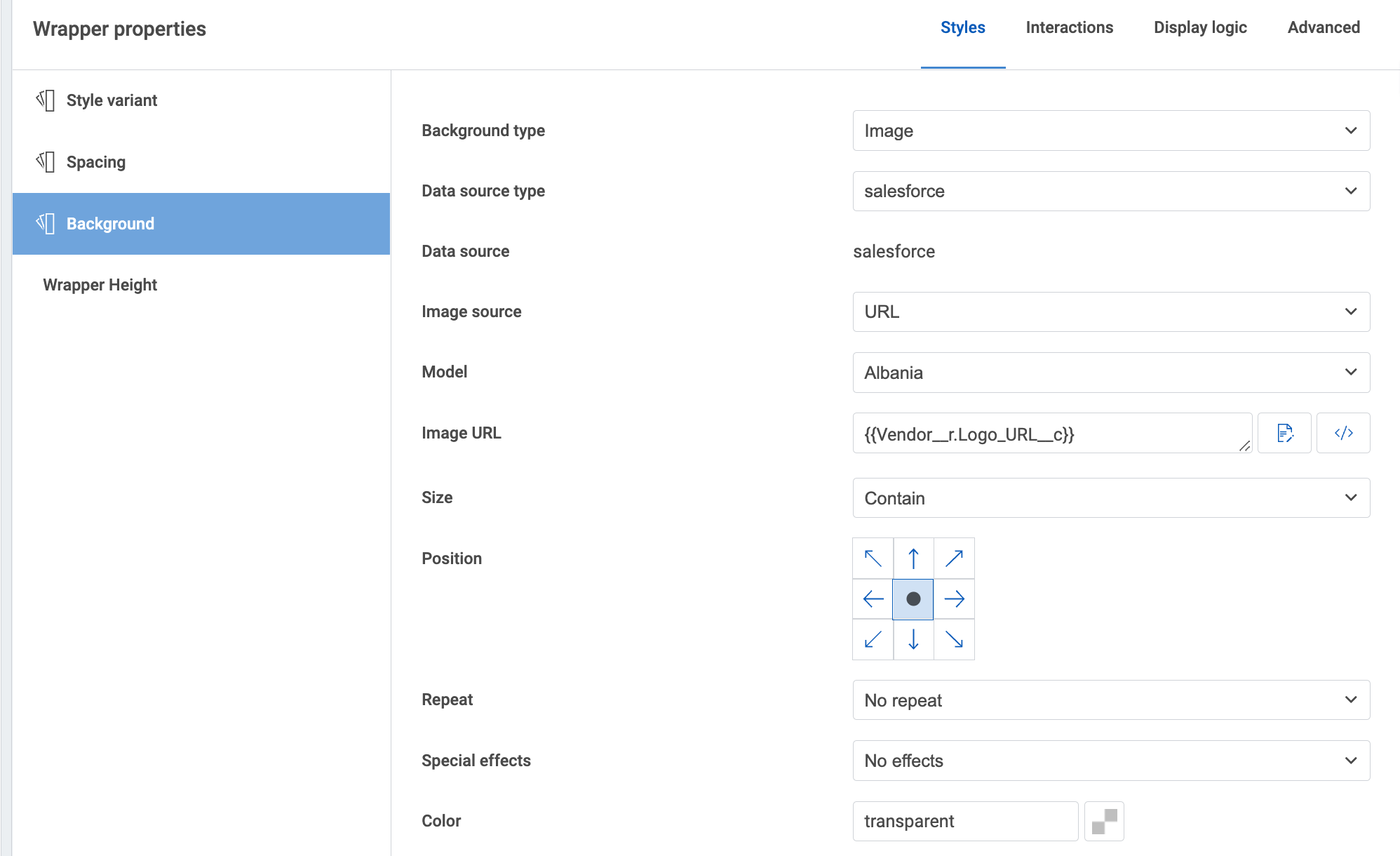
@Rob_Hatch here is what I’m seeing

with these wrapper settings

Translate

Forum|alt.badge.img+17
  • Nintex Employee
  • July 12, 2024

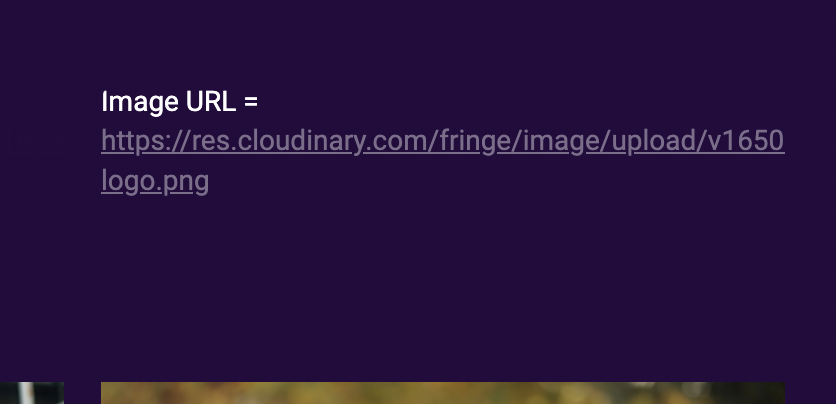
What happens if you add a text component into the wrapper connected tothe “Global_Brands” model with the following contents:

Image URL = {{Logo_URL__c}}

Translate

Forum|alt.badge.img+3
  • Author
  • July 12, 2024

defying maybe all logic here @Rob_Hatch the text shows, and the URL shows and is clickable to the right location.

Translate

Forum|alt.badge.img+3
  • Author
  • July 12, 2024

Translate

Forum|alt.badge.img+20

Ever get this working?

Translate