




Issue
In version 17.8, if Smart Targeting selects the entire screen instead of the actual target, please try the steps below.
Resolution
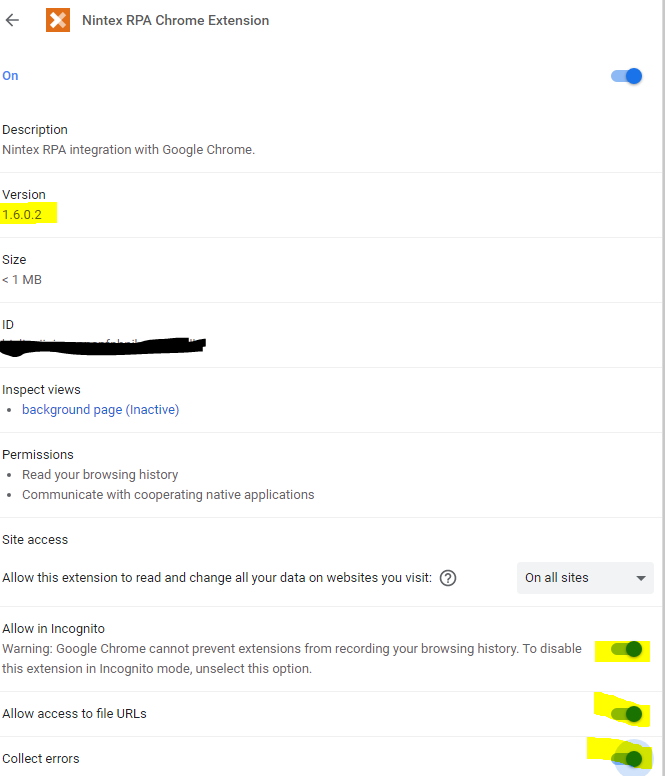
First check to see what Chromium Extension is installed. The newest one as of July 2022 is v1.6.0.2. The newest extension can be downloaded from:
https://chrome.google.com/webstore/detail/nintex-rpa-chrome-extensi/hicljaeiiajaecppcpfphnibmddpehlk?hl=en
If the newest extension is already installed, check to see if the Chromium extension is running in task manager.
Another thing to check is if these two options are enabled:
- Allowed in Incognito
- Allow Access to file URLs
If they are disabled, please try enabling them to see if that helps.
Additional Information
If this does not resolve the issue, please reach out to Nintex Support for assistance: Support@nintex.com.
Please include:
- Your version of RPA.
- What is happening when you target.
- If you receive an error, please let us know what it says.
- What application are you trying to target.