



Topic
Overview
This knowledge base article provides guidance for addressing the security vulnerability CVE-2025-49844 identified on Redis running on the Nintex RPA server.
The vulnerability is resolved by upgrading Redis to version 7.4.7, which includes the required security fixes.
A PowerShell script has been created to assist with upgrading Redis. The script is included in the upgrade-redis.zip file. You can download it from the following link:
https://files.nintex.com/message/ii6ISvALPNhD2Dn389MaKL
The following validations were successfully completed after the upgrade:
- Console functionality (Tasks, Triggers, Robots) works as expected.
- Redis cache clearing was tested and confirmed to retrieve data and recreate the cache successfully.
Instructions
Please find the steps below for using the PowerShell script to upgrade the Redis:
- Create a checkpoint of the environment before running the upgrade
- Download the zip file (upgrade-redis.zip) and extract it in the RPA server environment.
- Run Windows PowerShell as administrator.
- cd to the directory containing the PowerShell script and the Redis zip
- Then, run the following command
.\Upgrade-Redis-CVE-2025-49844.ps1 -NewRedisZipPath "{Redis-x64-7.4.7.zip file path}-" -NintexInstallPath "{Path where nintex rpa is being installed at}"
{Redis-x64-7.4.7.zip file path} - This file is located in the same directory as the powershell script
{Path where nintex rpa is being installed at} - Directory of Nintex RPA (Default is C:\nintex)
The logs in the PowerShell console will show the result (upgrade success or failure)
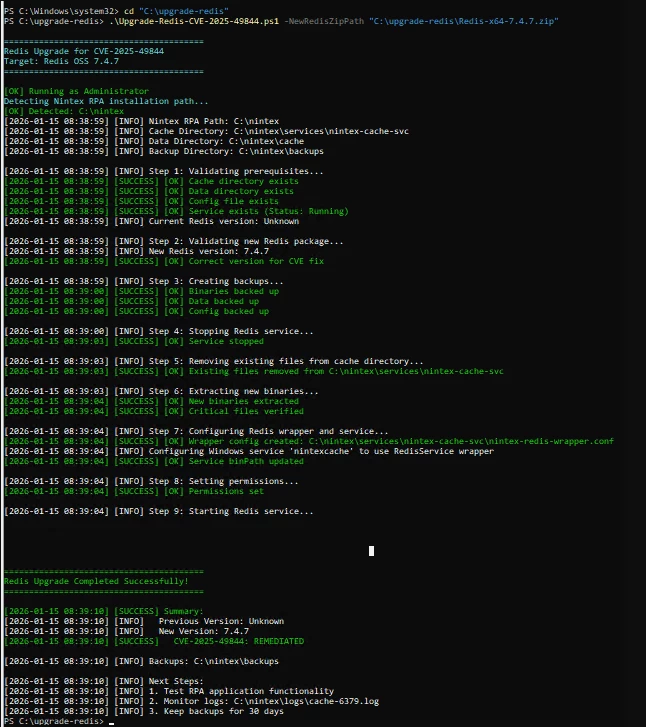
After the upgrade is done:
- Make sure the Nintex Cache Service is running.
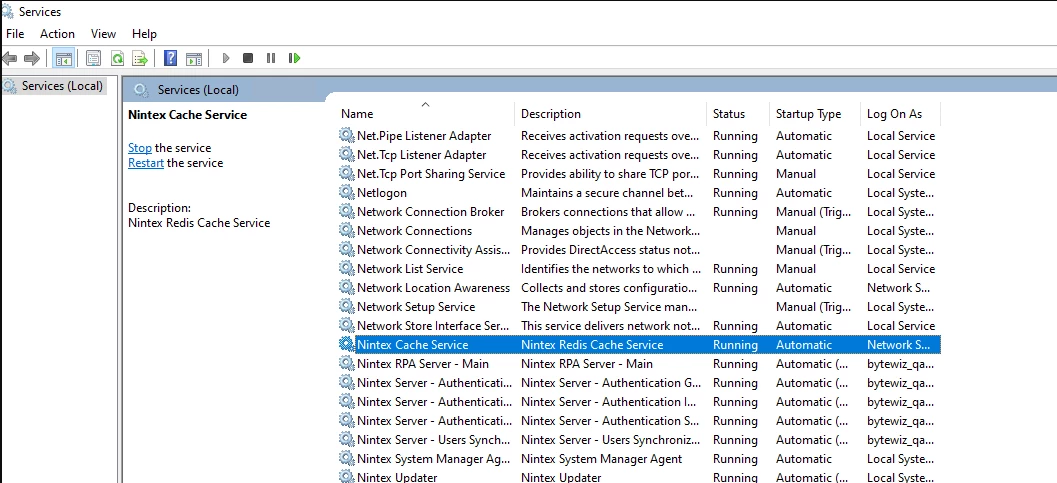
- Test the RPA functionality (especially Console)
- Monitor the Redis log
- Monitor SEQ log