Topic
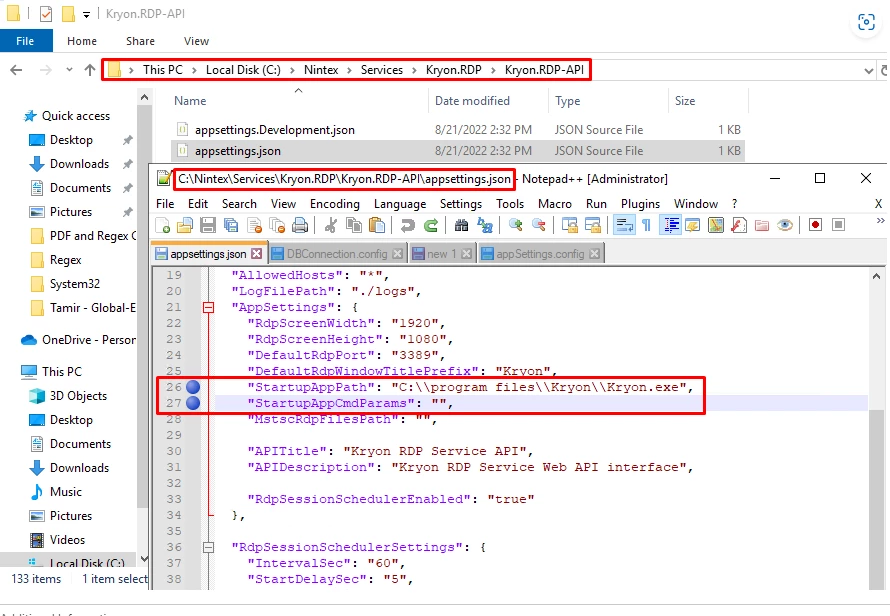
With RPA version 22.9 and above, the parameter StartupAppPath causes the session to become stuck on the login screen. Possibly caused by a Windows Security update.
Instructions
1 - Navigate to The file is located in <drive>:\Nintex\Services\<brand>.RDP\<brand>.RDP-API folder
**(where <brand> is Kryon/Nintex).
2 - Open the appsettings.json file.
3 - Remove the StartupAppPath and StartupAppCmdParams parameters.
| Note: Make sure to remove only the values in the closed brackets: "value" After the changes have been made, you should be able to only see: "" |