



Topic
If the Logon Expert v9 is causing issues with task failures, and the credentials were wiped out in logon.ini when the user logs out and logs in to the robot again. It disappears because there's a bug in the older version.
Instructions
Please follow the steps below:
- Once le9 is installed, remove login.ini file in the logon expert folder.
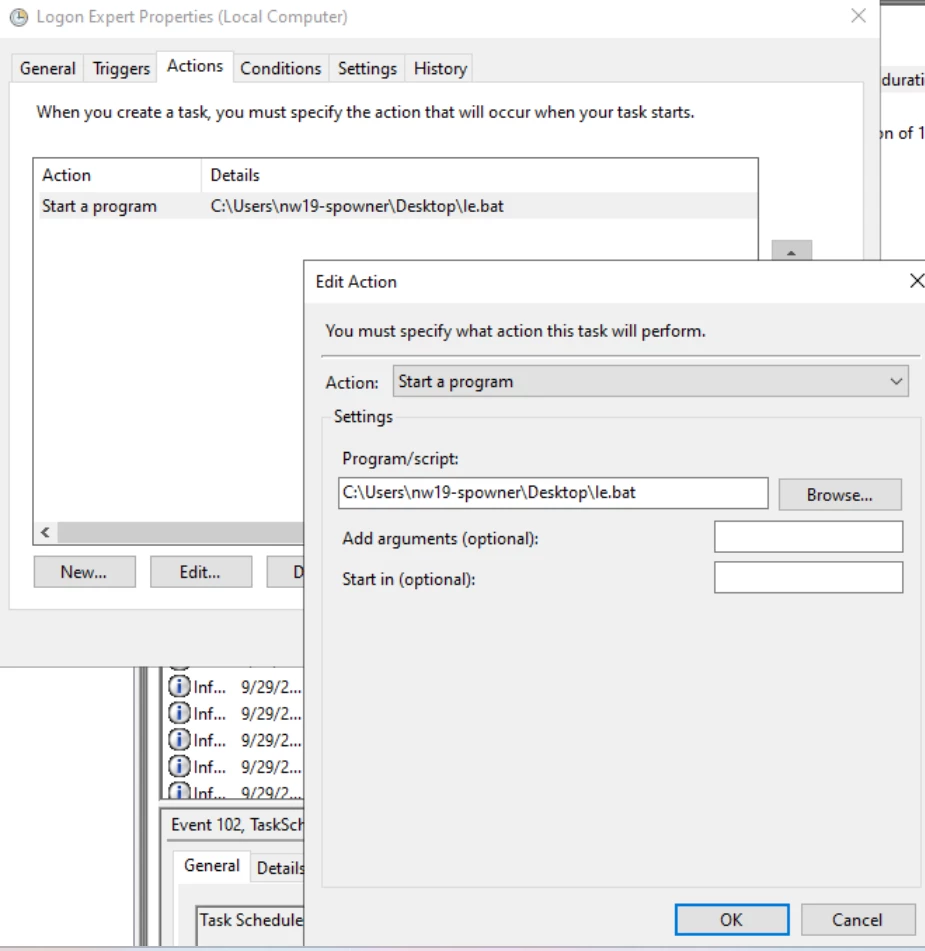
- Please create a new .bat file with the content provided below and save it with the name of le.bat extension.
le -setcredentials "<username>" "<password>" "<domain>"
le -setparams ShowLogo=0 BypassLegalNotice=1 KeepComputerLoggedOn=1 KeepComputerUnlocked=0
le -enable
3. Modify username, password and domain in the le.bat file.
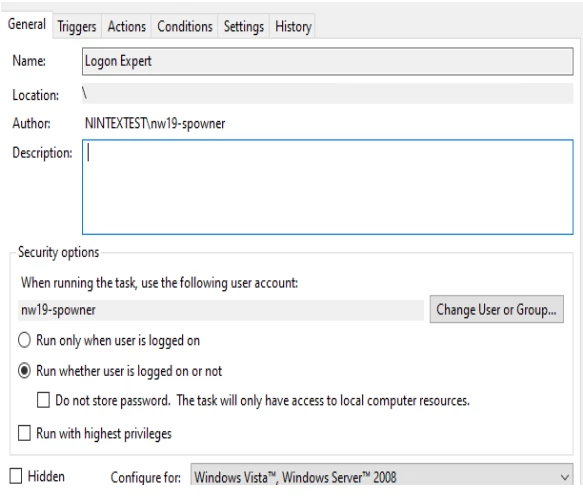
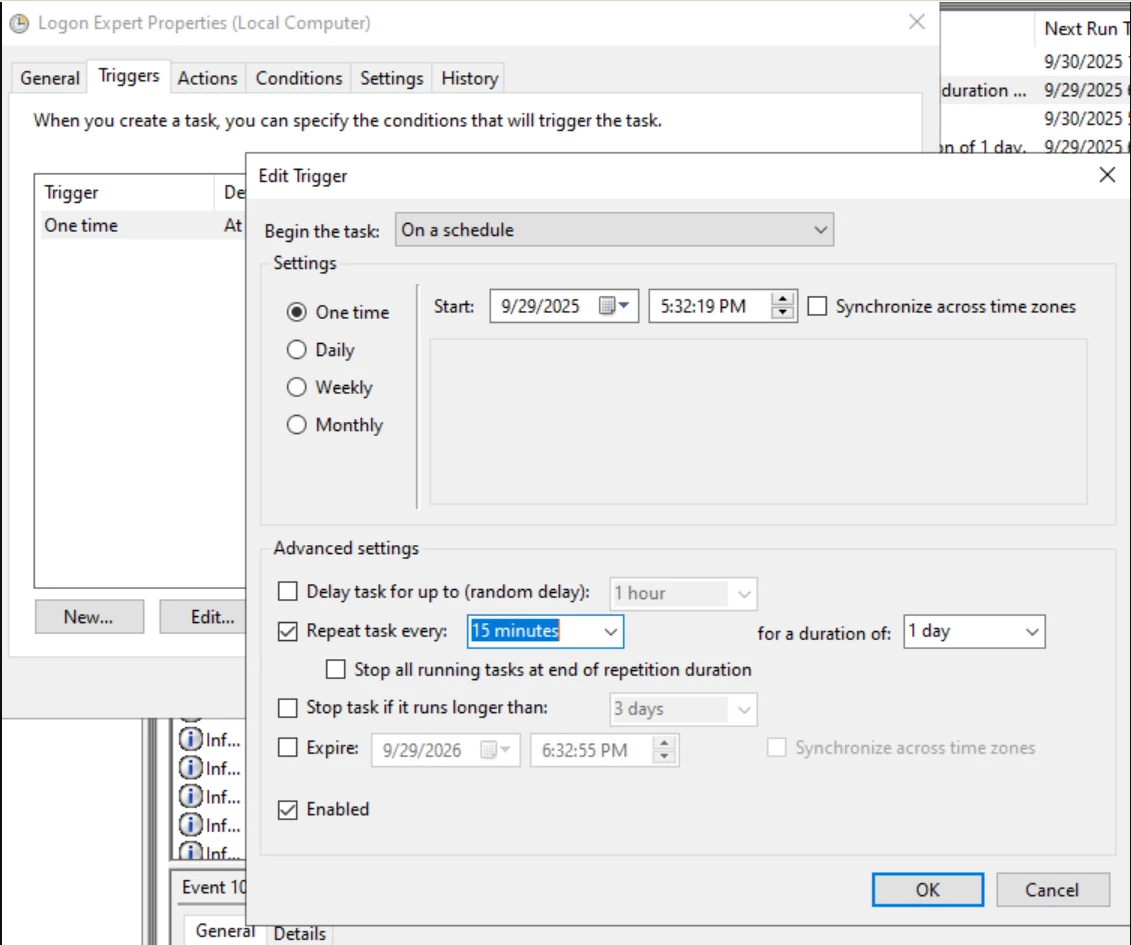
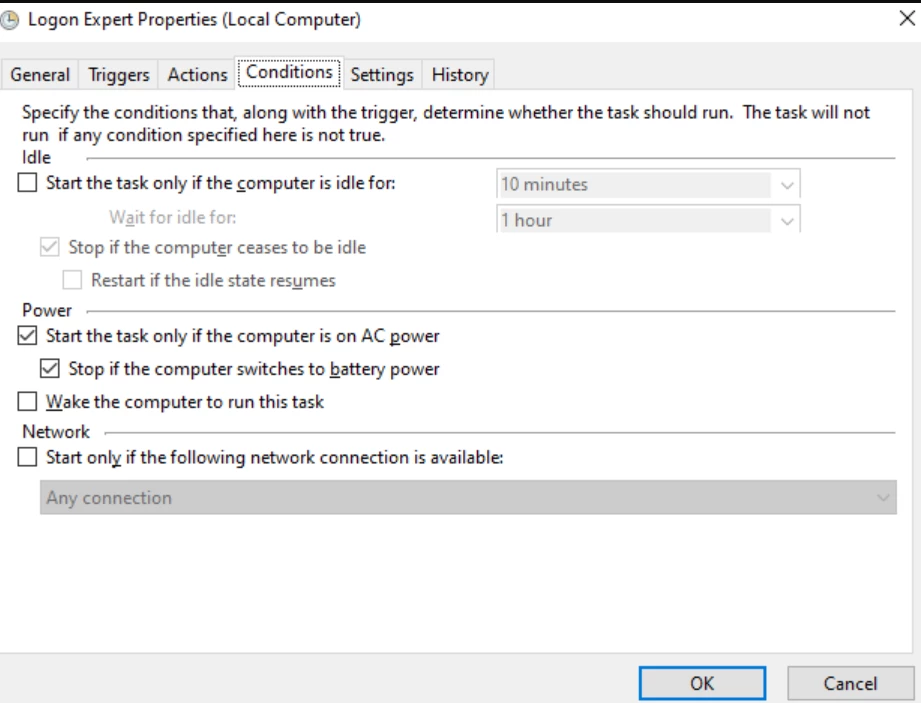
4. Create a task scheduler that runs the le.bat to set the credentials periodically. Run the task manually to test it, and monitor the logon.ini file if the credentials have been set.
5. Restart the robot machine.
Additional Information
If these steps do not resolve your issue, please email support@nintex.com and let us know what troubleshooting you have tried, as well as the version you are using. We will be happy to assist right away.