



Topic
This article addresses a situation where customer has two companies/tenants under Nintex Admin in version 19.1 using SSO for authenticating client.
Post upgrade (using RPA 21.10) it was found that under Aerobase only one federation was created as shown below:

In Nintex Admin there were two tenants:
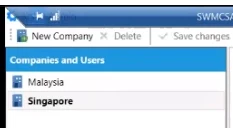
To sync users for each tenant in Nintex Admin we need to add two separate federations.
Instructions
When a customer has multiple tenants, please follow the steps below:
1. Add the correct number of federations using the indicated dropdown:

2. Copy all configurations from the self generated federation via upgrade to the newly created federation in REQUIRED SETTINGS
*Test connection and Test authentication
KERBEROSE INTEGRATION except LDAP filter for user (See step3)
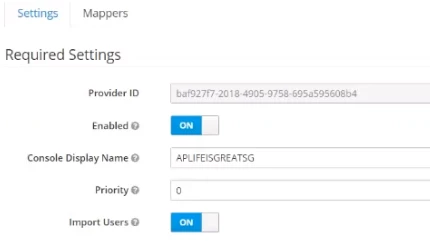
3. For LDAP filter, create a filter for each federation as shown below:

4. Press Save and Synchronize All user button for each tenant.

5. Post and add federation respectively for each tenant under Nintex Admin:
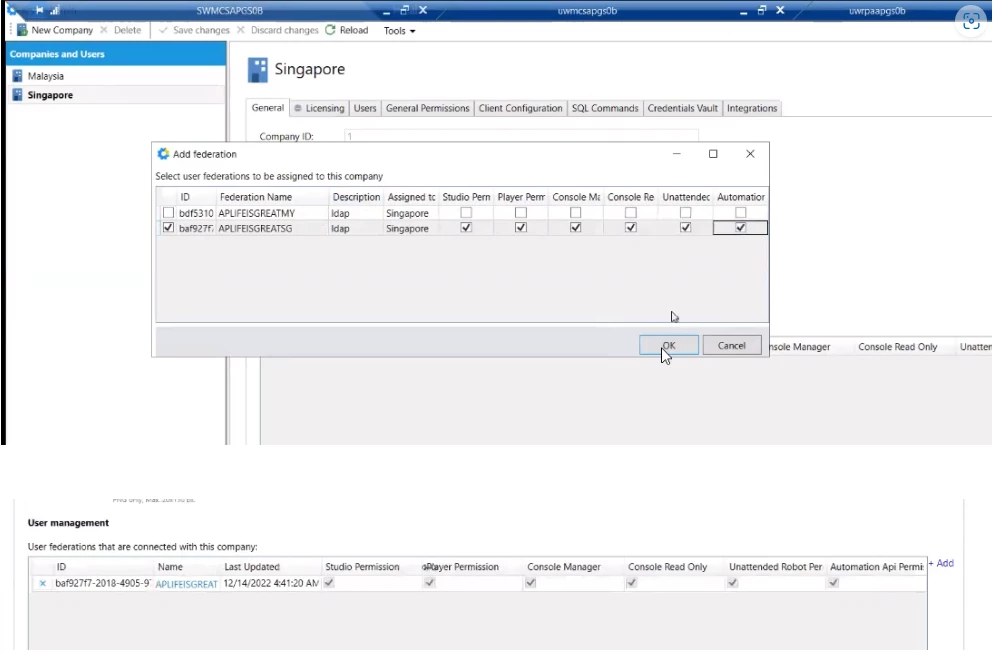
6. Sync users under USERS Tab:
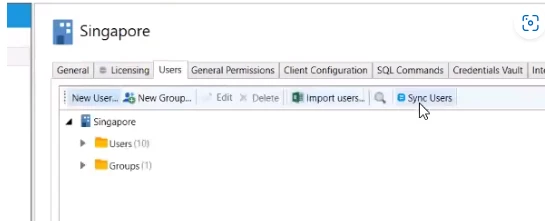
7. Repeat step 5 for additional tenant.
* If this is being done for an upgrade, run the realm migration PowerShell scripts.