

You know it’s time to delete your tasks when you when your process has changed, or a robot glitch has created extra tasks you don’t want.
In today’s world of automation, testing ideas should be a quick and stress-free process—not bogged down by time-consuming, manual repetitive actions. On every RPA release before 25.11, deleting tasks in the Console Plus tool means cancelling each task, one at a time. This tedious process is frustrating, especially when you have dozens of tasks to remove.
With the RPA 25.11 release, this is a thing of the past. Our new bulk delete feature lets you erase up to 100 tasks in a single action, saving you valuable time and freeing you to focus on mission-critical work.
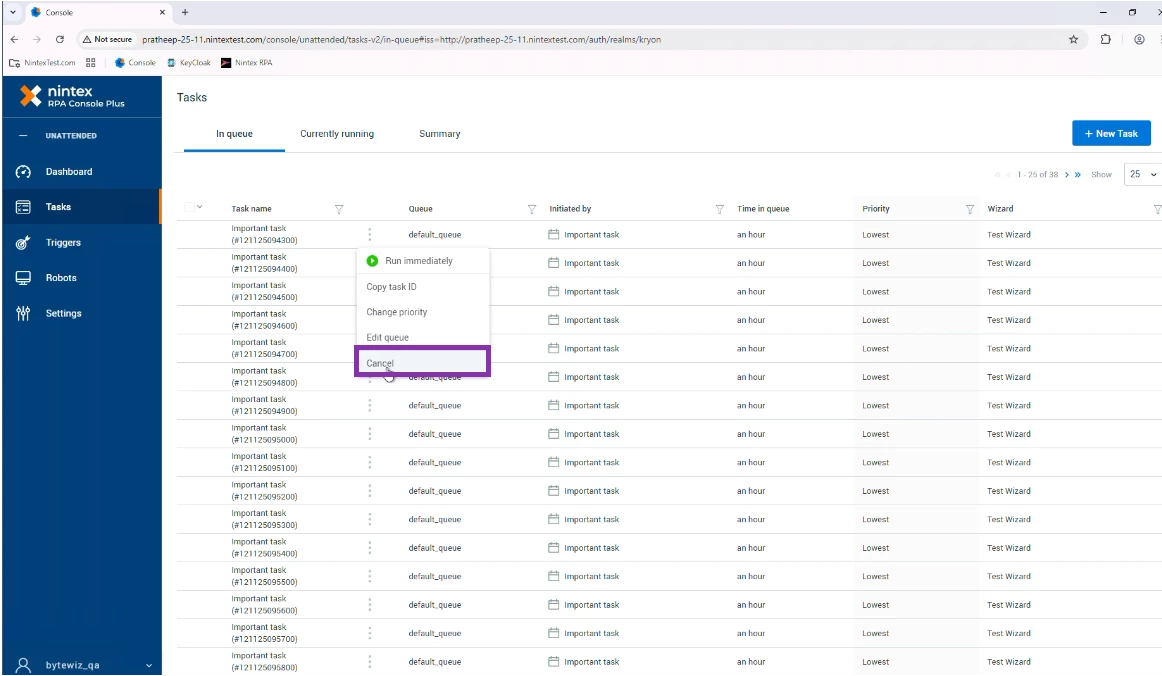
How to delete tasks: the old way
1. Select the three dots next to a task.
2. Click on Cancel.
3. Repeat this process with each subsequent task.
How to delete tasks: the new way
To delete individual tasks on a page
-
Select the tasks you want to delete
-
Click the “delete” button
To delete all the tasks on a page
-
Click the drop-down arrow next to "Task name"
-
Click "Select All" to delete all tasks listed on a page.
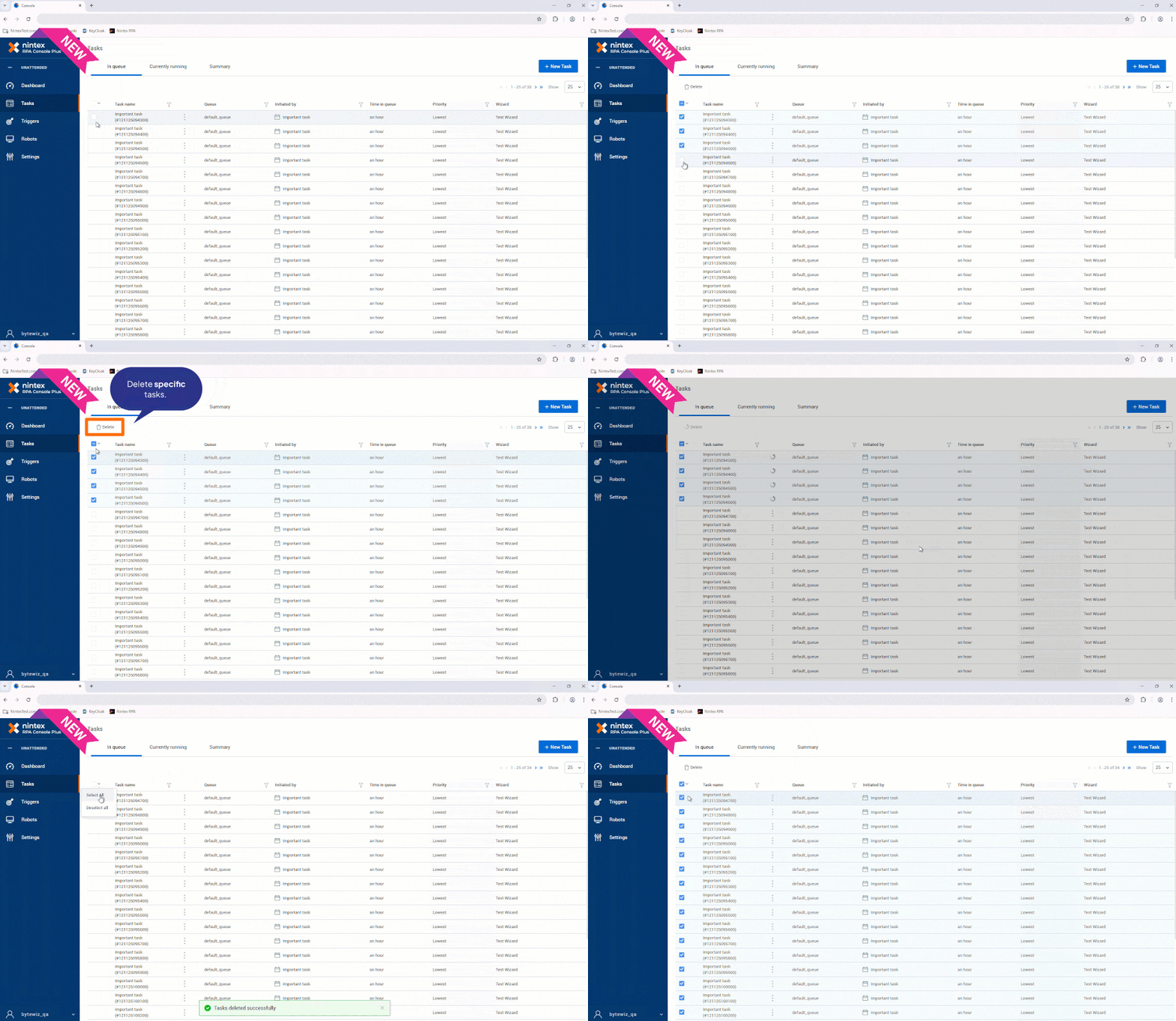
Tip: You can delete one page of tasks at a time. To remove 25, 50, or 100 tasks in a single action, adjust your page settings to display that number of tasks before you delete.
Explore everything you need in our help documentation and release notes – your complete guide to getting the most out of your RPA 25.11 system.