

System Manager 2.0 delivers on our promise of an intuitive, GUI-driven experience that simplifies server administration.
In previous releases (RPA versions prior to 25.11), uninstalling a server required manual intervention via PowerShell or CLI commands—a process we know most teams prefer to avoid.
With this release, uninstalling your RPA server is entirely visual. No scripts. No command-line complexity. Just a clean, guided workflow that lets you focus on automation.
Important: The graphical uninstall feature is available only for RPA version 25.11 or later.
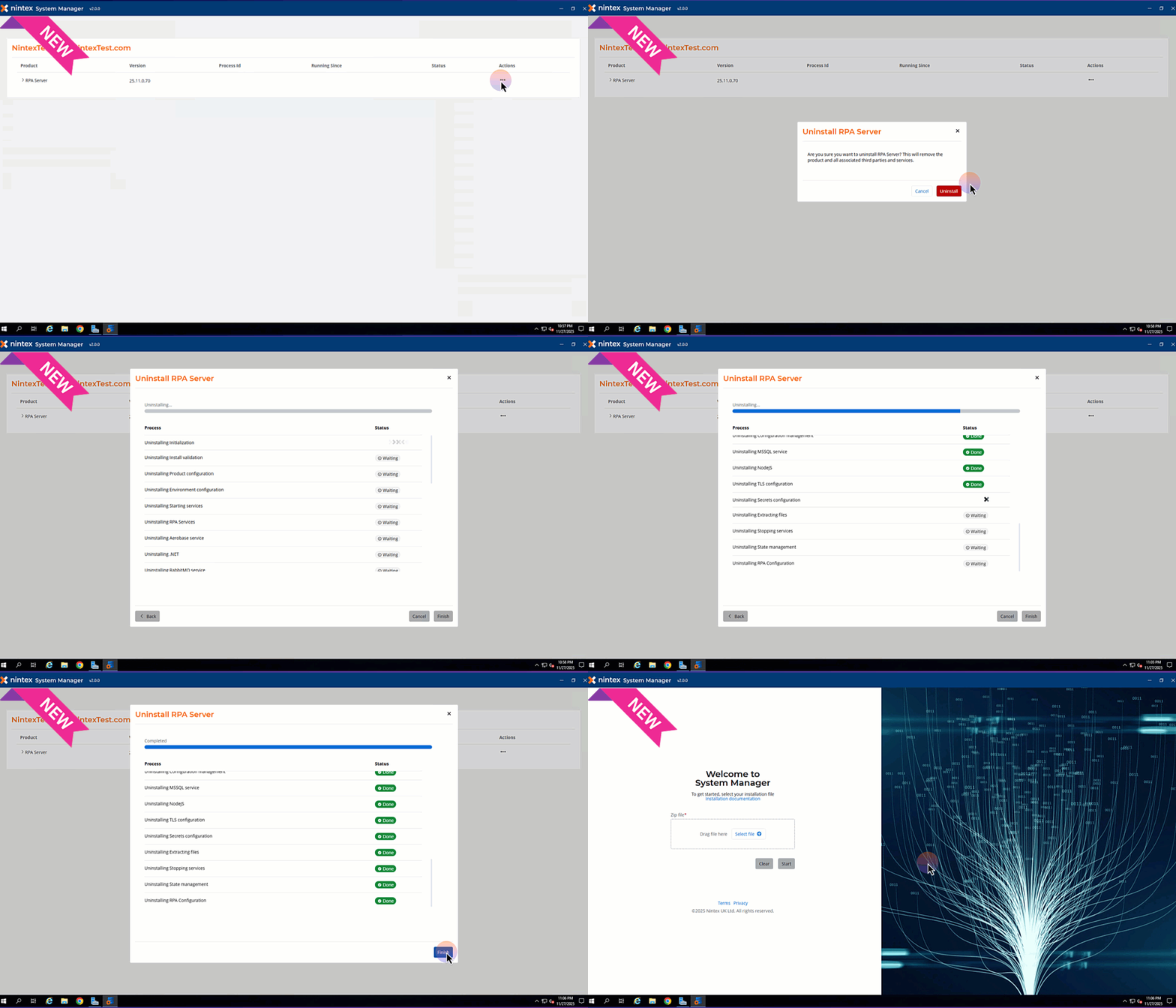
To uninstall your Nintex RPA server:
- Navigate to the Actions tab.
- Select Uninstall.
- Wait a few minutes for the process to complete.
- Click Finish.
- Restart Windows to finalize the uninstall.
Explore everything you need in our help documentation and release notes – your complete guide to getting the most out of your RPA 25.11 system.