

System Manager 2.0 delivers exactly what we promised—an intuitive graphical interface that simplifies server management.
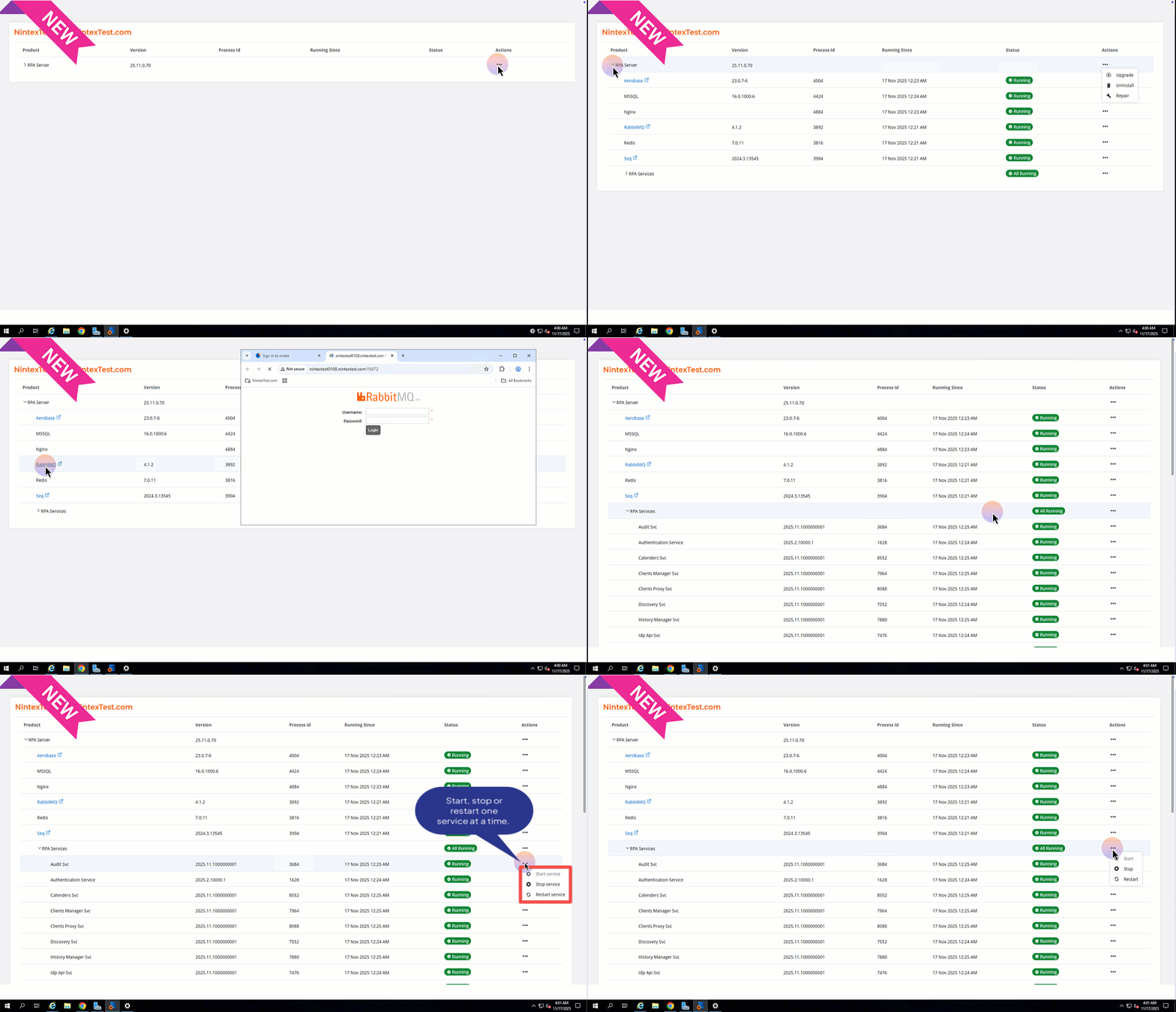
Prior to RPA 25.11, monitoring server health required manual navigation through the Windows Services application, complicating the isolation of RPA-specific processes. The new System Manager centralizes all 32 RPA services and components into a single interface, eliminating administrative overhead and providing immediate visibility into system-wide status. Beyond the ability to upgrade, uninstall or repair your server, this System Manager allows you to take full control.
With this release, you can:
- Access your third party links, Aerobase, Rabbit MQ, Seq.
- Restart, stop or start your services and server components.
Note: These features are only available for RPA version 25.11 or higher.
Follow these steps to manage your RPA server:
Explore everything you need in our help documentation and release notes – your complete guide to getting the most out of your RPA 25.11 system.