


Automation does not fix poor ownership, unclear exception handling, or broken workflows. It accelerates them and is an ongoing process of Continius Improve through managing process efficiciencies and identificying bottlenecks of allready automation automated processes. This article explains why process design should come first and which Nintex tool is the right fit for this.
Automation is often framed as a shortcut to efficiency. But, in reality, it is a multiplier. If the underlying process is clear, well-owned, and governed properly, automation can improve throughput, consistency, and visibility. If the underlying process is confused, full of workarounds, and dependent on tacit knowledge, automation merely just hardens the problem.
Why process quality matters first
Most organisations do not suffer from a lack of tools. They suffer from unclear process design. That usually appears in familiar ways:
- Handoffs that rely on email or memory
- Approval paths that are not consistently followed
- Exceptions that only a few experienced people know how to handle
- Duplicated checks that no one can explain
- Unclear ownership when something goes wrong
When these conditions exist, automating the workflow may increase speed, but it does not improve control. It simply makes the same weaknesses harder to see and more expensive to unwind later.
The real role of automation
Good automation does three things well:
- It removes unnecessary manual effort
- Improves consistency in repeatable tasks
- Increases visibility into what is happening and where work is getting stuck
- It improves the quality of desired ouputs of the process through a reuction in human errors
That only works when the process has already been clarified to a reasonable level. Teams need to know what the workflow is meant to achieve and the values of it's existence, who owns it, what the exceptions are, and what success actually looks like.
What to examine before automating
Automation does not fix poor ownership, unclear exception handling, or broken workflows. It accelerates them and is an ongoing process of Continius Improve through managing process efficiciencies and identificying bottlenecks of allready automation automated processes. This article explains why process design should come first and which Nintex tool is the right fit for this.
Automation is often framed as a shortcut to efficiency. But, in reality, it is a multiplier. If the underlying process is clear, well-owned, and governed properly, automation can improve throughput, consistency, and visibility. If the underlying process is confused, full of workarounds, and dependent on tacit knowledge, automation merely just hardens the problem.
Why process quality matters first
Most organisations do not suffer from a lack of tools. They suffer from unclear process design. That usually appears in familiar ways:
- Handoffs that rely on email or memory
- Approval paths that are not consistently followed
- Exceptions that only a few experienced people know how to handle
- Duplicated checks that no one can explain
- Unclear ownership when something goes wrong
When these conditions exist, automating the workflow may increase speed, but it does not improve control. It simply makes the same weaknesses harder to see and more expensive to unwind later.
The real role of automation
Good automation does three things well:
- It removes unnecessary manual effort
- Improves consistency in repeatable tasks
- Increases visibility into what is happening and where work is getting stuck
- It improves the quality of desired ouputs of the process through a reuction in human errors
That only works when the process has already been clarified to a reasonable level. Teams need to know what the workflow is meant to achieve and the values of it's existence, who owns it, what the exceptions are, and what success actually looks like.
What to examine before automating
Before any automation initiative moves ahead, four questions matter:
1. Is the process itself really worth preserving?
Some workflows should be redesigned before they are automated. If the current way of working is fragmented or outdated, automation should not be used to preserve it.
2. Are ownership and decision rights clear?
If no one clearly owns a process, automation will not solve the accountability gap. It often makes it worse because the workflow appears more formal than it really is.
3. Are the exception paths understood?
Many workflows look straightforward until edge cases appear. The automation design must account for real operational exceptions, not only the ideal path.
4. Is the intervention proportionate?
Not every process needs the same treatment. Some problems need better workflow design. Others may need RPA, low-code enablement, decision support, or no automation at all.
A better sequence
For most organisations, the stronger sequence is:
- Understand the current workflow
- Simplify or redesign the process where needed
- Clarify controls, ownership, and exception handling
- Choose the right automation intervention
- Support implementation with delivery disciplin
That is slower than jumping straight to tooling. It is also far more likely to produce an outcome that lasts.
The Nintex way
Nintex’s position is straightforward: automation should support a better operating model, not disguise a weak one. The highest-value work starts before the technology decision, when leaders need clarity on how work should flow, what needs to change, and where automation can genuinely improve performance.
Nintex Process Manager
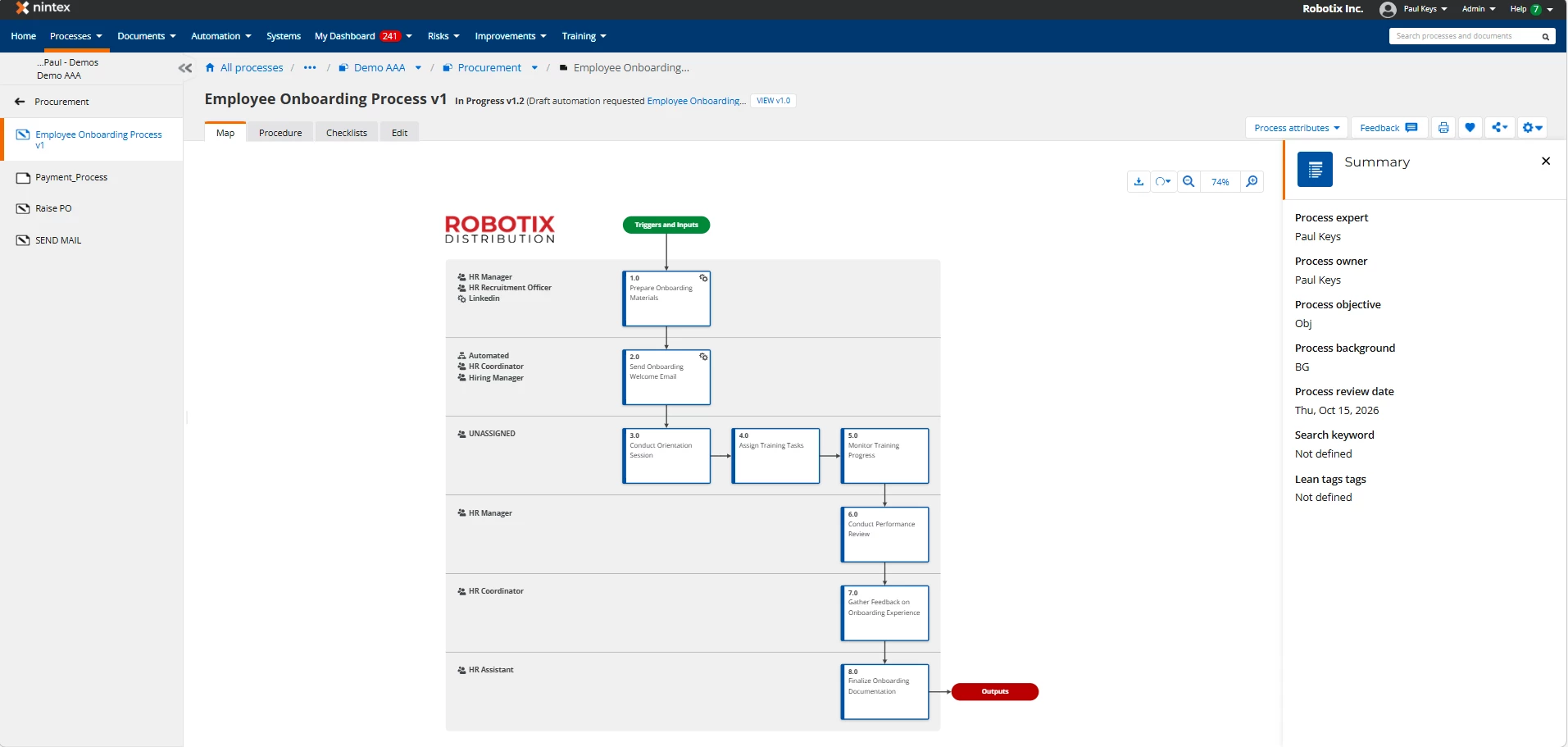
Nintex Process Manager is a cloud-based platform designed to map, manage, and continuously improve business processes. It gives organisations a collaborative. central place to document how work gets done. From high-level workflows to step-by-step procedures so that biusiness processes do not rely tribal knowledge or “that one guy who knows everything.”
What makes it stand out against other tools is how approachable it is. You don’t need to be a Process Engineer or diagram wizard to use it. Business users can quickly create visual process maps, attach supporting documents, define roles and responsibilities, and publish everything in a way that’s easy for the rest of the organization to follow. In other words, it turns process documentation from a painful compliance exercise into something people might actually use.
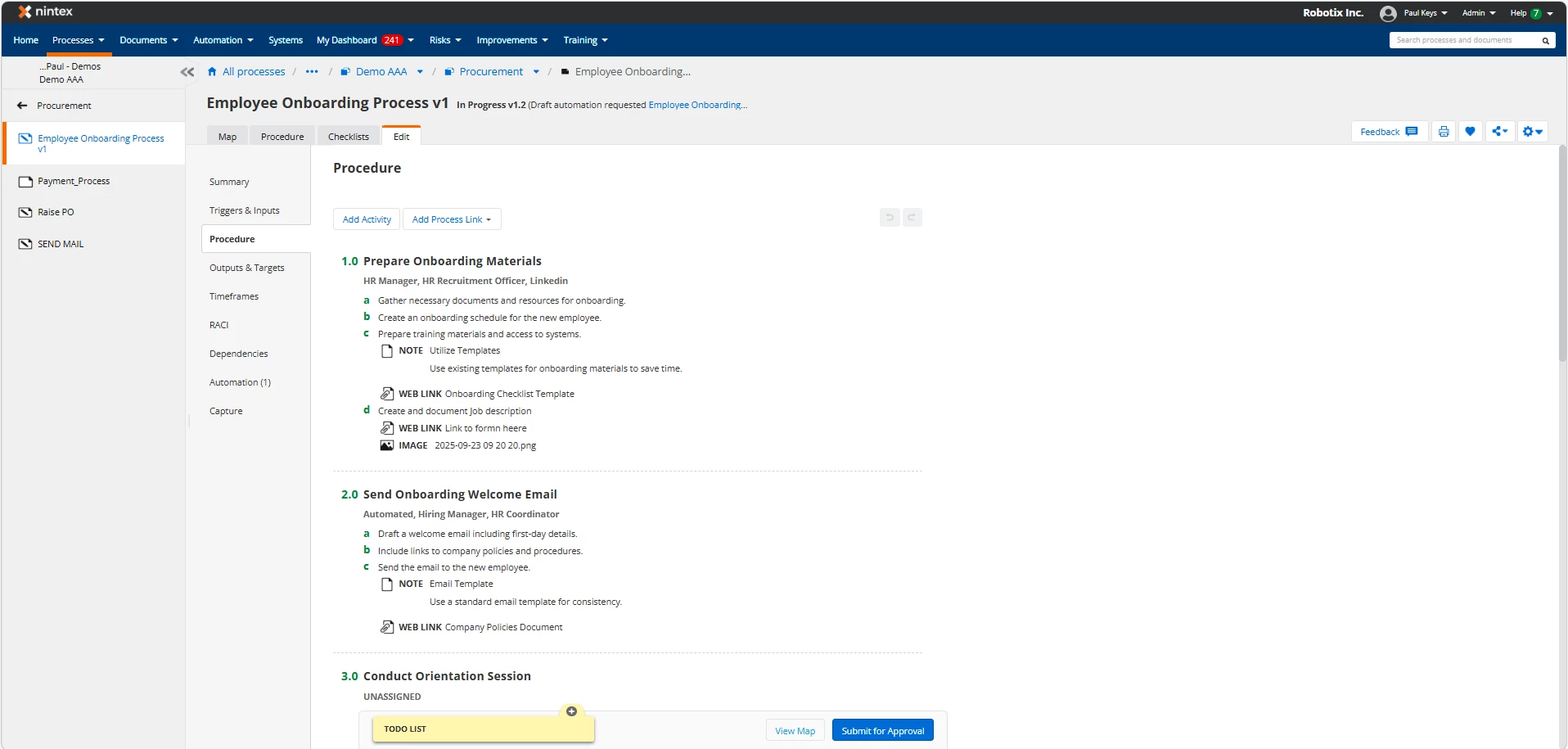
Rapid Publishing through AI
AI Features built-in to Process Manager enable an even faster to market documenting of workflows through inputting input AI prompts. This can further be enhanced by organisations requiring generation of multiple language Processes in warp speed by simply adding the phrase “output to Spanish (or whichever langauge is required)
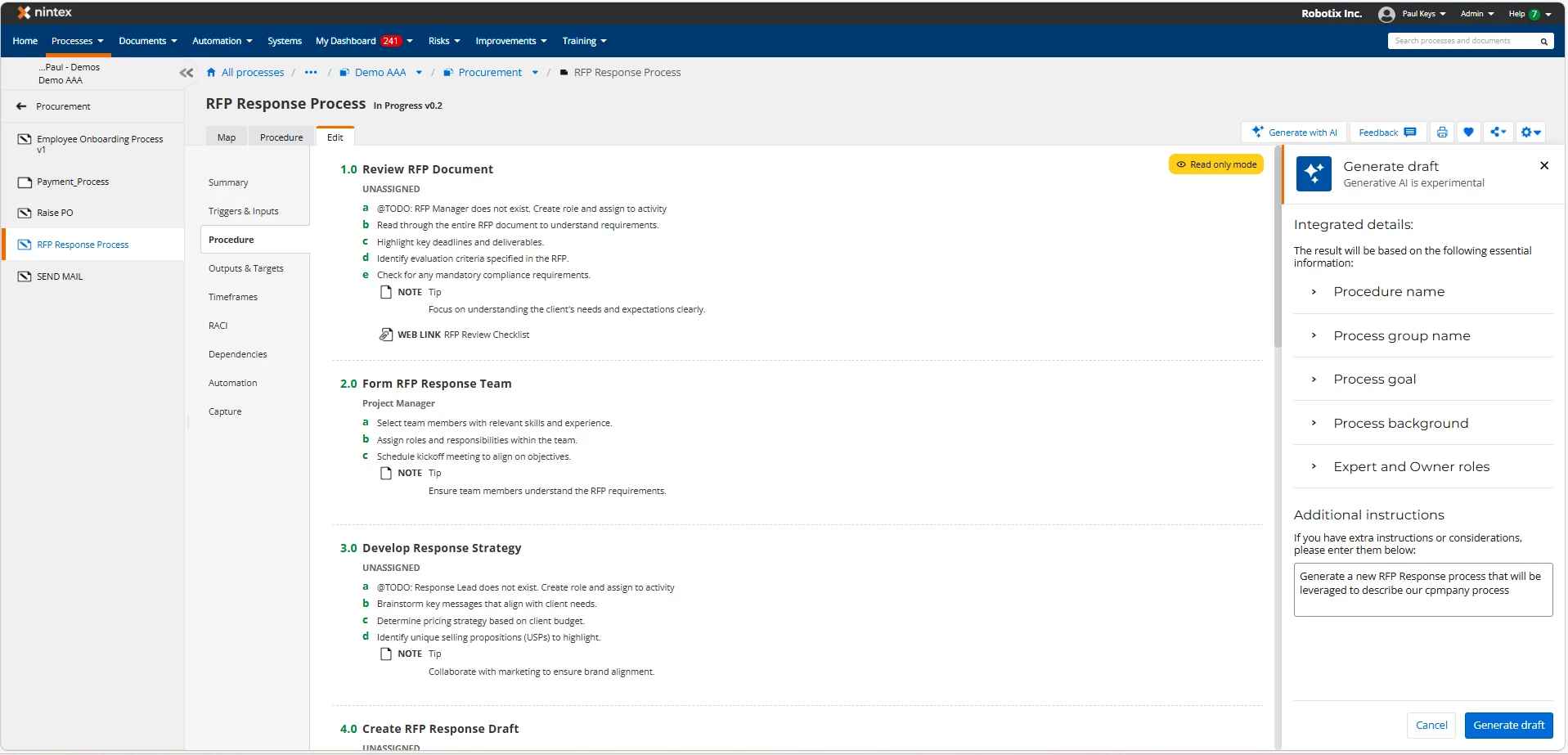
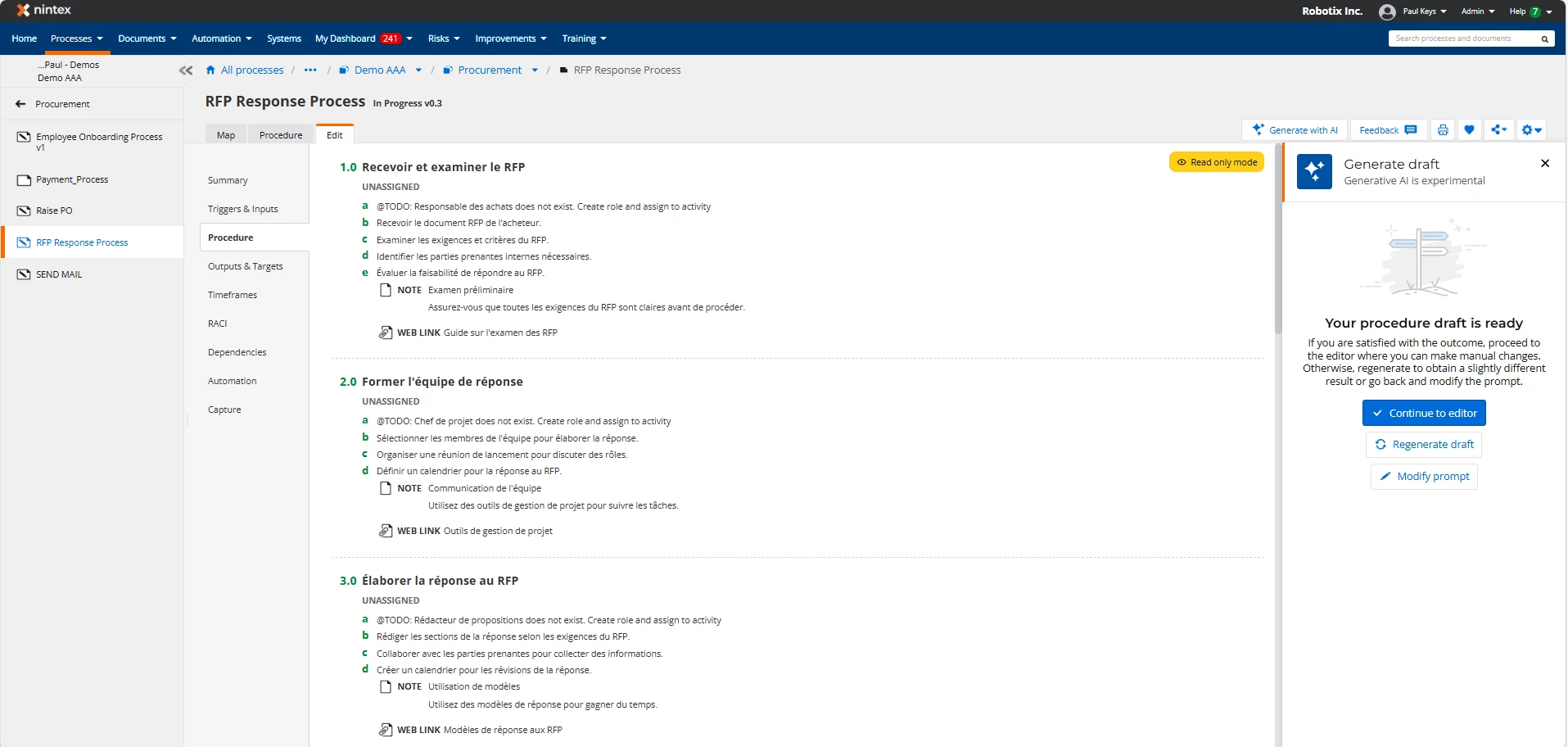
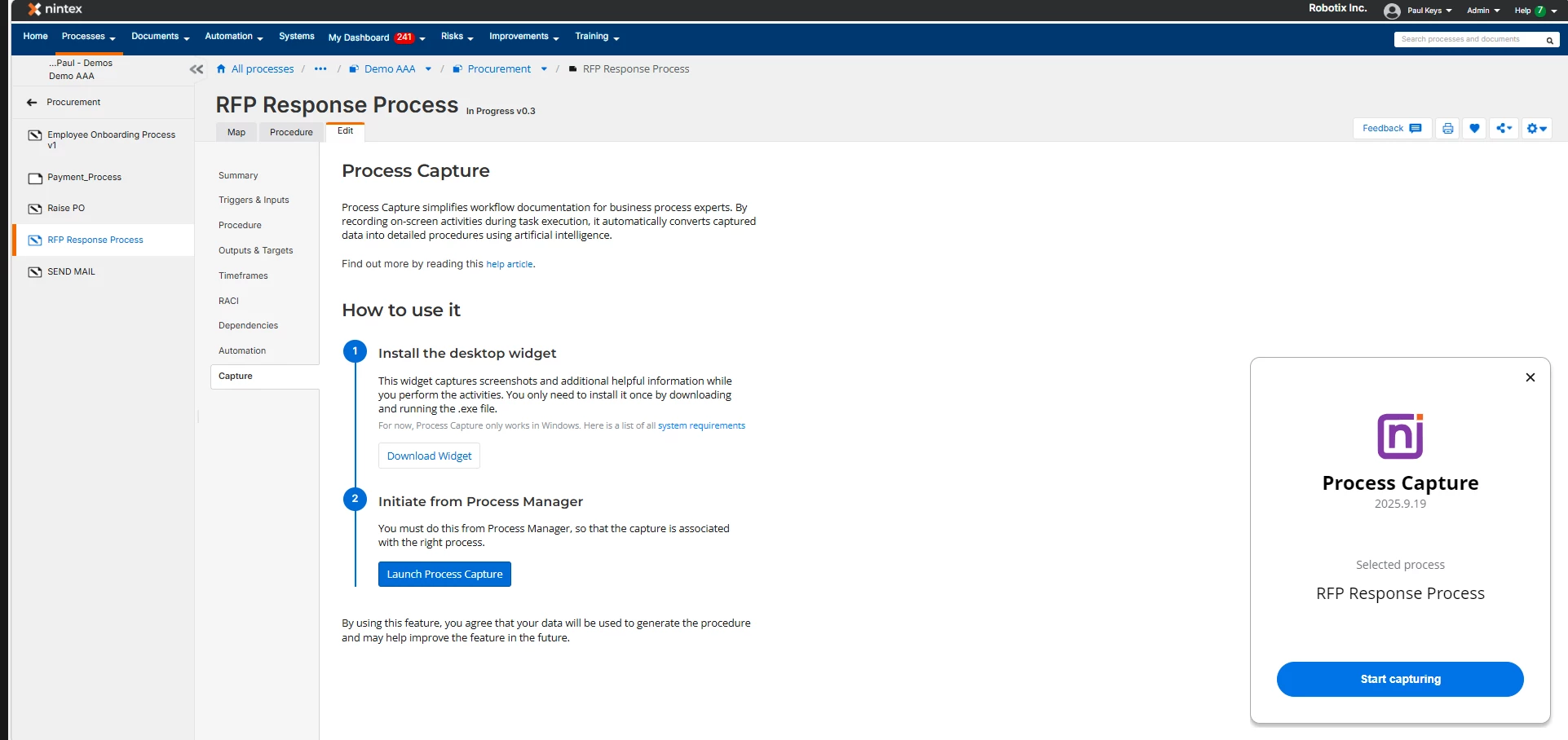
Record and transform tasks to record processes
The built-in Process Capture feature, allows a live screen session by an end user to transform the steps recorded into Process Map that can then, in turn be used as not only a Process map, but a training guide for new starters to learn step by step how to execute the process with the guidance of the generated map as well as screenshot in the various systems in within the process