




It's a classic scenario. You're given a document and asked to pull various pieces of information out of it. Not so long ago you would have opened the document and if you were lucky opened an electronic form with the structured fields that you needed and copy/pasted the information from the document into the form. It was time consuming and very boring.
How can we make this so much easier using Nintex? Let's break down this very common use case of receiving a document, extracting information automatically and where we can't extract, involving the human in the loop.
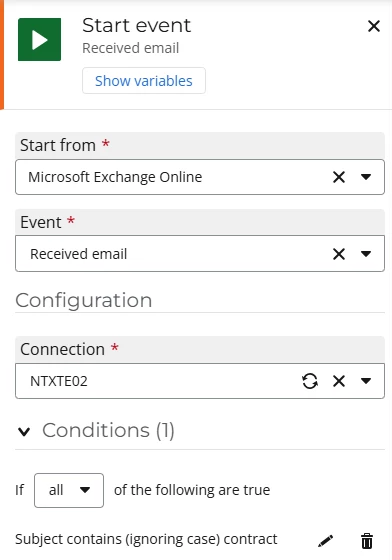
The first thing to consider is how do we receive the document? We could provide a form for someone to upload but also people still love email so in this case, the workflow is started when an email is received and the subject line contains the word "contract".
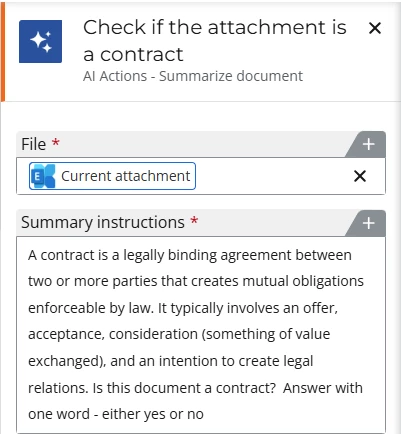
Then we need to go through all of the attachments in the email using the get attachment from email action and we use one of our AI actions to figure out if the attachment is a contract.
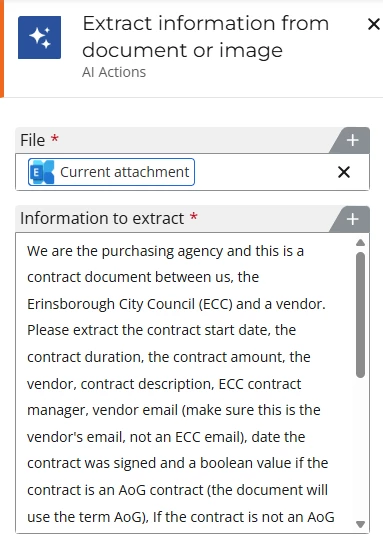
If it is a contract, we then use another AI action to extract contract details such as contract title, the contact details of the 3rd party, contract dates and contract amounts. Here's where AI is really powerful because the data is unstructured. We don't know where in the document this data is stored and what it's called. In the accompanying video the example contract document has a contract title named "SoW for" but AI smart enough to know that is the title. AI can even reformat data at the same time e.g. change a date into dd-mm-yyyy formation. This saves an incredible amount of time.
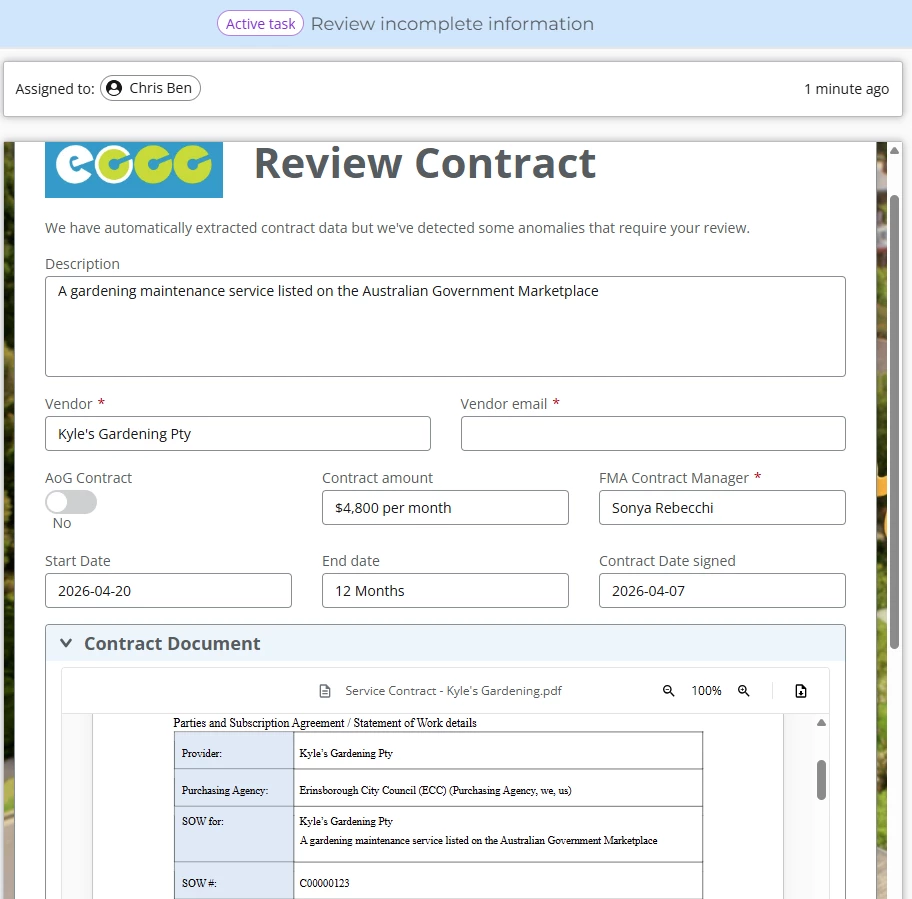
If we've extracted everything we want then it's very simple to write this data somewhere and file the document in your document management system of choice. If some information is missing, now it's time to bring in the human in the loop to research the missing information.
If the information is actually contained in the document but AI couldn't figure it out, we really want the input form and document showing on the same screen and now we can using our recently released document preview feature. This forms control allows you to view any of the common file types: office documents, PDFs, text documents and image files.
Here's a 6 minute video showing everything put together. It's a very common use case whenever you need to capture data stored in a document and using Nintex, took a couple of hours to put together - that's a pretty impressive ROI!