Nintex Community Menu Bar
Question

NAC - Workflow to create .csv file from SharePoint list item

  • January 22, 2026
  • 1 reply
  • 10 views

Forum|alt.badge.img+1

Hello,

I am migrating / redesigning an Invest Request approval workflow from nintex on-prem to Nintex Automation Cloud.

All requests are stored in a SharePoint Online List. 

I have the requirement to create a .csv file for each approved request and save it local on a file share.

It worked very well on the on-prem system.

How can I solve this with nintex cloud?

So 2 requirements

  1. creating a  csv file
  2. storing the file on a file share

would be happy to solve at least requirement (1).

Many thanks for your help!

Jochen

1 reply

Chris_Ben
Nintex Employee
Forum|alt.badge.img+14
  • Nintex Employee
  • January 22, 2026

Hi Jochen,

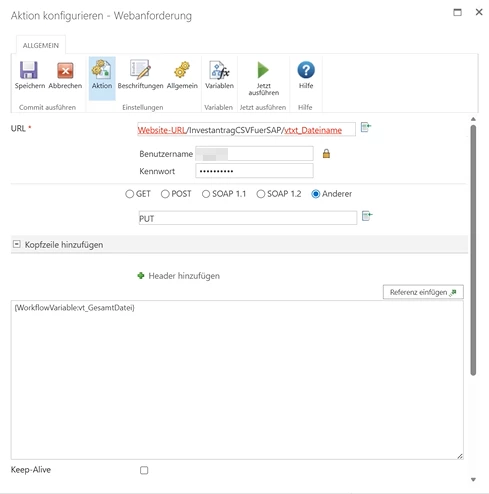
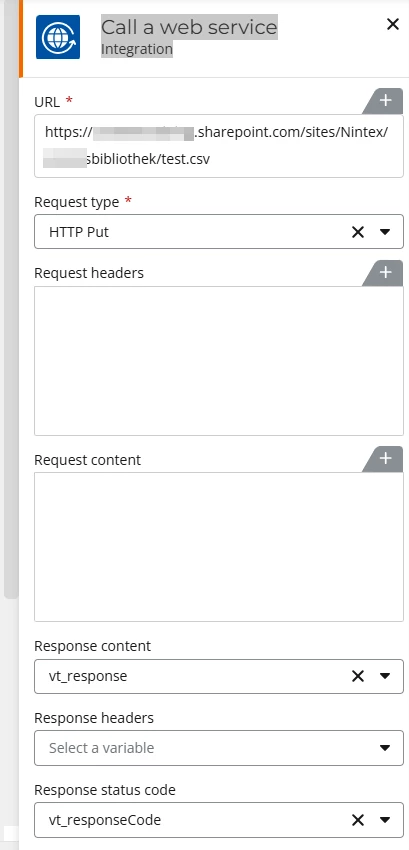
Did you use a call web request action in your o365 solution to create the CSV?  You might be able to replicate it using the same action in Nintex Workflow.


Alternatively, you could create an Excel file using the document generation action: https://help.nintex.com/en-US/nwc/Content/Designer/Actions/GenerateDocument-RepeatDataMSExcel.htm

NB this would create an Excel file rather than a CSV.


If you wanted to store the file in the file system, then you can share the directory with OneDrive/Google Drive/Dropbox etc and use one of those actions to store the file.