Nintex Community Menu Bar
Solved

Formula Value

  • Aug 1, 2022 11:02 PM UTC
  • 5 replies
  • 84 views
  • Translate All

Forum|alt.badge.img+2

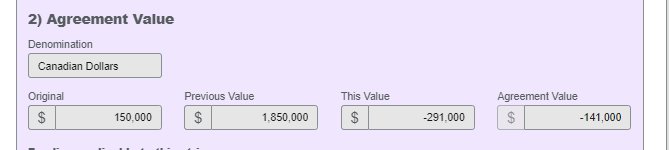
I have a formula the sometimes requires a negative value.
 

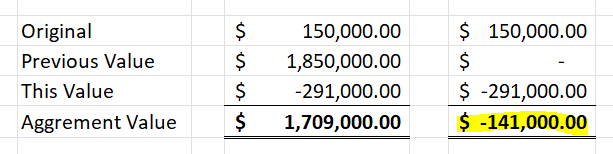
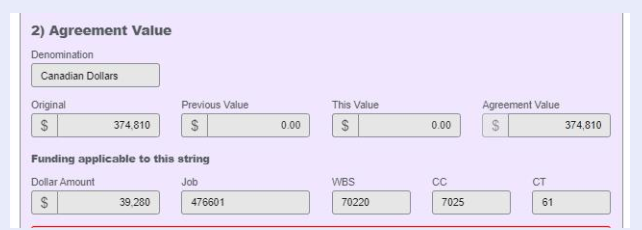
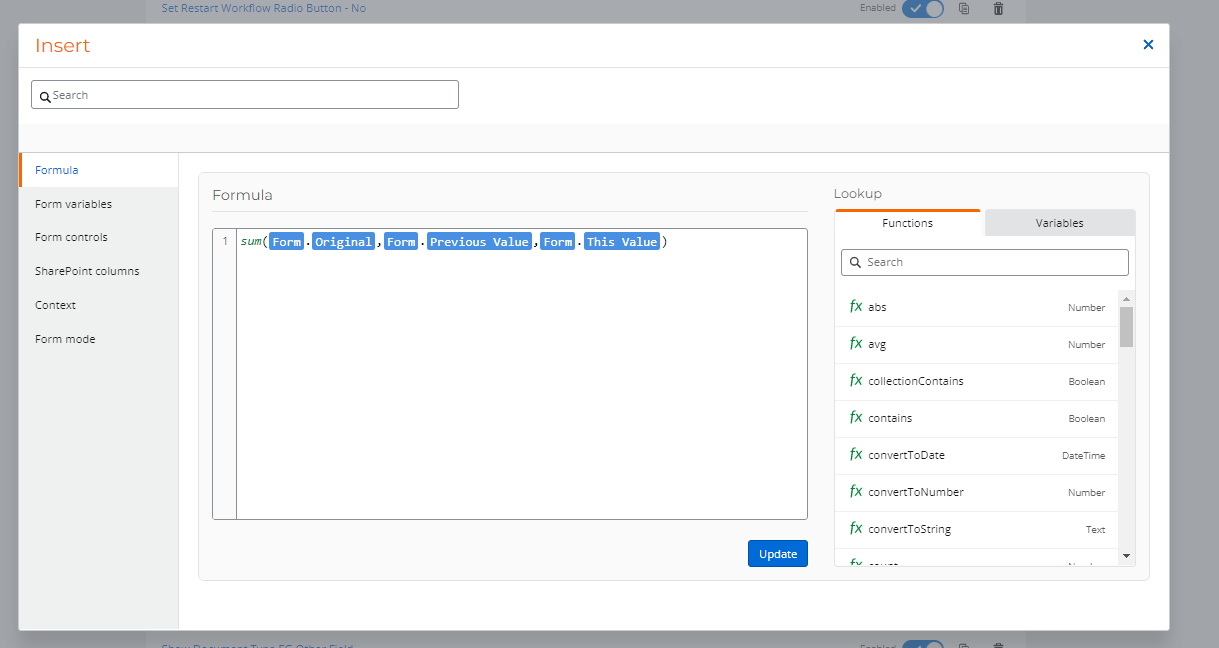
For instance the sum in Agreement Value the original value, plus the previous value, and the negative "this" value needs to be $1,709,000 not -$141,000. 

How do I edit the formula to accommodate a negative value and provide the correct sum?

This is in production so I need to ensure it will not affect any other active calculations.


Using Nintex WF Cloud and a Nintex for SharePoint 365 


Thanks!


24875i5444237F96060F12.png24876iC83DF77D454E533A.png


Best answer by Garrett

Hi @johnreece 


Found the Issue. Its the Form Rules

Once the field "Agreement Value" get a negative value, the recalculation will NOT occur.


How to Resolve

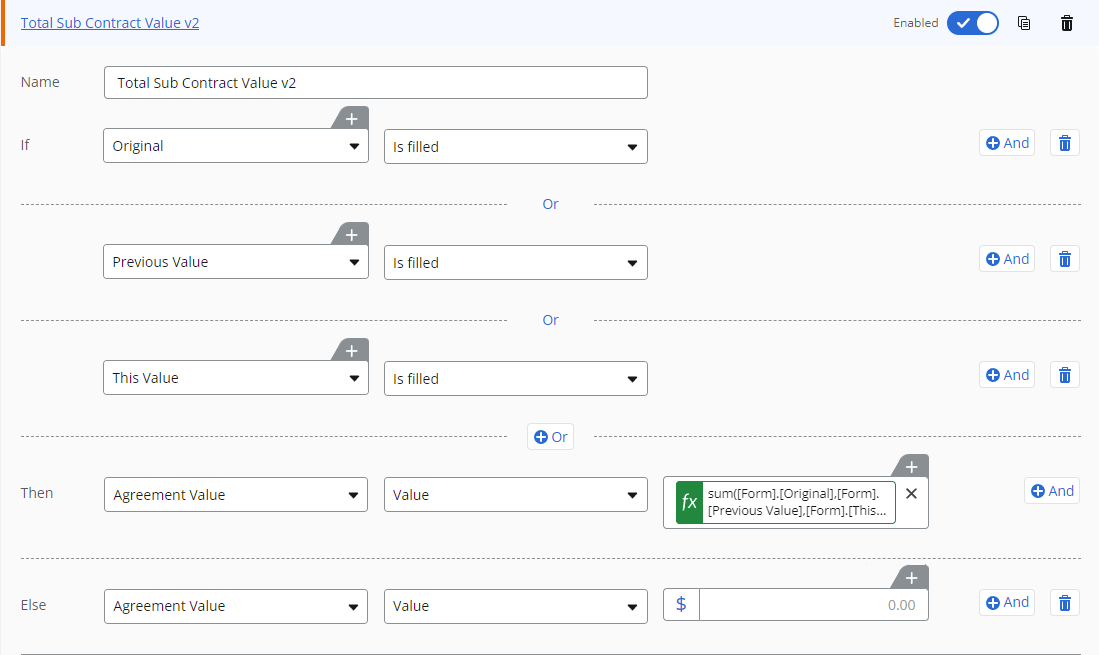
I suggest the following solution - Update the Form Rule

IF ORIGINAL isFilled or PREVIOUS_VALUE isFILLED or THIS_VALUE isFILLED

THEN AGREEMENT_VALUE value sum(...)  

ELSE AGREEMENT_VALUE value = 0  


Screenshot


Tested. Verified working. However you should conduct your own detailed Testing. 


Cheers

View original

5 replies

Simon Muntz
Nintex Partner
Forum|alt.badge.img+23
  • Nintex Partner
  • Aug 1, 2022 11:28 PM UTC
Hi,

I tried to replicate this issue in my NWC Tenant but was not able to. It calculated as expected. Are you able to provide an export of your form?
Translate

Garrett
Forum|alt.badge.img+16
  • Scout
  • Aug 2, 2022 12:30 AM UTC

Hi @johnreece 


Seems like it the Previous Value was omitted out (to get the  -141,000)


I got $1,709,000.00


Can you try with 2 more sample values and share the screenshots of the result?

Cheers


Translate

Forum|alt.badge.img+2
  • Author
  • Rookie
  • Aug 2, 2022 2:32 PM UTC

Hello, export attached. Thank you!

Translate

Forum|alt.badge.img+2
  • Author
  • Rookie
  • Aug 2, 2022 3:03 PM UTC

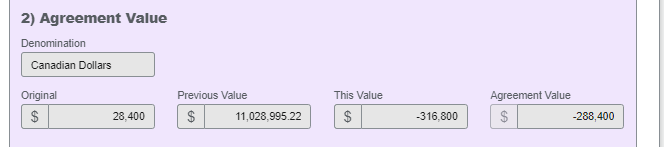
These are the two others reported; the first one is 17325; confirming the issue with 17329 on my end.

A total of three formula errors were reported.


Translate

Garrett
Forum|alt.badge.img+16
  • Scout
  • Answer
  • Aug 2, 2022 3:26 PM UTC

Hi @johnreece 


Found the Issue. Its the Form Rules

Once the field "Agreement Value" get a negative value, the recalculation will NOT occur.


How to Resolve

I suggest the following solution - Update the Form Rule

IF ORIGINAL isFilled or PREVIOUS_VALUE isFILLED or THIS_VALUE isFILLED

THEN AGREEMENT_VALUE value sum(...)  

ELSE AGREEMENT_VALUE value = 0  


Screenshot


Tested. Verified working. However you should conduct your own detailed Testing. 


Cheers

Translate