Nintex Community Menu Bar
Solved

Date Restrictions based on Dropdown

  • December 4, 2025
  • 4 replies
  • 68 views

Forum|alt.badge.img+4

Hello Everyone,

We have a requirement to put restrictions on date selection(Stage 3), if the user selects Internal/External in the Start form and Stage 3 has Board Approval Yes/No. I’ve had a look at the rules but could not find a way to put restrictions on the date. Attached screenshot for reference.

If Internal + Board Approval Yes = Can choose any date 
If Internal + Board Approval No = Can choose next 30 working days
If External = Can choose next 10 working days

 Thank you :)
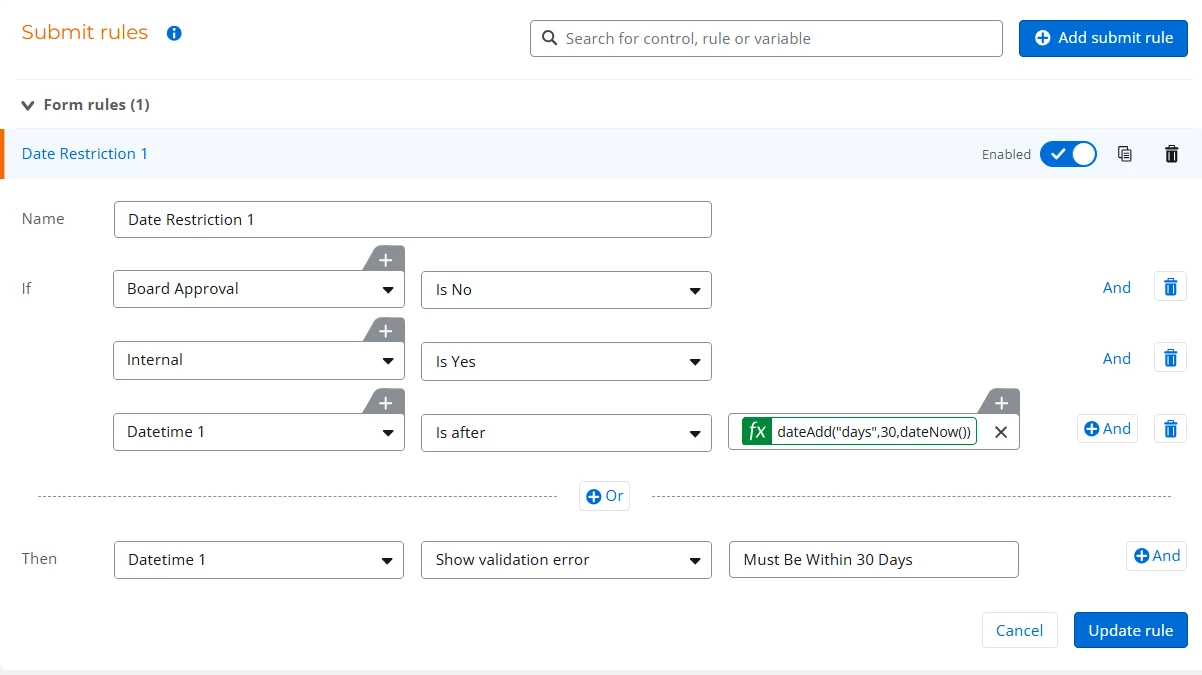
Best answer by brent_read

Hi ​@Natha 

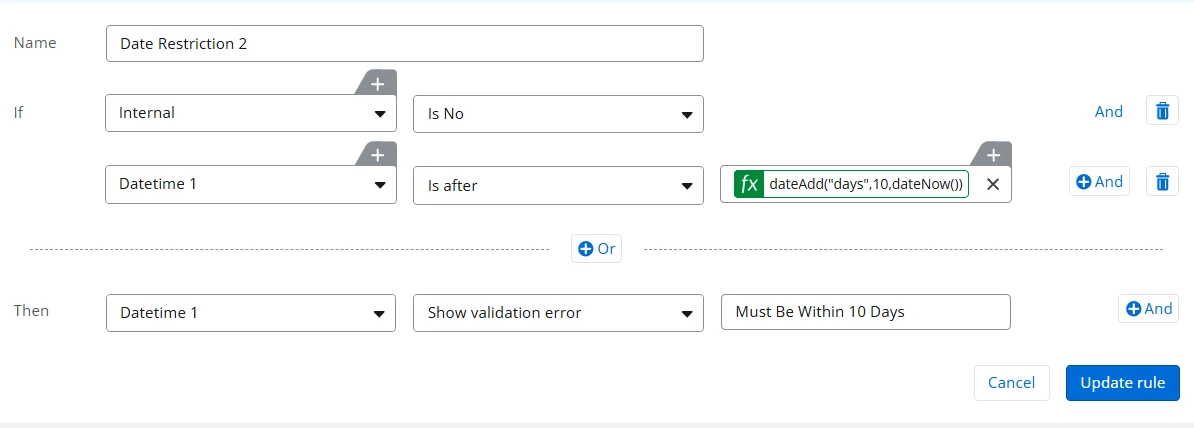
You should be able to do something along these lines with the Submit Rule functionality.  I’d set this up as 2 separate rules: 


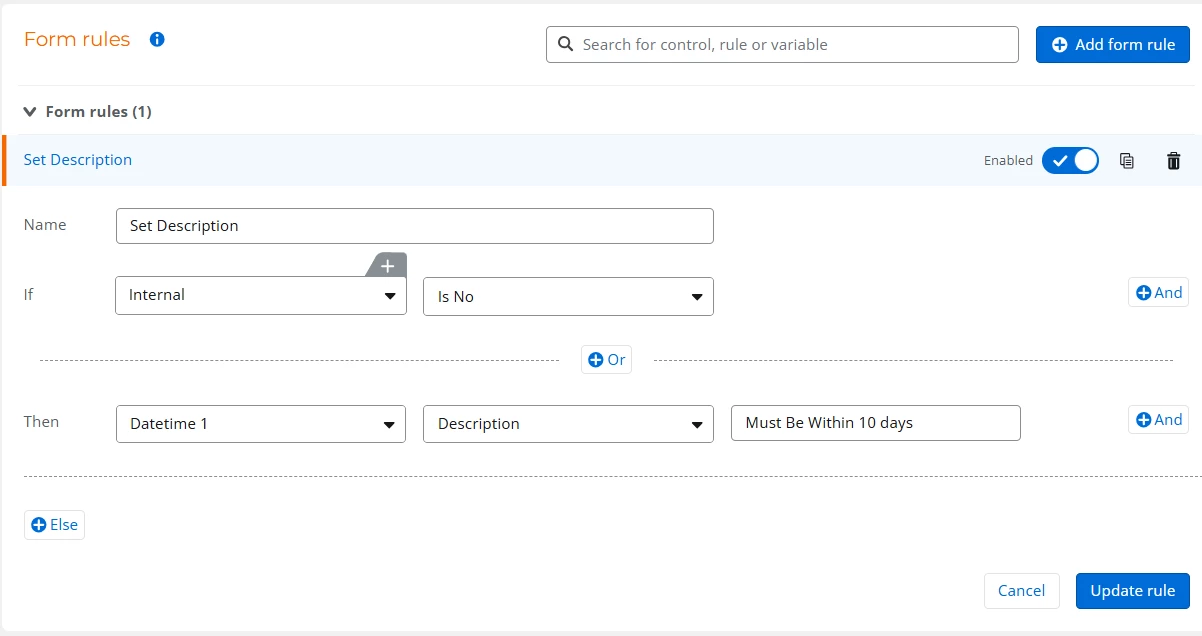
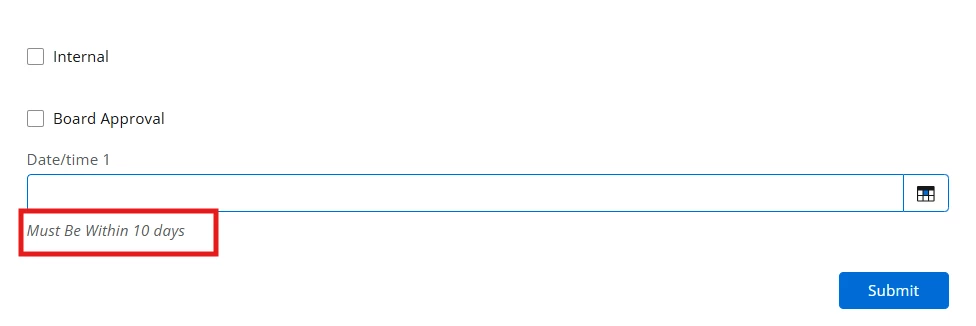
You can also set Form Rules to set a tool tip or a description to show what the criteria is:


4 replies

SimonMuntz
Nintex Employee
Forum|alt.badge.img+23
  • Nintex Employee
  • December 7, 2025

Hi  ​@Natha,

The form in the image does not appear to be a Nintex Workflow form.
It is possible that it is highly customised, so it may look different.
Can you please confirm the platform you are working with to see if a solution is possible?


Forum|alt.badge.img+4
  • Author
  • Rookie
  • December 8, 2025

Hi ​@SimonMuntz 

Thanks for your response. :)
No, that is just the requirement sent by stakeholders in Excel, so I shared it for easier understanding of the logic.
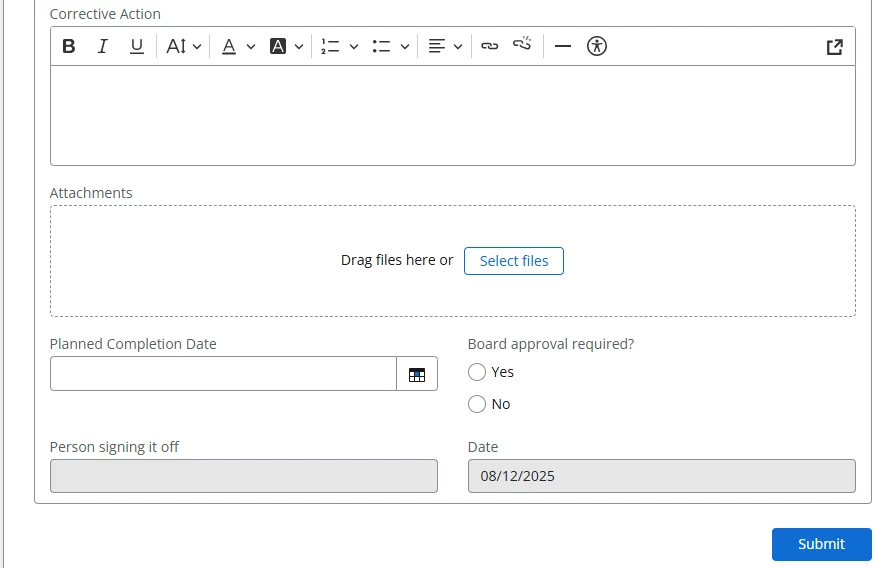
Here is the actual Nintex Automation Cloud form.

Please let me know if you need any further details.


Forum|alt.badge.img+10
  • Nintex Employee
  • Answer
  • December 8, 2025

Hi ​@Natha 

You should be able to do something along these lines with the Submit Rule functionality.  I’d set this up as 2 separate rules: 


You can also set Form Rules to set a tool tip or a description to show what the criteria is:


Forum|alt.badge.img+4
  • Author
  • Rookie
  • December 8, 2025

Hi ​@Natha 

You should be able to do something along these lines with the Submit Rule functionality.  I’d set this up as 2 separate rules: 


You can also set Form Rules to set a tool tip or a description to show what the criteria is:


Thank you so much, Brent. It always looks so easy when someone else gives the answer to a question that cost me a couple of hairs. Once again, much appreciated. :)