Nintex Community Menu Bar

Call a SharePoint web service POST : 400

  • Oct 25, 2022 8:57 PM UTC
  • 6 replies
  • 191 views
  • Translate All

Hello everyone,


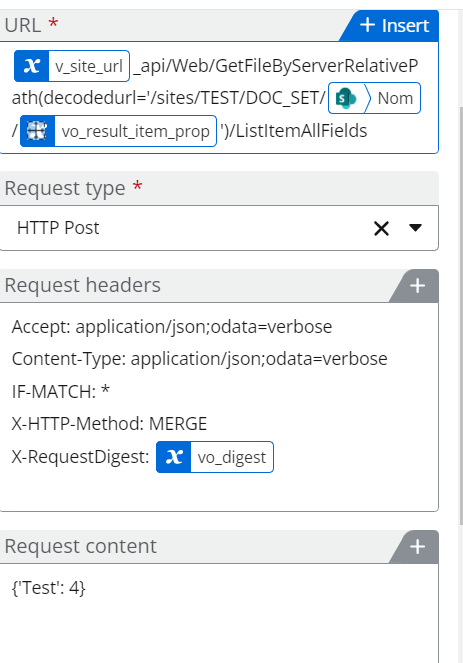
My call sharepoint web service action is returning a 400 error code but my request seems to be totaly fine :
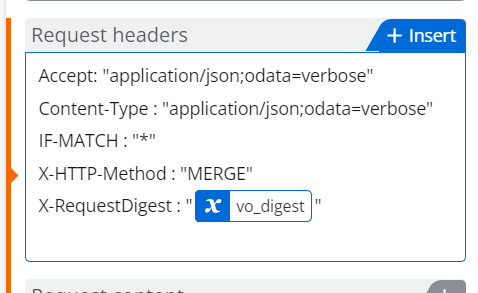
26899i8D5E33E08F3342BE.png

Is there any mistake in my request headers ?


Thank u in advance !

6 replies

cecilia-penha
Nintex Employee
Forum|alt.badge.img+8
  • Nintex Employee
  • Oct 25, 2022 9:32 PM UTC

Hi @grt_fi,


I would suggest removing all the double quote as shown below. 

Hope that helps. ^^

Translate

  • Author
  • Oct 25, 2022 11:23 PM UTC

That didn't work too 😕

Translate

  • Author
  • Oct 25, 2022 11:26 PM UTC

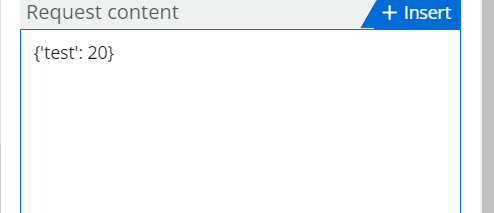
Is my request content missing something ?

Translate

cecilia-penha
Nintex Employee
Forum|alt.badge.img+8
  • Nintex Employee
  • Oct 26, 2022 12:00 PM UTC

Hi @grt_fi,


The payload will depend on the REST API request. What is the SharePoint REST API you're calling?


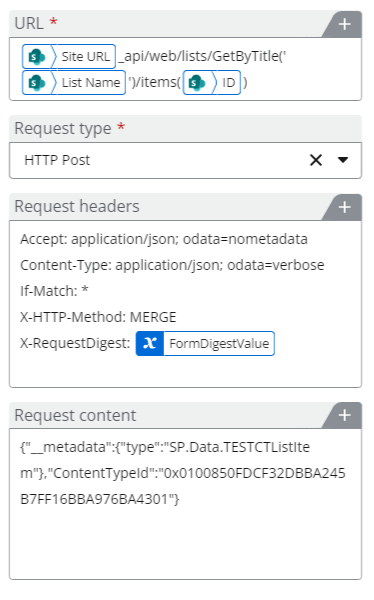
As an example:

In my example I call the SharePoint REST API to update an item and specifically the Content type. 


You will find the details you need on the Microsoft documentation: Get to know the SharePoint REST service | Microsoft Learn. Which one are you calling? 


Hope that helps. ^^


Translate

  • Author
  • Oct 26, 2022 1:21 PM UTC

In my case, I am calling a sharepoint web service to update an item of type file that is stored inside a document set and here is the URI I am using :

The same URI is working fine with a GET call this is very strange.... Does the POST call fail because of the URI ?

Translate

cecilia-penha
Nintex Employee
Forum|alt.badge.img+8
  • Nintex Employee
  • Oct 26, 2022 1:54 PM UTC

Hey @grt_fi,

Yes, the URI is not valid, and the headers has to be changed a bit for the REST API you're calling as documented.


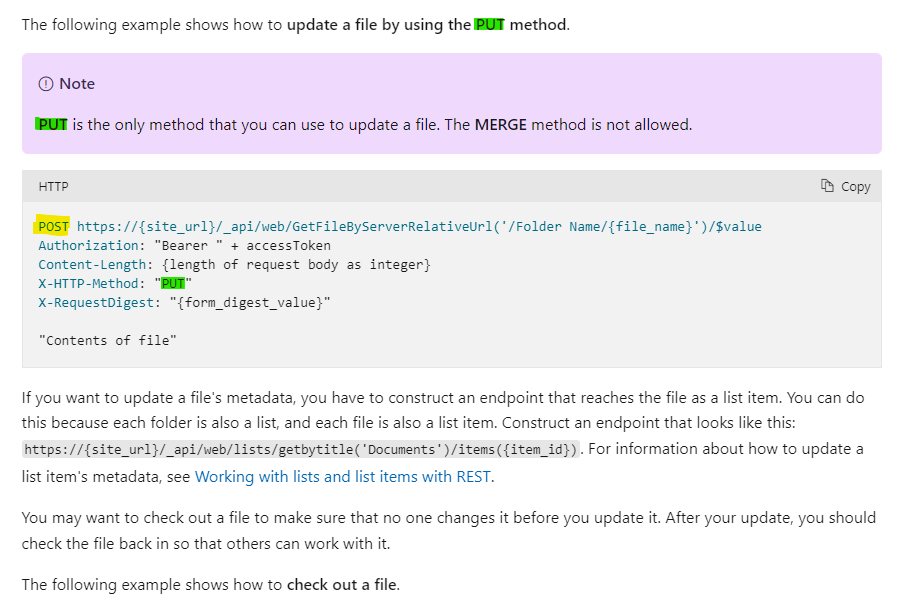
It works following the REST API documentation. If you update a file that exists, you need to do a POST request with the X-HTTP-Method "PUT"


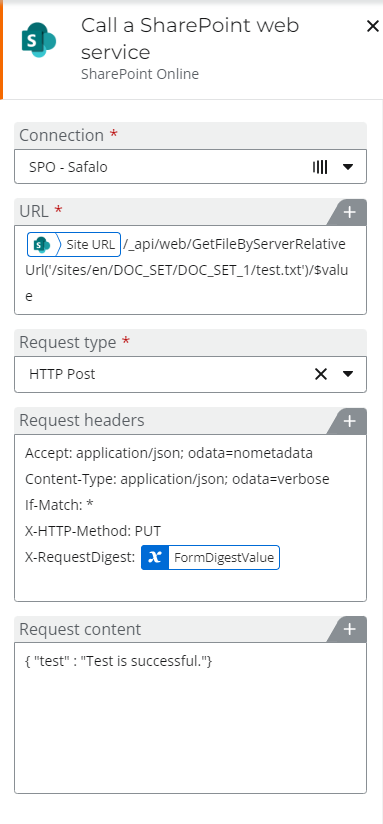
The configuration in Nintex Automation Cloud :

Note: You have to use a relative URL of the file.


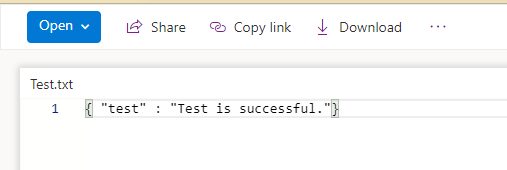
The file has been updated.


You're updating a JSON content. 😉 


If you want to update the properties of the item associated to the file, follow the documentation. The REST API call is different as mentioned in the documentation.


Hope that helps. ^^


Translate