Nintex Community Menu Bar
Question

Auto populate repeating section of forms

  • December 15, 2025
  • 1 reply
  • 11 views

Forum|alt.badge.img+2

Hi 

I hope you are well. 

I am building a Nintex form using Nintex workflow cloud and pulling data from salesforce. There is a data lookup to pull the data Type as a list. The end user would select a Type from the drop down and then the items associated with the selected Type would be displayed on the repeating sections. There are varied numbers of items associated with each Type selected. My questions are 

  1. How do I design the repeating section to be dynamic ie number of repeating sections should automatically change to the number of items associated with the Type selected?
  2. If say Type A is selected and Type A has 5 items associated with it, I would like to have 5 repeating sections and each of the 5 items should automatically be populated on each row.  Please advise how to achieve this. Thank you

1 reply

Chris_Ben
Nintex Employee
Forum|alt.badge.img+14
  • Nintex Employee
  • December 16, 2025

Hi Sunita,

Yes this is absolutely possible using the repeating section default values settings as described in this help page: https://help.nintex.com/en-US/nwc/Content/Designer/FormControls/Repeatingsection.htm. However there is a subtle nuance with Salesforce so read on here.


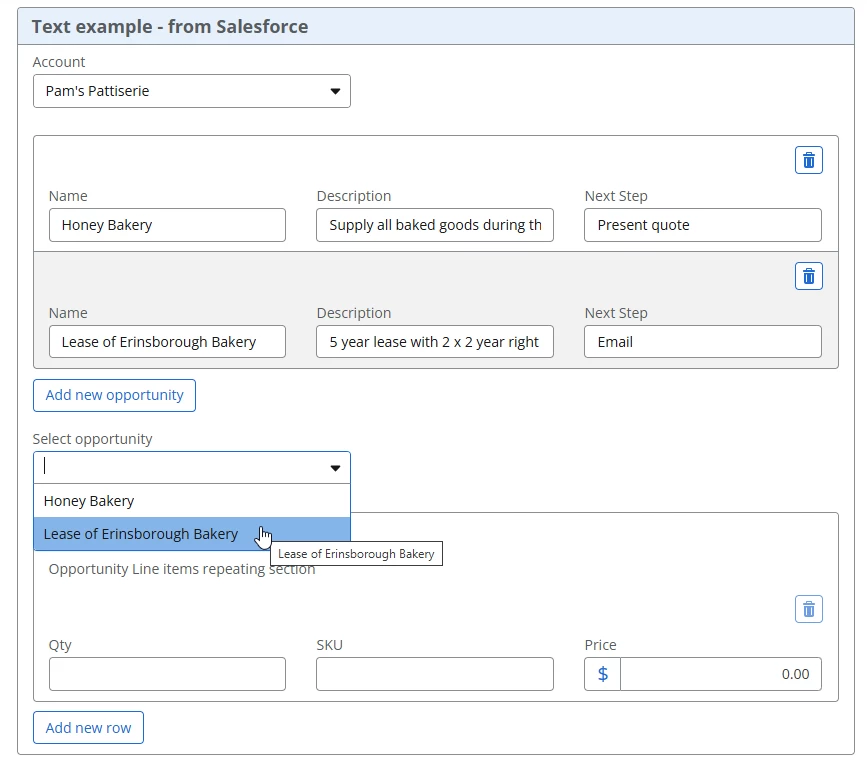
The linked help page describes that you can connect to dynamic repeating data which is usually supplied in a collection.  The number of repeating rows dynamically changes depending on how many items there are in the collection without you having to code anything.


One assumption that the help page doesn’t describe is the repeating items must be at the root of the object and in Salesforce’s case, it’s not at the root so we’re going to use the instructions on that page for using a text collection.


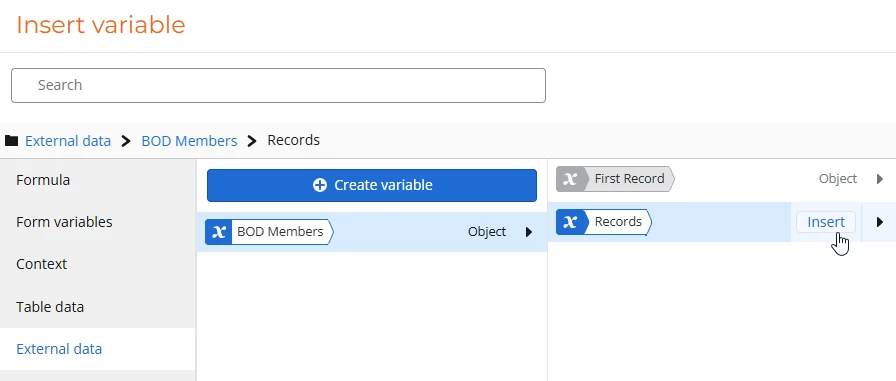
I know you’ve already created on data variable to retrieve all the Types and I assume you’ve populated a choice single control with these types.  Create a second data variable to retrieve the items associated with the type and create a condition to filter based on the Type. i.e. only retrieve the items where type = the type you selected in your choice single control.


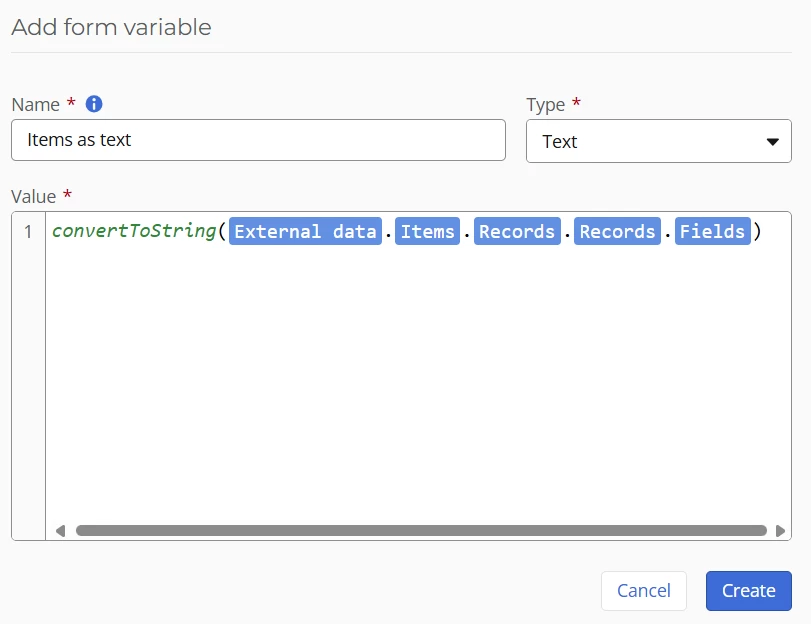
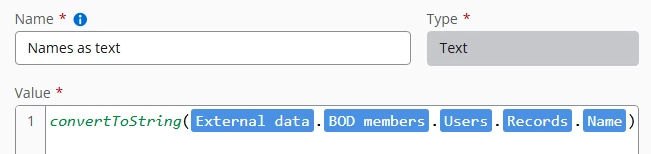
Create a text form variable, lets call it “Items as text” and convert your collection to text using the convertToString formula:


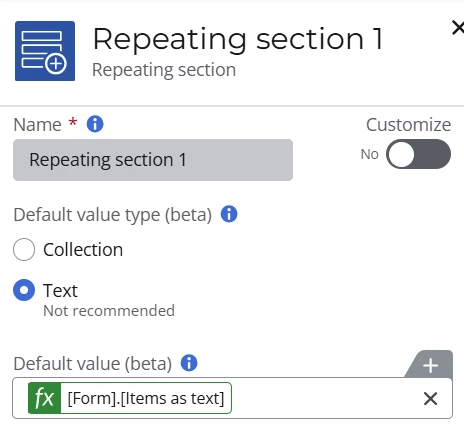
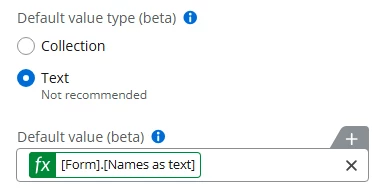
Now go to your repeating section and set the following fields:

Default value type: Text

Default value: The Items as text variable


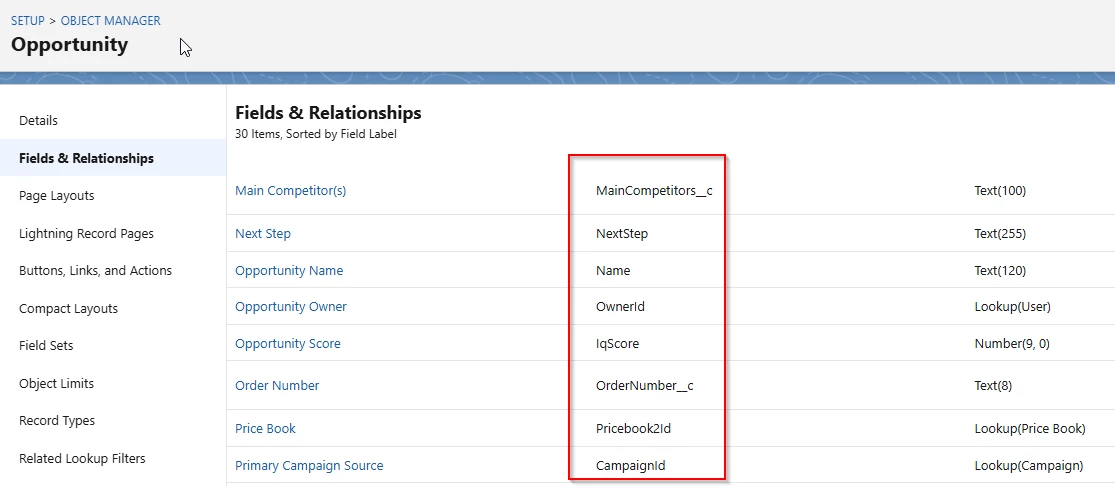
Make sure the names of the fields you have in your repeating section correspond to the API attribute names of the Item object.  You can find out the API attribute name by going to your object explorer.  Here’s an extract from my one which also includes custom attributes.


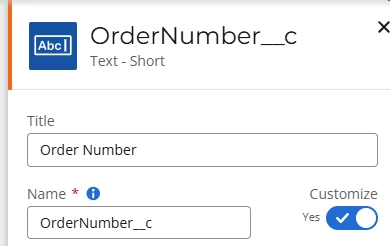
As an example, if I wanted to use Order Number in my repeating section, I’d name the field OrderNumber__c


Hope that helps!


PS credit given to my learned colleague, Talha, who provided valuable guidance in responding to this question.