Nintex Community Menu Bar
Question

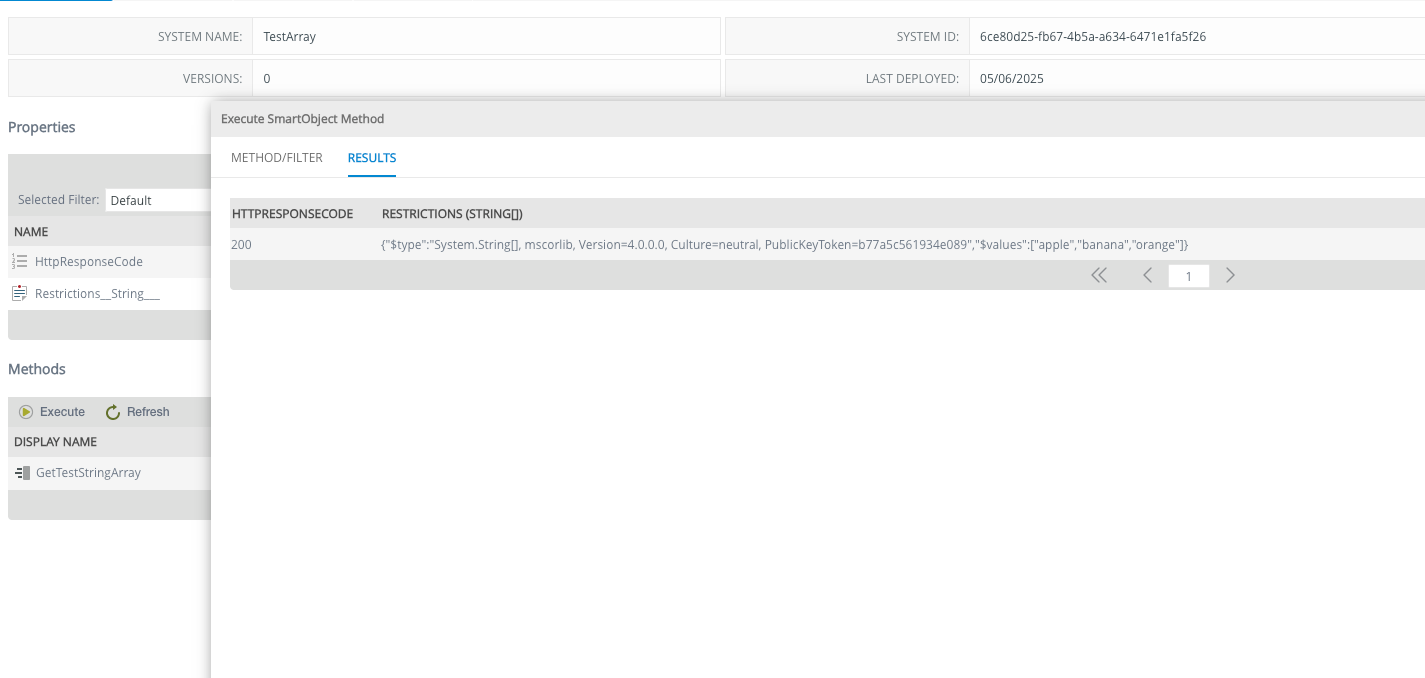
Why my response contains extra fields, Is this okay

  • May 6, 2025 11:00 AM UTC
  • 9 replies
  • 173 views
  • Translate All

Forum|alt.badge.img+2

My actual response from apis is


{
"restrictions": [
"apple",
"banana",
"orange"
]
}

 

9 replies

Forum|alt.badge.img+2
  • Author
  • Rookie
  • May 6, 2025 11:06 AM UTC
{
"$type": "System.String[], mscorlib, Version=4.0.0.0, Culture=neutral, PublicKeyToken=b77a5c561934e089",
"$values": ["apple","banana","orange"]
}

This is response

Translate

Forum|alt.badge.img+11
  • Nintex Employee
  • May 6, 2025 2:26 PM UTC

The REST endpoint may return an object like in this case, instead of rows and columns.  It looks like it is an array of strings.

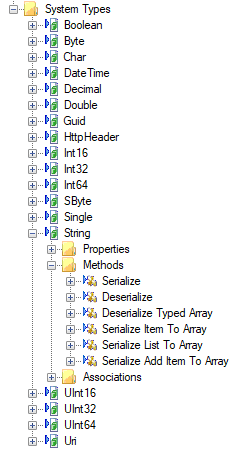
You can use the String System Types > Deserialize, Deserialize Array or Deserialize Typed Array (depending on the situation) to return it as rows/columns instead.

https://help.nintex.com/en-US/k2cloud/userguide/current/Content/SBrokers/SB-Serialization.htm

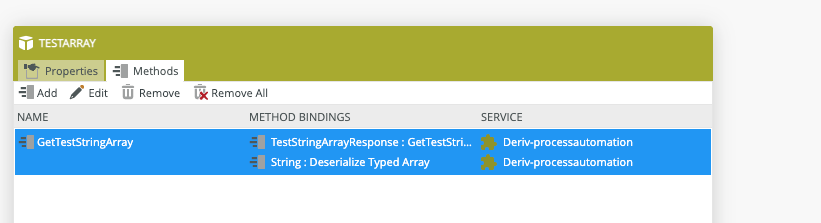
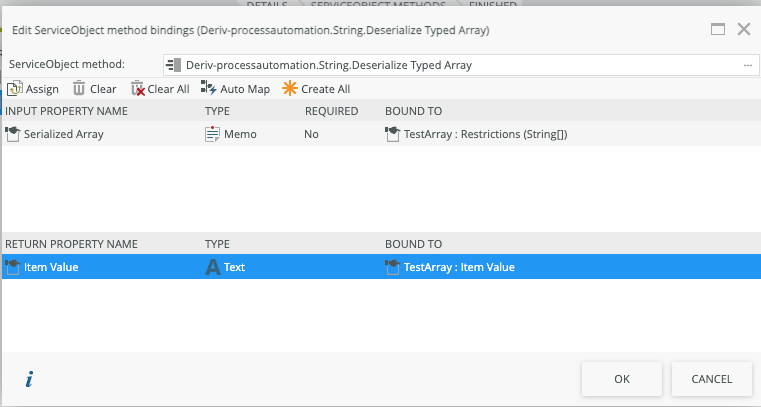
It is also possible to chain the Service method in a single SmartObject method.


Translate

Forum|alt.badge.img+2
  • Author
  • Rookie
  • May 6, 2025 3:02 PM UTC

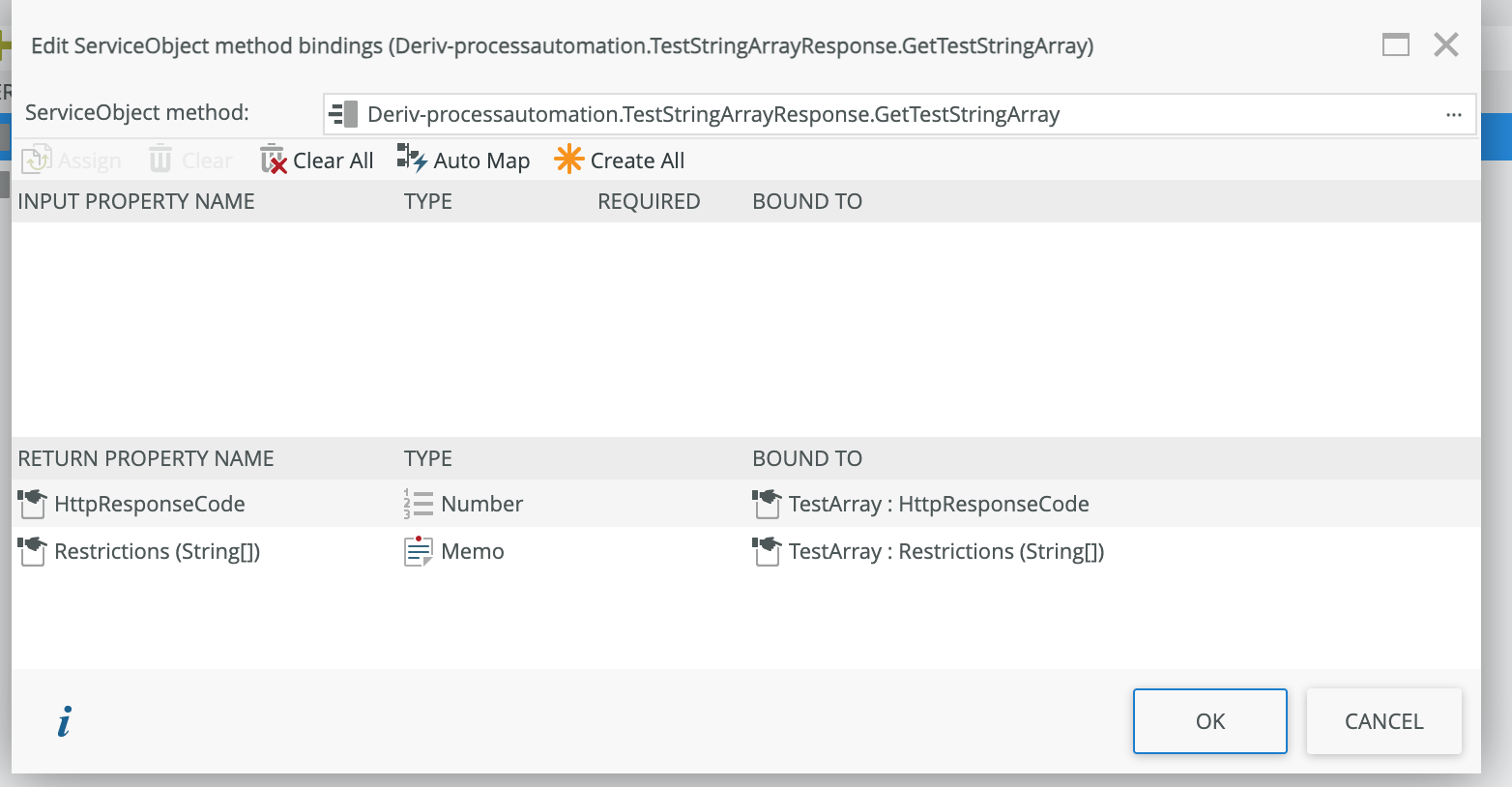
I tried it’s not working

 "/TestStringArray": {
      "get": {
        "summary": "Get String Restrictions Array",
        "description": "Returns the restrictions array made of strings.",
        "operationId": "getTestStringArray",
        "responses": {
          "200": {
            "description": "A string array response",
            "schema": {
              "$ref": "#/definitions/TestStringArrayResponse"
            }
          },
          "default": {
            "description": "Unexpected error",
            "schema": {
              "type": "object",
              "properties": {
                "message": {
                  "type": "string"
                }
              }
            }
          }
        }
      }
    }
  },

    "TestStringArrayResponse": {
      "type": "object",
      "properties": {
        "restrictions": {
          "type": "array",
          "items": {
            "type": "string",
            "example": "apple"
          }
        }
      }


Translate

Forum|alt.badge.img+11
  • Nintex Employee
  • May 6, 2025 3:10 PM UTC

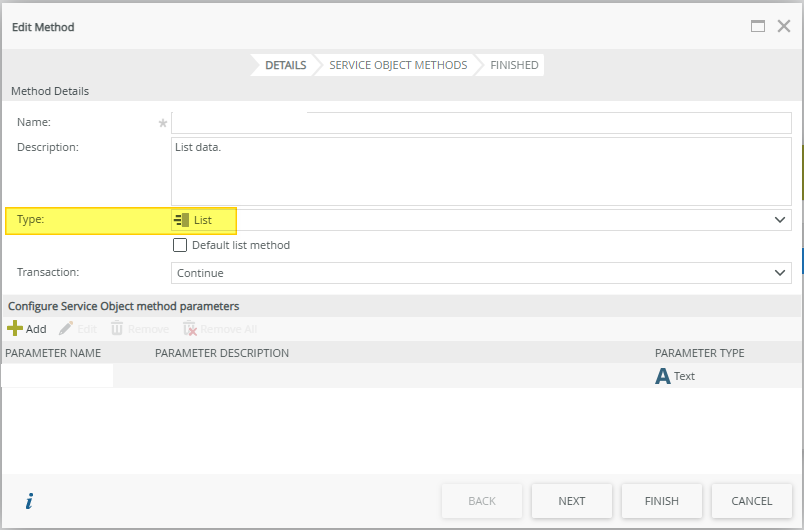
You will also want the SmartObject method to be a List type, and not a Read type; if it is only returning 1 row.

Translate

Forum|alt.badge.img+2
  • Author
  • Rookie
  • May 6, 2025 3:18 PM UTC


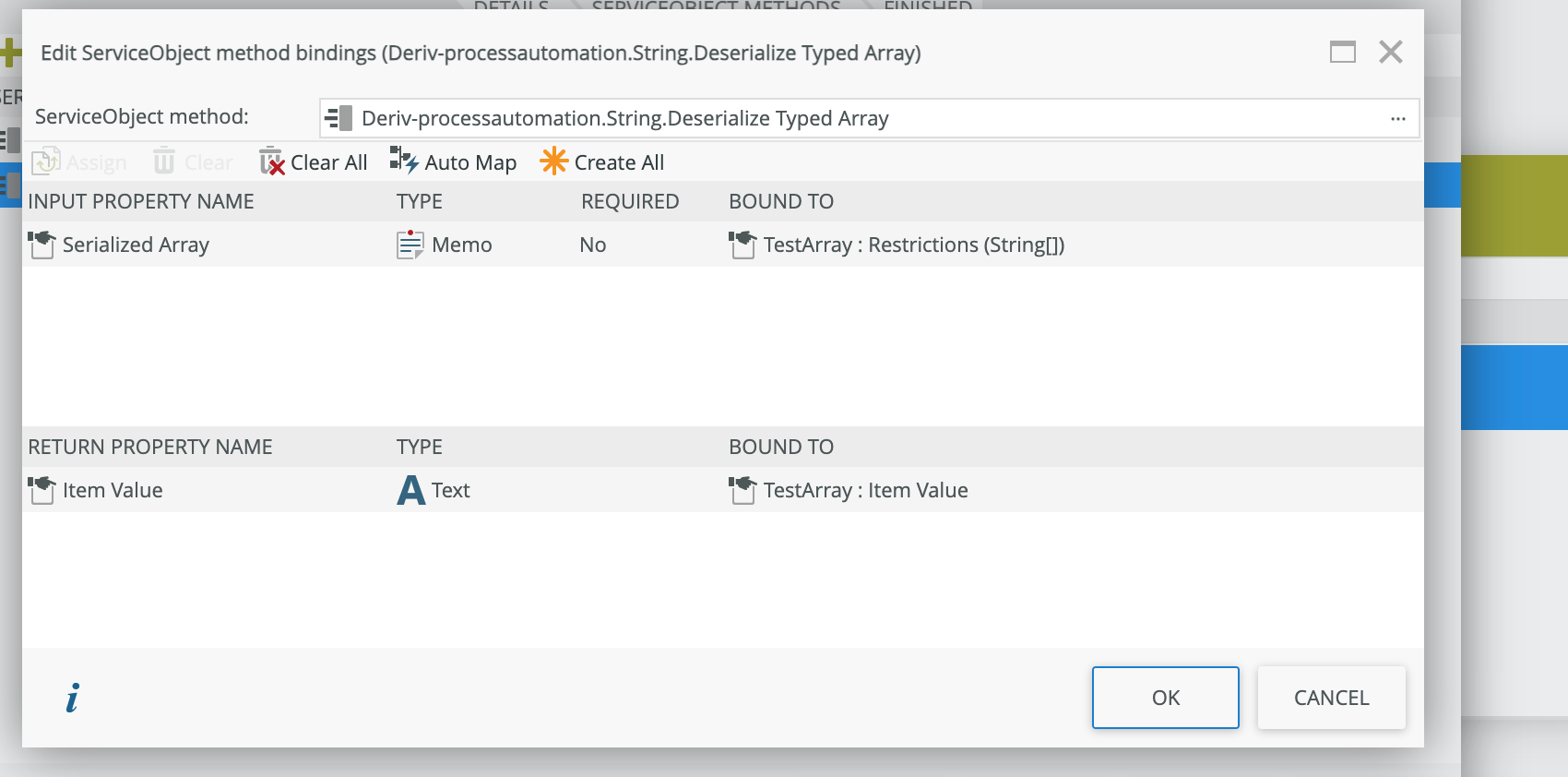
WHEN I USED SYSTEM Object Deserialize Array type array


Translate

Forum|alt.badge.img+2
  • Author
  • Rookie
  • May 6, 2025 3:53 PM UTC

Can some-one help what is going on

Translate

Forum|alt.badge.img+11
  • Nintex Employee
  • May 6, 2025 10:38 PM UTC

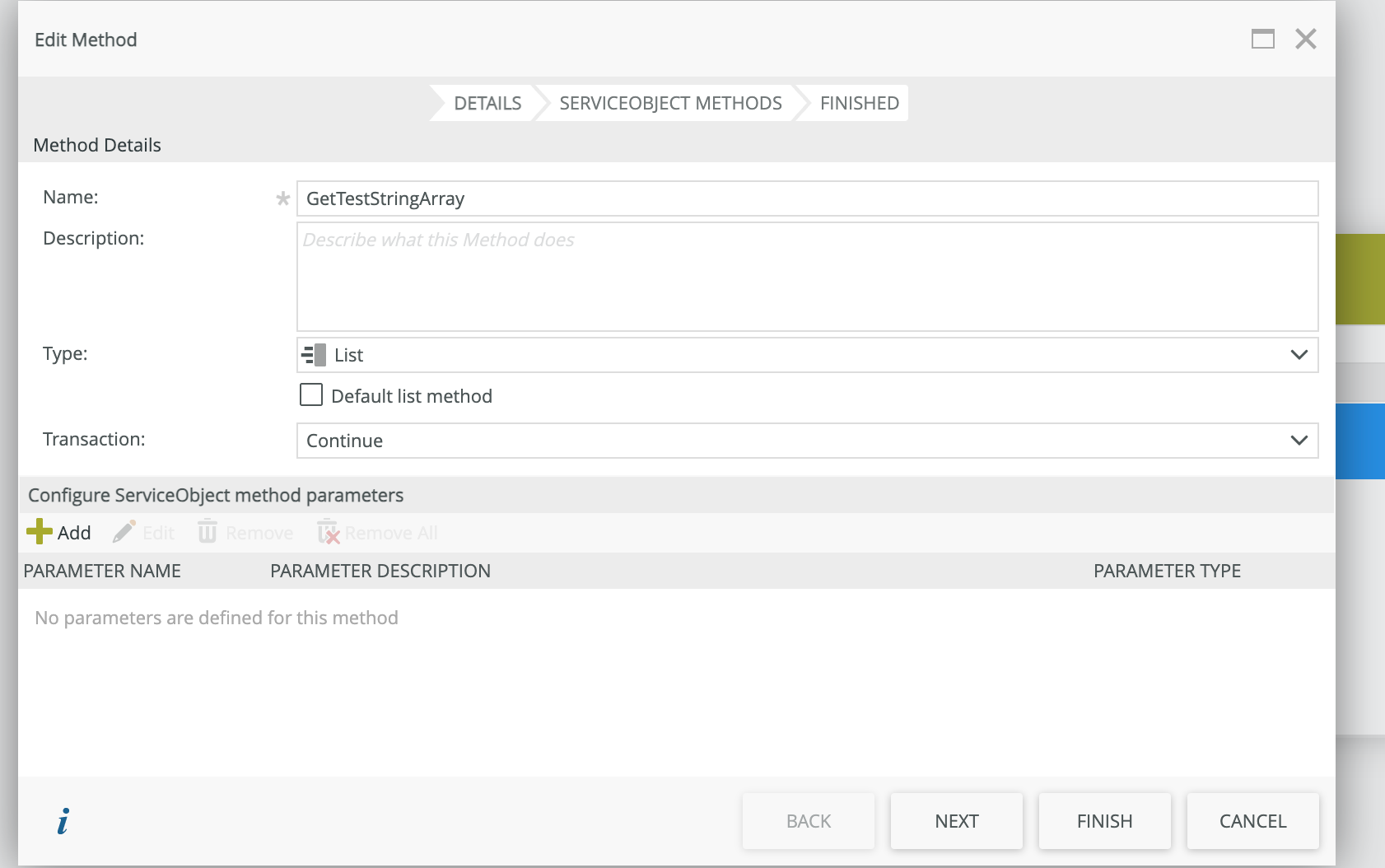
Is your SmartObject method that contains the chained Service Object methods, of the Type List?

Translate

Forum|alt.badge.img+2
  • Author
  • Rookie
  • May 7, 2025 11:41 AM UTC

Yes


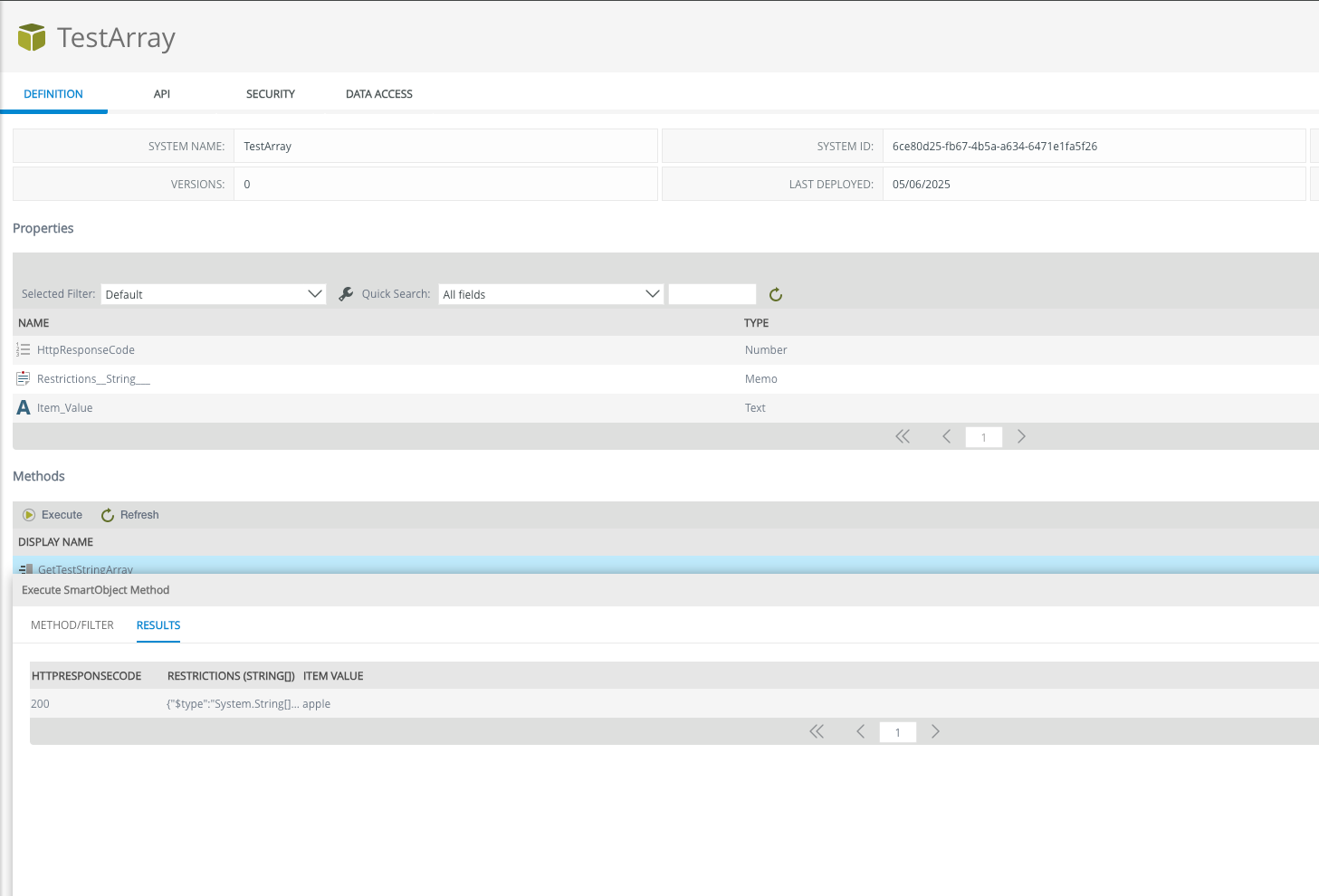
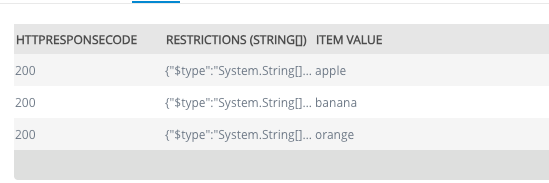
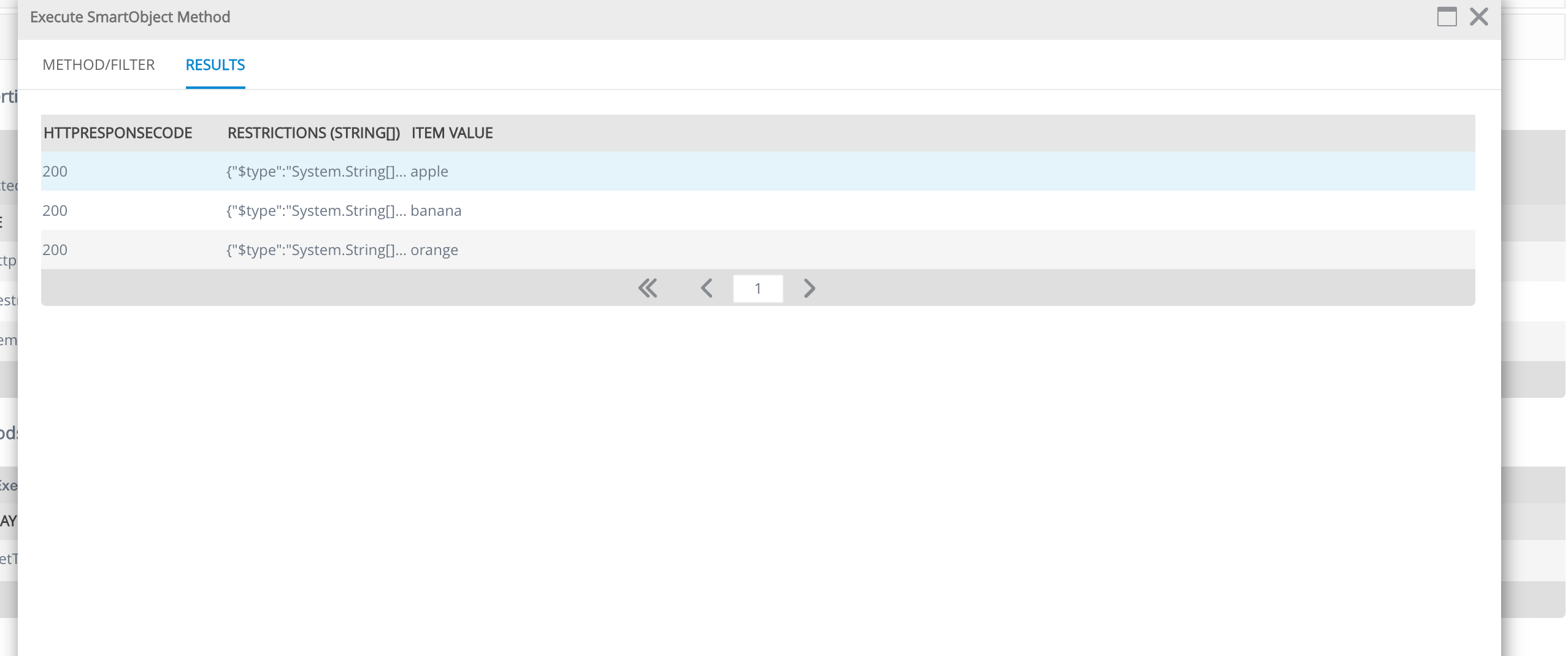
Response is :


when I add


Translate

Forum|alt.badge.img+2
  • Author
  • Rookie
  • May 7, 2025 12:35 PM UTC

Continue …

WHEN I USED SYSTEM Object Deserialize Array type array


response is


Translate