




Issue
Despite having a valid license, the Nintex for SharePoint installer states the following:
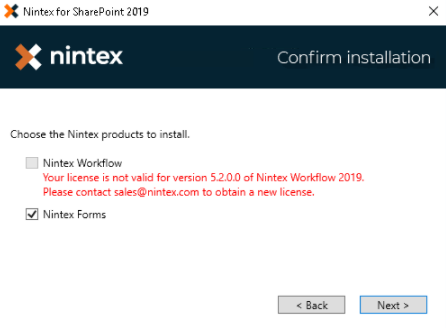
Error Code
Your license is not valid for version X.X.X.X of Nintex Workflow 201X. Please contact sales@nintex.com to obtain a new license.
Resolution
Bypass the license check in the installation process by following the steps below:
1. Run the Nintex Workflow installer.
2. On the Installation options screen from the installer, select "No, I wish to export the solution and deploy it later" or "Export".
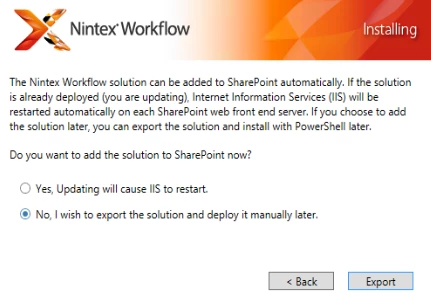
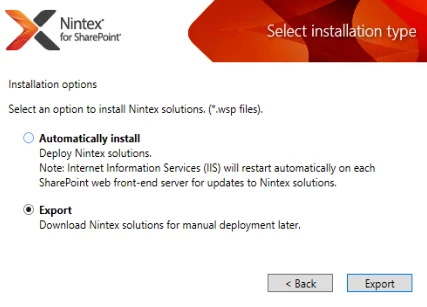
3. Save the exported files.
4. Open that folder containing the exported files and find Install.ps1.
5. Right-click on Install.ps1, select Properties and deselect "Read Only".
6. Open Install.ps1 using PowerShell ISE and make the following changes:
Nintex Forms for SharePoint 2013:
Change line 118 from $isValidForUpgrade = IsLicensedForProductVersion to $isValidForUpgrade = $true
Nintex Workflow for SharePoint 2013:
Change line 34 from $isLicensedForNintexWorkflow = IsLicensedForNintexWorkflow -version $NW_Version -releaseDate $NW_ReleaseDate to $isLicensedForNintexWorkflow = $true
Nintex for SharePoint 2016/2019:
Change line 46 from $isLicensedForNintexWorkflow = IsLicensedForNintexWorkflow -version $NW_Version -releaseDate $NW_ReleaseDate to $isLicensedForNintexWorkflow = $true
Change line 58 from $isLicensedForNintexForm = IsLicensedForNintexForm -version $NF_Version -releaseDate $NF_ReleaseDate to $isLicensedForNintexForm = $true
7. Save and run "Install.ps1" file using PowerShell with administrative privileges.
Additional Information
The changes above bypass the license validation logic and forces the installer to bypass the original error message. The lines listed will be reflected in PowerShell ISE making for easy reading and editing. These line numbers and variable names are subject to change should the Install.ps1 script be updated with later releases.