We can store our Distribution lists in a person/group column.
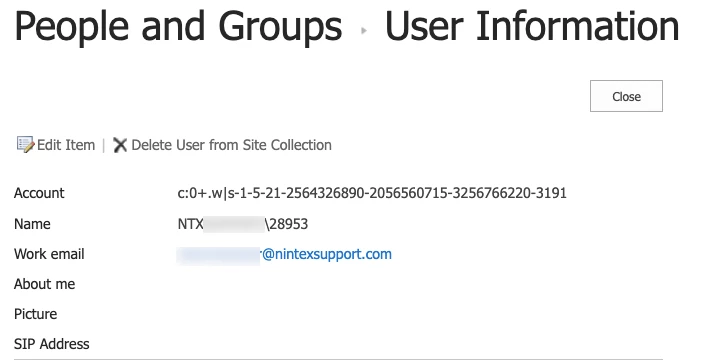
I get a value like “c:0+.w|s-1-5-21-602162358-884357618-682003330-318213” when i query the column in Workflow.
How do i get to the distribution lists email address from this value?
Regards
Best answer by Simon Muntz
Hi @francoisdt,
Thank you for the clarification. When you add the DL account to a person/group SharePoint column, you are just adding an account, not all the members of the DL. That is why it returns its own account name when queried. To retrieve all members of a DL, you would need to use the Query LDAP action to return the group members.
Welcome to the community. Please provide a screenshot of the query action. The result you are receiving is the Account details. What you need is the Work Email.
If you navigate to the User Information List and select the DL do you see a Work email address? https://YourSiteCollection/_catalogs/users/simple.aspx
Thank you for the clarification. When you add the DL account to a person/group SharePoint column, you are just adding an account, not all the members of the DL. That is why it returns its own account name when queried. To retrieve all members of a DL, you would need to use the Query LDAP action to return the group members.