Nintex Community Menu Bar
Solved

Get item URL when using a component workflow

  • December 22, 2025
  • 4 replies
  • 24 views

Forum|alt.badge.img+11

Hi,

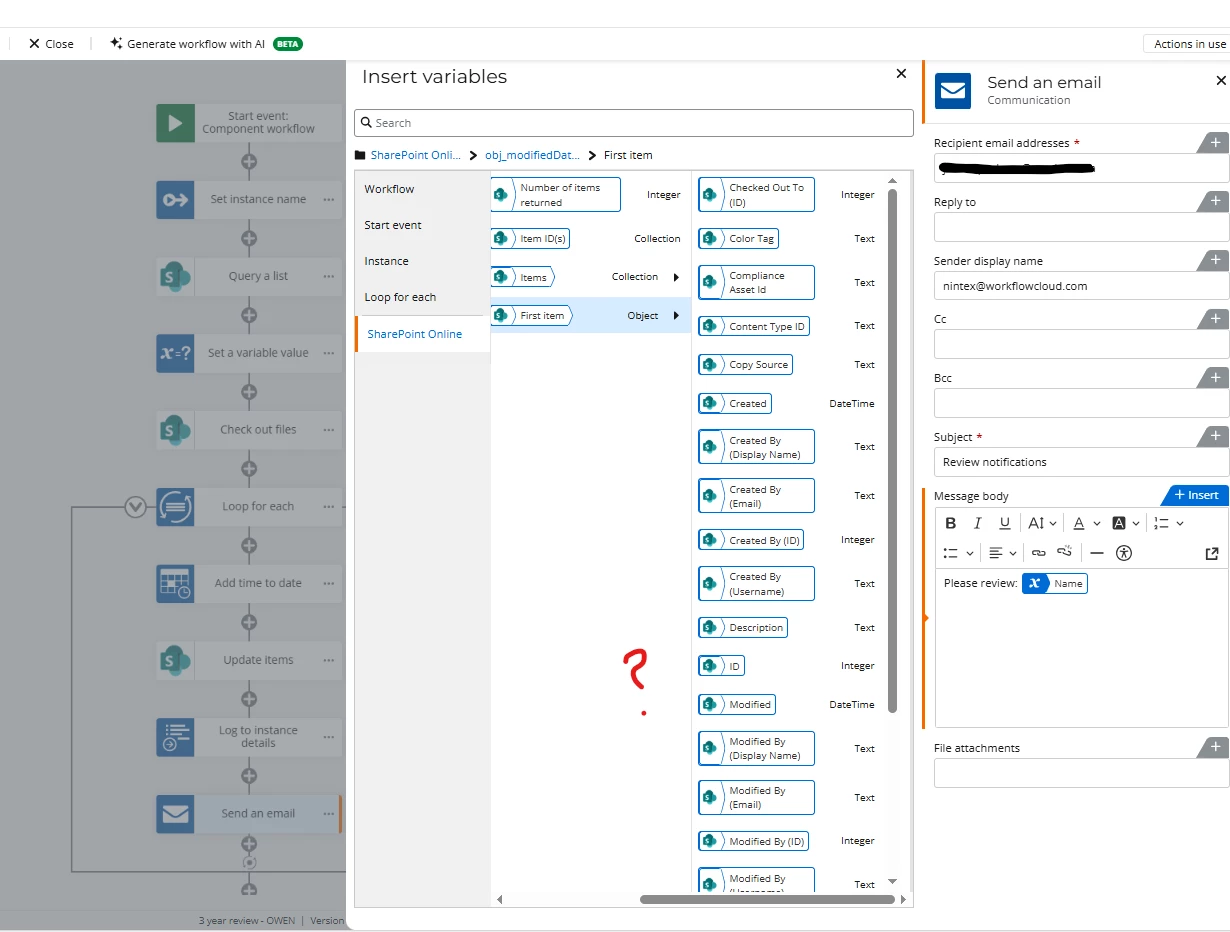
I have setup a component workflow and I am unable to locate the “item URL” to apply as a link when its time to send out a notification.

Is there something specific that needs to be done to get this? This is what I have below...

Thanks in advance!
 

Best answer by Chris_Ben

Hi yes sorry, to open the document you don’t need the file ID, just the filename.

You need the ID if you want to open the document item or list item.

4 replies

Chris_Ben
Nintex Employee
Forum|alt.badge.img+14
  • Nintex Employee
  • December 22, 2025

Hi, it looks like you’re trying to access a document or document item in your workflow.  You can construct the URL if you know the item ID:

document: https://<your_sharepoint_site>/<your_document_library>/<filename_with_extension> ← make sure you encode the spaces with %20 which you can easily do using the modify string action.

document item: https://<your_sharepoint_site>/<your_document_library>/Forms/DispForm.aspx?ID=<item_id>


Similarly, if you’re after a list item ID, the url is slightly different:
https://<your_sharepoint_site>/Lists/<your_list_name>/DispForm.aspx?ID=<item_id>


Forum|alt.badge.img+11
  • Author
  • Scout
  • December 23, 2025

@Chris_Ben ,

Hello! I appreciate your response but I have one other question… The steps to open a document, is that a URL built to open up a static file only? I ask because I don’t see a part within the URL to add-in the ID.


document: https://<your_sharepoint_site>/<your_document_library>/<filename_with_extension> ← make sure you encode the spaces with %20 which you can easily do using the modify string action.


Thanks!


Chris_Ben
Nintex Employee
Forum|alt.badge.img+14
  • Nintex Employee
  • Answer
  • December 23, 2025

Hi yes sorry, to open the document you don’t need the file ID, just the filename.

You need the ID if you want to open the document item or list item.


Forum|alt.badge.img+11
  • Author
  • Scout
  • December 24, 2025

@Chris_Ben ,


Thanks so much for this, this worked!! 😁👍🏽