


Issue
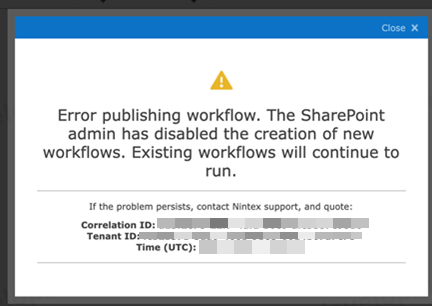
The following error message may occur when trying to save or publish Nintex for Office 365 workflows.
‘Error Publishing workflow. The SharePoint admin has disabled the creation of new workflows. Existing workflows will continue to run.’
This error is caused by the tenant administrator when deactivating their SharePoint 2013 workflows on the tenant. This can be achieved via two ways:
- Classic SharePoint Admin center > Settings and checking ‘Block SharePoint 2013 workflows’

- Through the SharePoint Online Management Shell executing the command:
Set-SPOTenant -StopNew2013Workflows $TRUE
Error Code
Resolution
Confirm with the tenant administrator which method was used to block SharePoint 2013 Workflows and revert the change.
For the Classic Admin Centre – Uncheck the Block SharePoint 2013 Workflows check box
For the SPOTenant object – using the SharePoint Online Management Shell, execute the following command:
Set-SPOTenant -StopNew2013Workflows $FALSE
Additional Information
At the time of writing the StopNew2013Workflows property is rolling out to Office 365 at present and may not be present in all tenancies.