




Issue
When accessing task form as a user who did not initiate the workflow, the error "Item does not exist. It may have been deleted by another user." pops up instead of loading the task form.
Resolution
- Navigate to List Settings > Advanced Settings on the affected list.
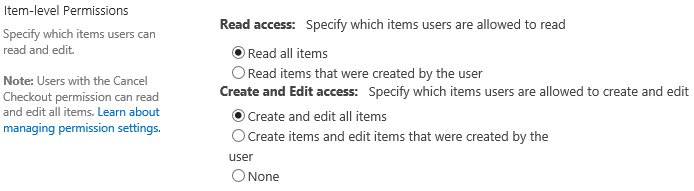
- Under Item-level Permissions, make sure "Read all items" and "Create and edit all items" are selected.
Error Code
"Item does not exist. It may have been deleted by another user."
Additional Information
Nintex task forms check item-level permissions when allowing access to the task form. If access isn't set to all items, then only the workflow initiator will have access and everyone else will receive the error message.