Topic
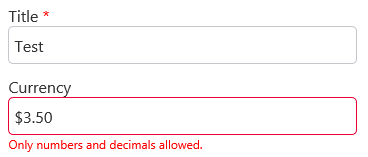
When filling out a Nintex Form that has a currency control connected to a currency list column, the form can be submitted if the end-user inputs any character. This is problematic as SharePoint only allows integers and periods to be entered in this column type.
Instructions
Set up the currency control validation with regular expressions using the following expression:
^[. 0-9]+$
^[. 0-9]+$
Additional Information