What is the best practice to use Query XML in the O365 Nintex Workflow? In SP2013 Nintex Workflow, I could use a single Query XML action with multiple outputs. However, in the O365 Nintex Workflow you can only specify a single XPath Query and get the result into a single collection variable. In absence of multiple outputs to the same XML, I have to recreate that single XML Query action multiple times for each node set. Is this causing my WF to run slow? Any other way to do this in O365? Thank you.

Solved
What happened to Query XML Workflow action with multiple outputs?
Best answer by nico
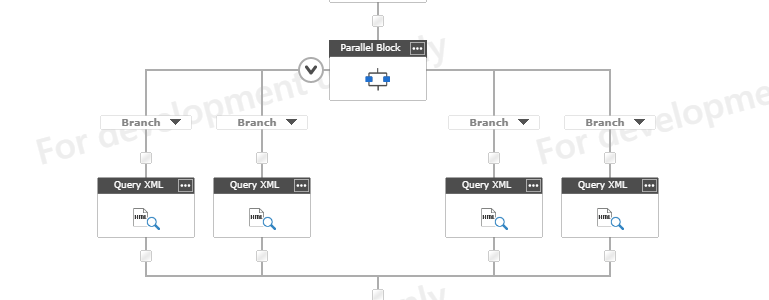
Instead of executing them one by one, you can run them all at the same time.
You can use an parallel block, and make all your query XML in parallel.
You will save execution time
Like :


Enter your E-mail address. We'll send you an e-mail with instructions to reset your password.