

Hi!
I have an issue with the date difference calculation I currently have set…. In the image below, the months are not displaying correctly. I believe this should be 60 instead of 61. The formula I am using to get this is displayed below as well, I can’t figure out why this is???
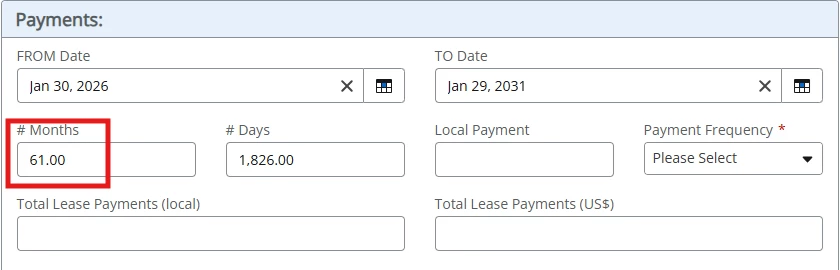
Formula:
dateDiff([Datetime].[TotalMonths],[Form].[fromDate_GP1],dateAdd("Months",1,[Form].[toDate_GP1]))