



Topic
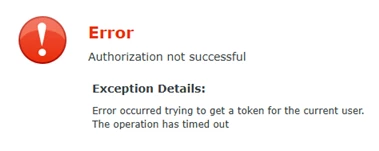
While following the help documentation to setup Exchange integration on K2, when attempting to create a service instance to generate the OAuth token, the following error shows up:
Error occurred trying to get a token for the current user.
The operation has timed out.
Instructions
K2 server will need to have access to this endpoint in order to obtain the OAuth token:
https://login.microsoftonline.com/<tenant id>/oauth2/token
If you are unable to access that endpoint while logging onto the K2 server, check with your network or infra administrator on how to allow your K2 server to access that endpoint.
If your K2 server is using a proxy for web connections, you need to configure your K2 service to be able to use the same proxy as well.
Edit [Program Files]\K2\Host Server\Bin\K2HostServer.exe.config. Under the <system.net> section, add the following and restart your K2 service:
<defaultProxy enabled="true" useDefaultCredentials = "true"> <proxy autoDetect="false" bypassonlocal="true" proxyaddress="http://{your proxy address}:{port}" usesystemdefault="false" /></defaultProxy>