



Topic
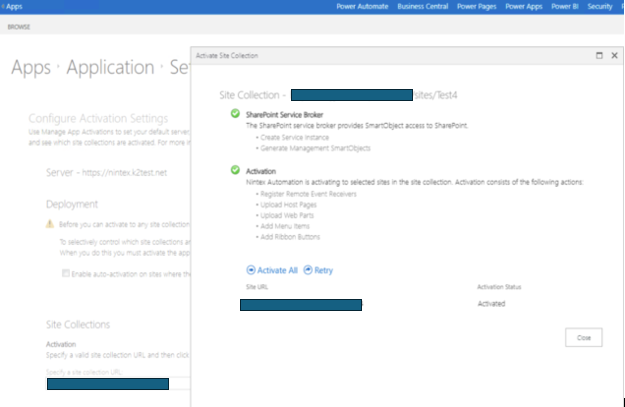
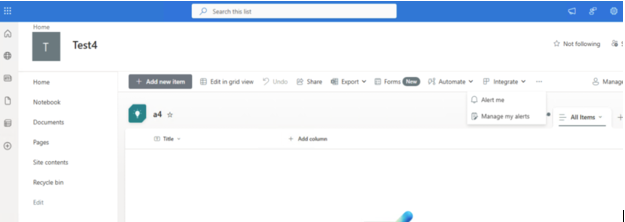
Even though site activation was completed without error, the K2 application menu is still missing:
Instructions
If the K2 server was a clean install of 5.7 (i.e., a new database/environment, not an upgrade from a previous version), the Webhooks and SPOnlineModernForms feature flags in the Hostserver.Features table will be enabled.
The intention is that the 5.7 clean installs will force spfx / new online features.
Upgrades will still work with legacy until the migration tool is executed.
It is supported to switch over the two flags mentioned above to False (not-enabled) by running the below script, which will give the same behavior as if the environment was an upgrade install.
UPDATE [K2].[HostServer].[Feature]
SET IsActive = 0
WHERE FeatureName IN ('SPOnlineModernForms', 'Webhooks');
You can then install the legacy K2 app, run Registration Wizard, and activate sites to resolve the issue. (Assuming you have an existing SharePoint tenant as legacy add-ins are already disabled for new SharePoint tenants by Microsoft.)
Additional Information
https://help.nintex.com/en-US/nintexautomation/userguide/5.7/Content/K2-for-SharePoint/Add-Steps.htm?tocpath=K2%20for%20SharePoint%7CAdminister%7CAdding%20the%20App%7C_____0