



Issue
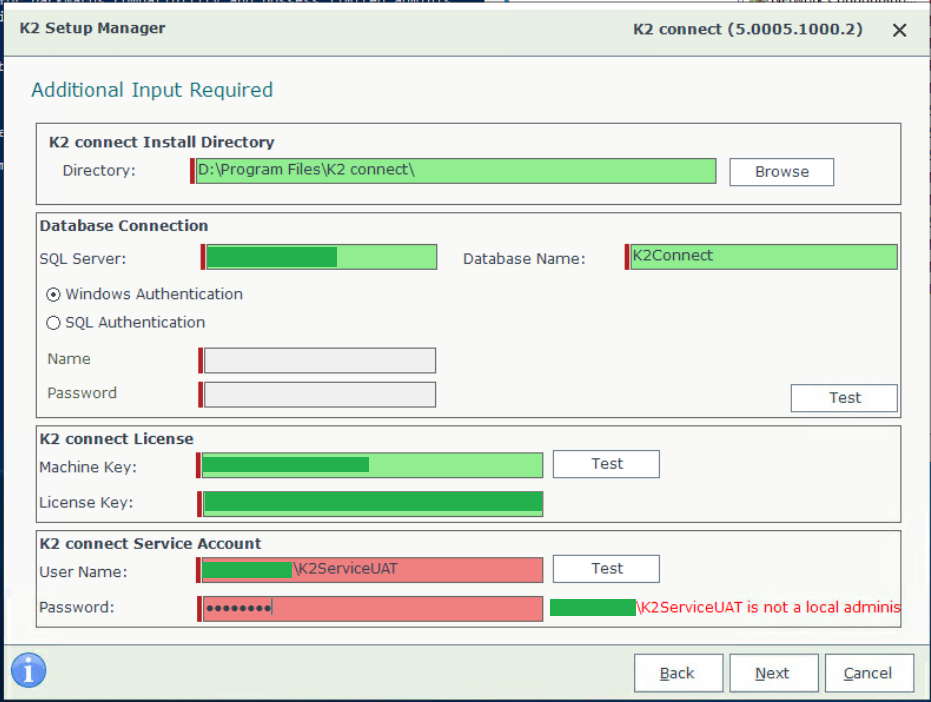
K2 connect setup unable to recognize that K2 service account is part of local administrators group
Error
DomainK2serviceAccount is not a local administrator
Resolution
1. Open the Group Policy Management Console. By default, the gpmc.msc tool is in the C:WindowsSystem32 directory.
2. Locate the relevant domain. Then, select Default Domain Policy.
3. Right-click Default Domain Policy and select Edit. The Group Policy Management Editor opens.
4. Click Computer Configuration > Policies > Windows Settings > Security Settings > Local Policies > Security Options.
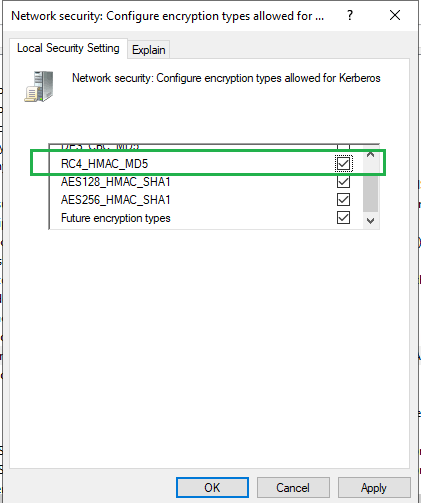
5. Double-click Network security: Configure encryption types allowed for Kerberos.
6. Click on the tab "Local security setting"
7. Ensure the below encryption types are selected
- AES128_HMAC_SHA1
- AES256_HMAC_SHA1
- RC_HMAC_MD5
Additional Information
- Check first if the account has a local administrator rights from the Active directory
- Once done, test as well if running the installer with admin privileges works