"IF" expression in SmartForms does not correctly evaluate SmartObject Boolean fields (Always returns False)
kbt149370
PRODUCTK2 Cloud
K2 Five
TAGSSmartObjects
SmartForms Designer
Controls
Rules
This article was created in response to a support issue logged with K2. The content may include typographical errors and may be revised at any time without notice. This article is not considered official documentation for K2 software and is provided "as is" with no warranties.
LEGACY/ARCHIVED CONTENT
This article has been archived, and/or refers to legacy products, components or features. The content in this article is offered "as is" and will no longer be updated. Archived content is provided for reference purposes only. This content does not infer that the product, component or feature is supported, or that the product, component or feature will continue to function as described herein.
Issue
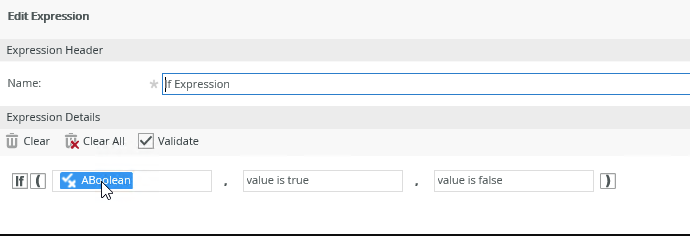
When using the "IF" expression in a list view it always returns false for a SmartObject Boolean data type regardless of its actual value.

Sample expression configuration
Symptoms
"IF" expression will incorrectly validate True Boolean values as False.
Resolution
This is a known issue and will be fixed in a Future release of K2.
Workaround:
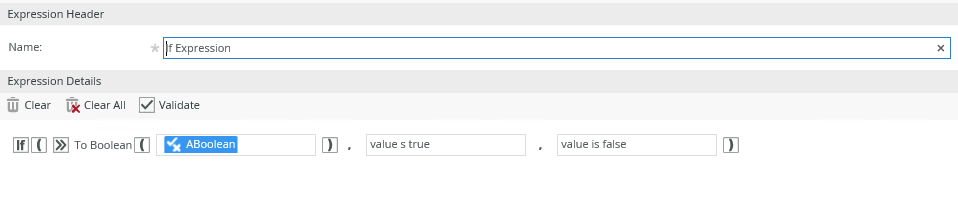
Change the expression and use the "To" Boolean inline function to convert the data type to Boolean.