




What if you could hold a conversation with your process automation platform to quickly generate a purchase order request, rather than spending time hunting down vendor codes, cost centers, and product specs while working through revision after revision?
In this proof-of-concept session, I enabled that capability with Nintex Automation K2 and Claude desktop. Ride along with me to learn more!
When Anthropic released the Model Context Protocol (MCP) as an open standard for connecting AI assistants to external systems, we started thinking about what it would look like to wire it up to K2 Five. So, to test it out I opened a conversation with Claude and we started building. What followed was one of the more interesting projects I have done in a while, and I wanted to share it with the Nintex community.
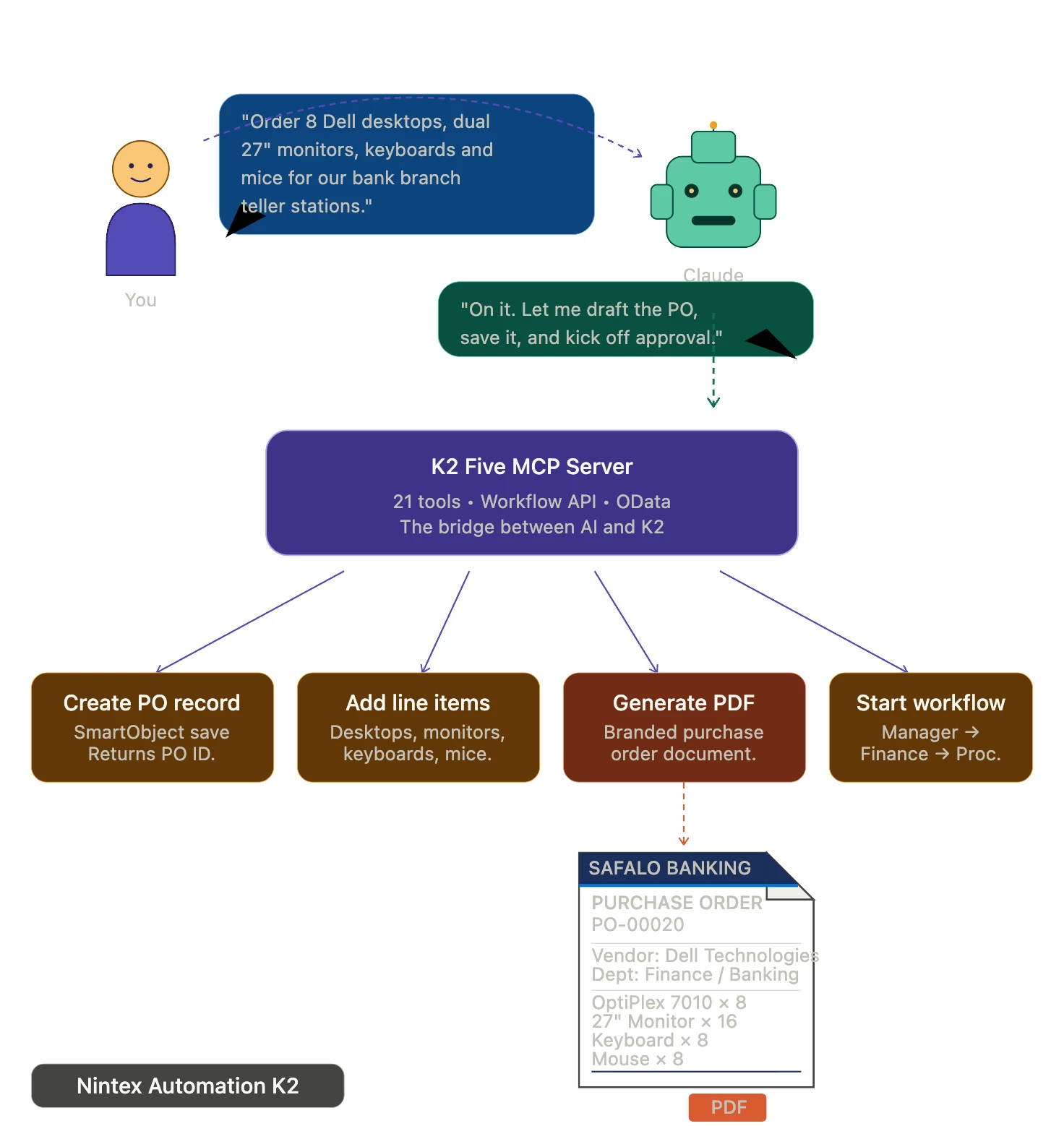
What Is MCP and Why Does It Matter for K2?
The Model Context Protocol is a standard that lets AI models like Claude call out to external tools and APIs in real time during a conversation. Think of it like giving the AI client a set of hands. Instead of just answering questions from its training data, Claude can actually do things. It can query a database, start a workflow, retrieve a task, and take an action, all within the flow of a normal conversation.
For K2 specifically, this opens up something I had not done before. Rather than building a custom front end or relying on a user knowing how to navigate the K2 interface, you can simply talk to it.
Vibing Out
Claude wrote a single Node.js file with no external npm packages, just plain Node, that implements an MCP server using the stdio transport protocol. I pointed it at two K2 APIs: the Workflow REST API v1 and the SmartObject OData v4 endpoint (Note, OData v4 enables your create, update, and delete SmartObject methods in K2 via OData web calls). We worked through the integration iteratively, with Claude generating the code, me testing it against the live K2 environment, and both of us debugging the responses together.
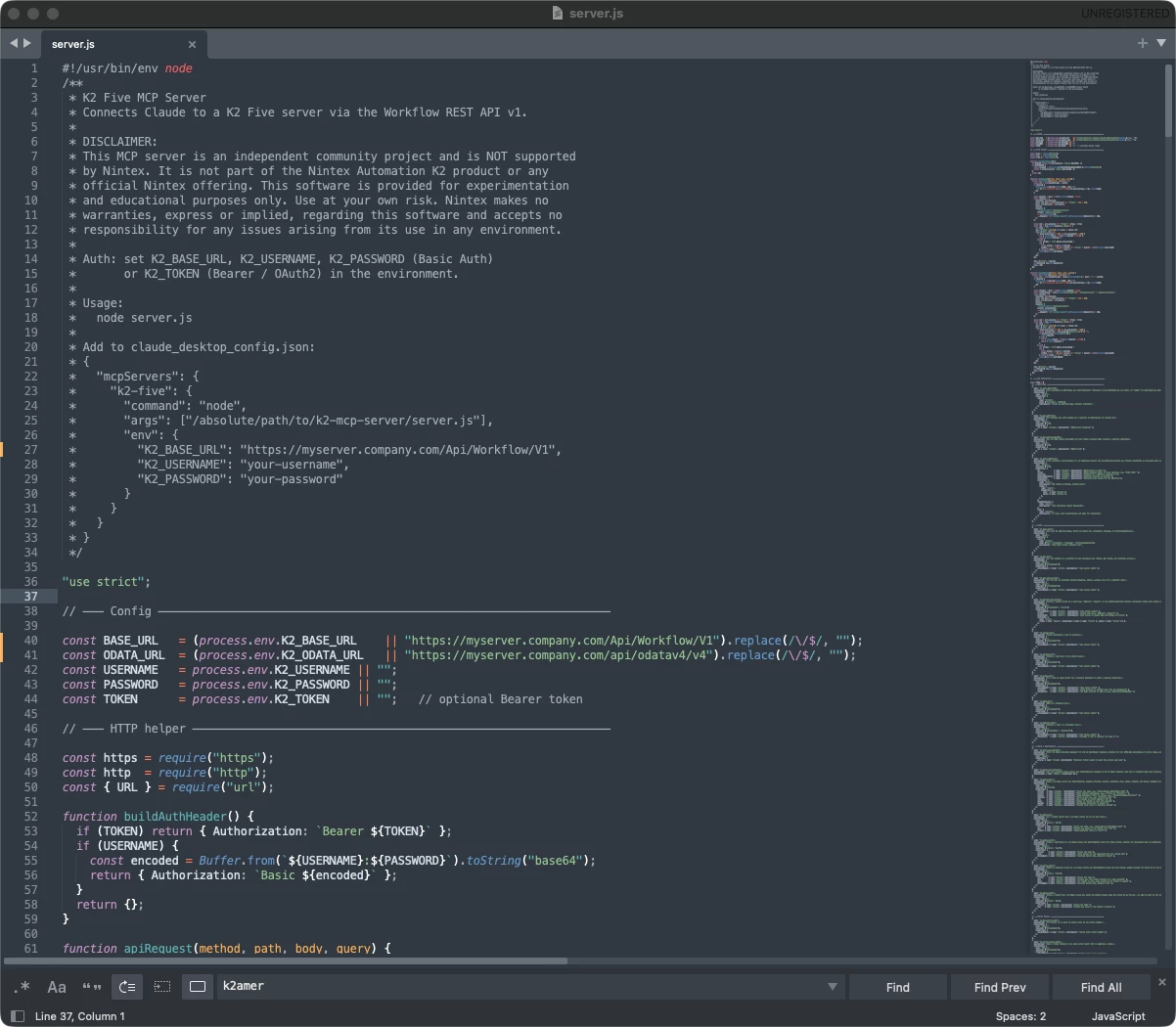
The server exposes 21 tools to Claude covering everything you would want to do with a K2 workflow environment. On the workflow side that includes listing available workflows, inspecting schemas, and starting workflow instances with fully populated item references. On the task side it covers listing tasks, retrieving available actions, approving, rejecting, redirecting, and sleeping tasks. On the data side it covers querying, creating, updating, and deleting SmartObject records through the OData service.
Getting the OData piece right took some back and forth between us. K2's SmartObject OData endpoint uses a method parameter in the query string to distinguish between Create, Save, Delete, and Load operations. I shared the Nintex documentation with Claude, we identified the correct parameter name and the right method names, and from that point on the reads and writes worked reliably.
What We Were Able to Do With It
In the video below you will see us do things I frankly did not expect to see working this smoothly. I described what I needed in plain language and Claude handled the rest. It structured purchase order data, calculated line-item totals, saved the header record first, then saved each line item using the Purchase Order ID that came back, updated the reference number, and started the Purchase Order Request workflow for this new purchase order.
From there Claude checked the task queue, retrieved the available actions at each workflow stage, and helped me action tasks through Manager Review, CFO Review, Finance Review, and through to Procurement, all from a conversation window. When I asked for a purchase order for 10 finance department computers with a mixed desktop and laptop split, Claude figured out the line items, quantities, hardware specifications, and created everything in K2 without me touching a form.
What surprised me most was how naturally it handled iteration. I would say something like "change the monitors to 27 inch" or "add wireless keyboards for each person" and Claude would update the draft, recalculate the total, and confirm before saving anything. It felt much more like working with a knowledgeable colleague than filling out a system form.
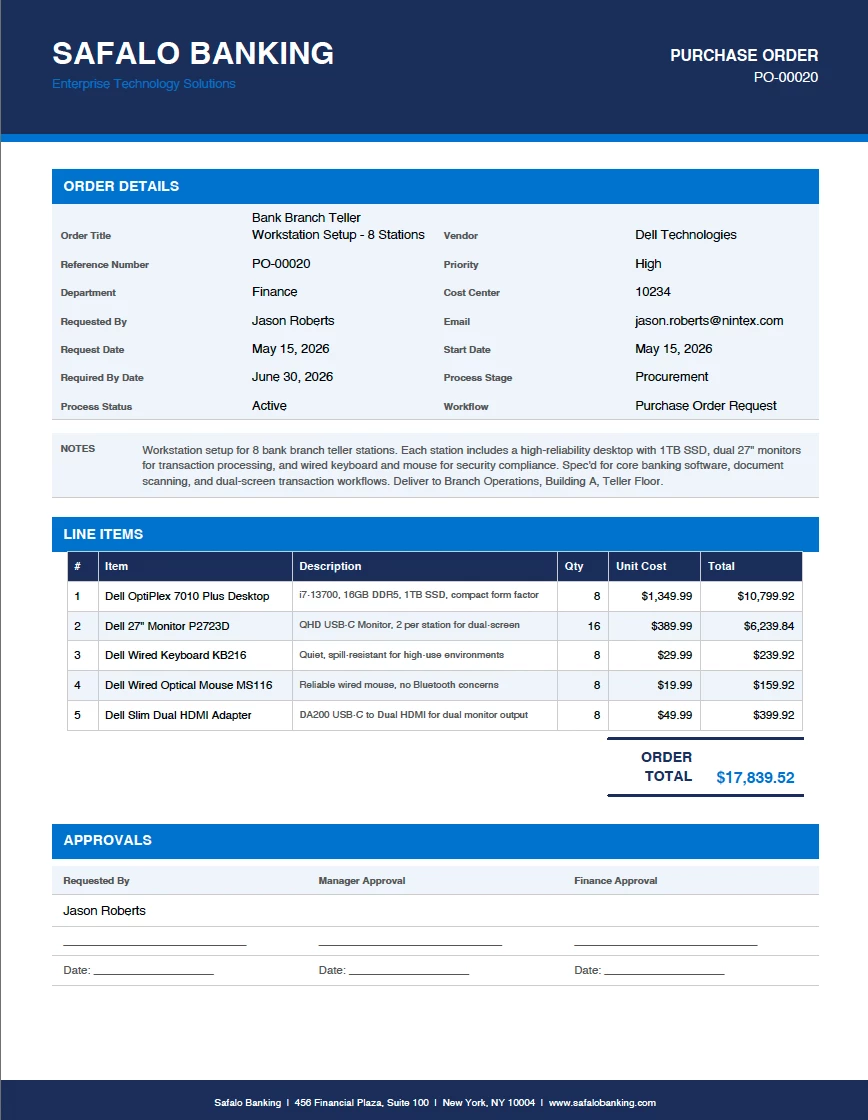
Finally, I was also able to go back and ask Claude to use the PDF skill and generate the PO as a PDF with all the details filled in.
Why I Think This Matters
K2 is an extremely capable platform, but in use-cases like this it always asks something of the user. You need to know where to go and how the system is structured to a degree. What Claude and I put together removes that requirement. Anyone who can describe what they need can now interact with K2 processes, data, and tasks through a conversation.
The workflows stay exactly as they are. The SmartObjects stay exactly as they are. The approval routing, the business rules, the notifications, none of that changes. You are simply adding a new way to interact with the system, one that meets people where they already are rather than asking them to learn another interface.
I think this pattern has real potential for teams who want to make their automation more accessible without rebuilding what they have already invested in. A manager who rarely logs into K2 can approve a task. A new employee who has never seen the system can submit a request. The barrier to entry drops significantly without any changes to the underlying platform. The same pattern can be applied to any K2 workflow, any SmartObject, and any business process the platform supports. Combined with the ability to reason across data, the AI can surface insights that would otherwise require custom reports: spotting bottlenecks in approval queues, flagging purchase orders that have stalled, or summarizing production shortfalls across shift handover records.
The full server code and setup instructions are available for download here. I got this working with Claude Desktop for Mac, but I have not tested it with other MCP-compatible tools, so your results may vary. I also have a K2 Five server hosted in Azure, which made connecting to K2 a little easier. You can use a static user account to connect, or setup inbound OAuth with a bearer token depending on your setup.
Additional Information
Setting up MCP servers in Claude Desktop
That page walks through exactly how to locate the claude_desktop_config.json file on Mac and Windows, add an MCP server entry, and restart Claude Desktop to pick it up. It is the official MCP quickstart guide and what I used in this example.
You can download the server code in the attached zip file named, k2-five-mcp-server.zip, below if you would like to play with it. You will need Node.js version 16 or later and access to your own K2 Five or K2 Cloud environment. I’m assuming you have some knowledge on how to setup MCP servers with clients like Claude desktop, etc.
Disclaimer: This MCP server idea is an independent project and is not supported by Nintex. It is not part of the Nintex Automation K2 product or any official Nintex offering. This software is provided for experimentation and educational purposes only. Use at your own risk, as it is not recommended for a production environment. Nintex makes no warranties, express or implied, regarding this software and accepts no responsibility for any issues arising from its use in any environment.