Nintex Community Menu Bar
Solved

Check user belongs to a particular SharePoint Group

  • May 18, 2018 10:42 AM UTC
  • 4 replies
  • 219 views
  • Translate All

I'm using K2 Five in SP2016 and would like to know how to set Rules in SmartForm to check user belongs to a particular SP Group to show/hide controls on form.
I found this article (https://community.k2.com/t5/K2-blackpearl/Check-User-in-a-SP2013-Group/td-p/91065) but I have no idea how to use OOTB smartobject 'SharePoint Integration Helper Methods'.

Much greatly appreciated your help!
Best answer by HeinrichCohn

Hi tkunohim


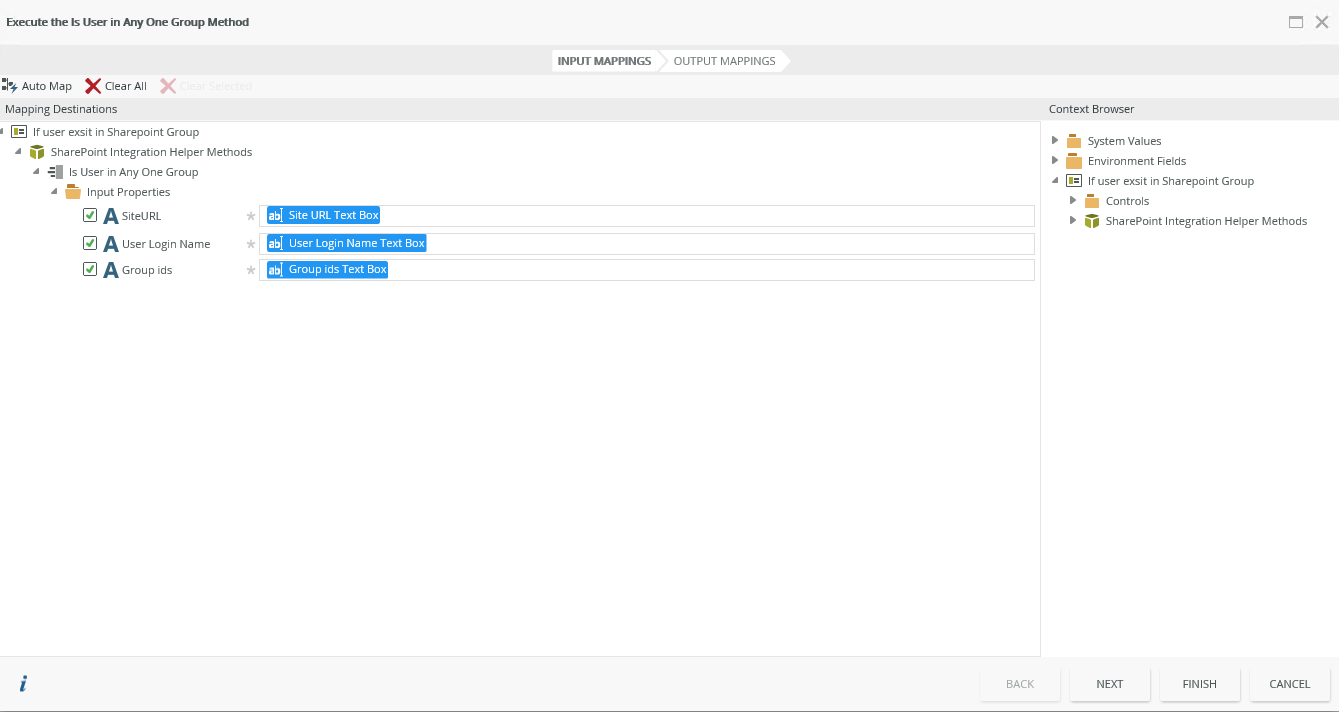
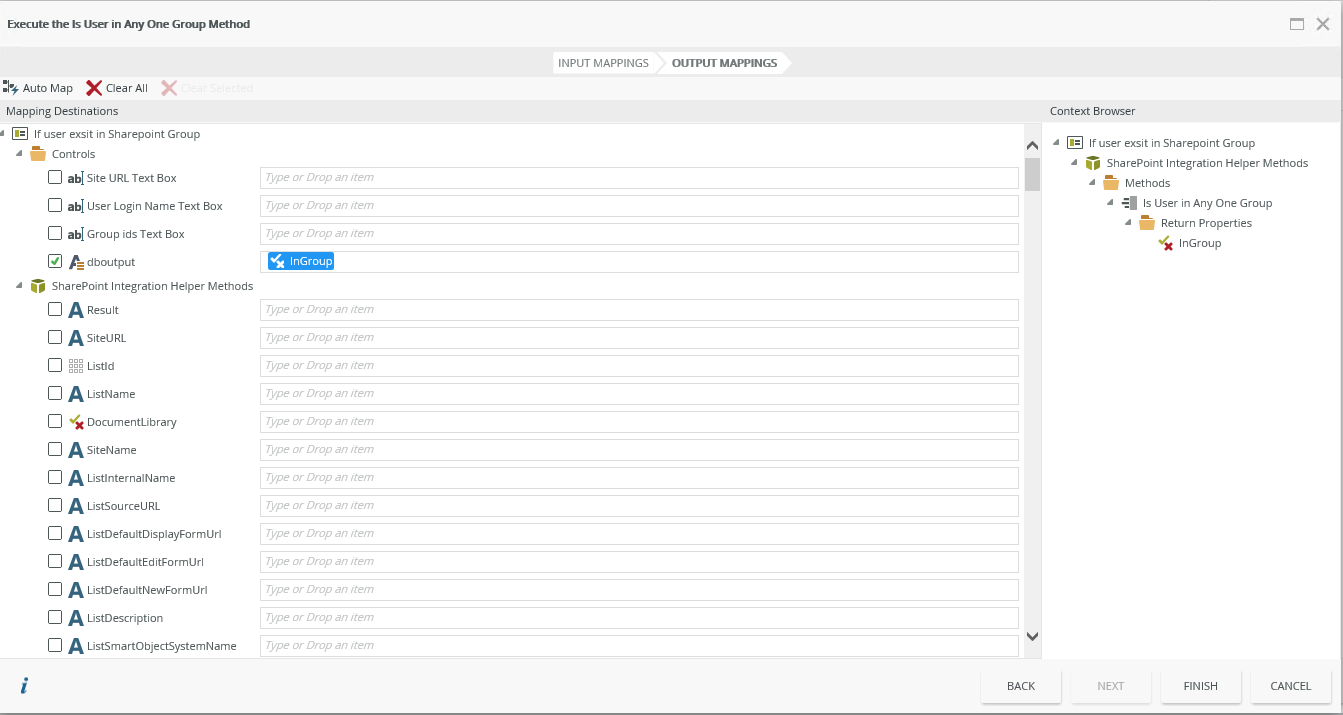
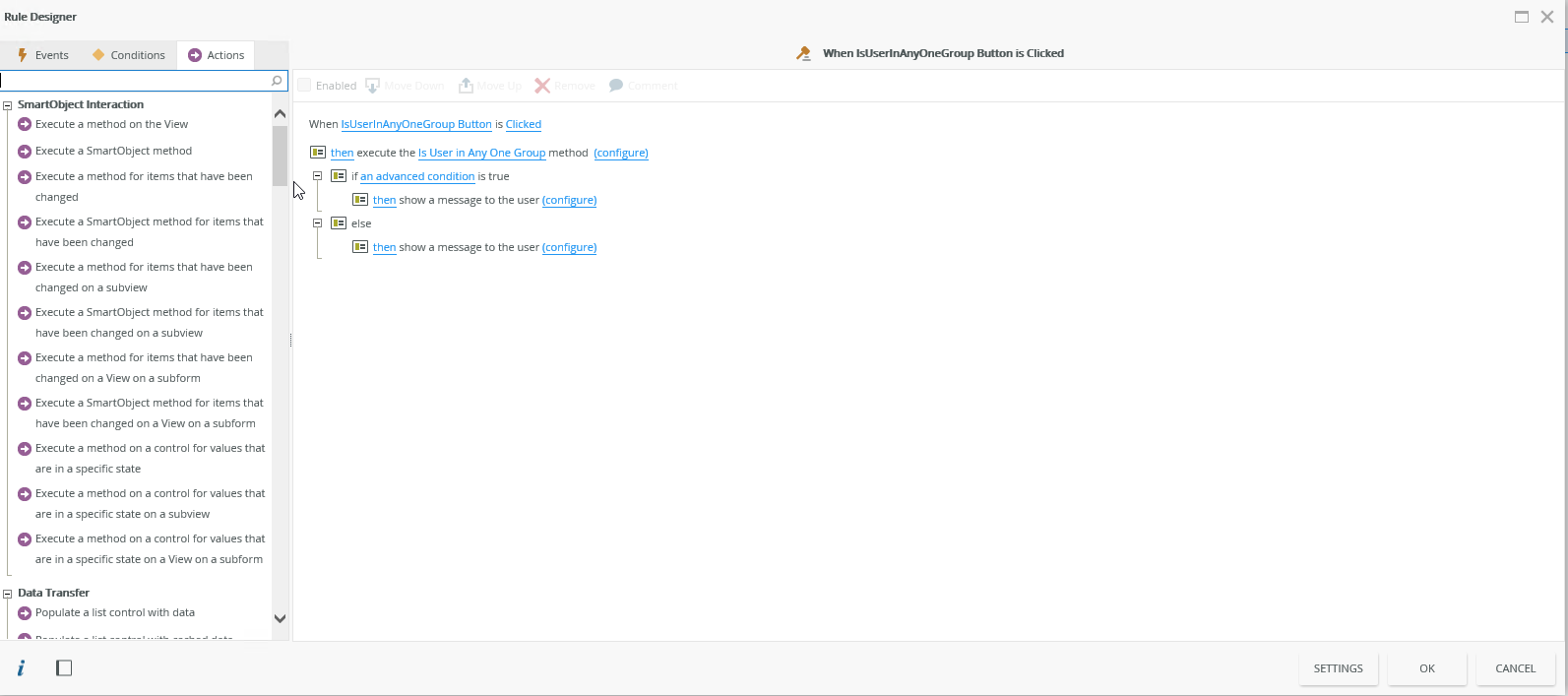
I have created a small solution attached and some images of the rule set I used to validated if the user exsist in SharePoint or Not


Please note that this solution is in K2 5.1


If this was helpfull , please execpt this as a solution


Regards


Heinrich

View original

4 replies

Forum|alt.badge.img+6
  • Nintex Partner
  • May 21, 2018 9:07 AM UTC

Hello , 


There is a smart object In SharePoiint managment "Users" there is a method "Is User in Group" you can call this smo and check the user is availble in group or not.


THanks.

Translate

Forum|alt.badge.img+8
  • Nintex Employee
  • Answer
  • May 21, 2018 11:25 AM UTC

Hi tkunohim


I have created a small solution attached and some images of the rule set I used to validated if the user exsist in SharePoint or Not


Please note that this solution is in K2 5.1


If this was helpfull , please execpt this as a solution


Regards


Heinrich

Translate

  • Jul 9, 2018 10:04 AM UTC

HI Team,

On initialize form I am using sharepoint integration  helper smart object in which i am using is user in any one group method and in the input mapping i gave my site url,usergroupid in which i have a member and in user login id i am passing FQN value from systemvalues ---> current user ---> FQN but always get false in return .   how to check if current login user exist in that group or not.

Translate

  • Aug 29, 2018 4:34 PM UTC

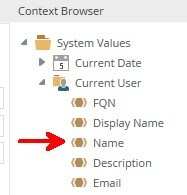
Try using the Name reference under Current User instead of the FQN. That worked for me.


Translate