Nintex Community Menu Bar
Question

5.9 custom control - how to implement for each item in a list control on a view

  • February 6, 2026
  • 1 reply
  • 16 views

Forum|alt.badge.img

Hello there,

We are currently implementing a number of custom controls and are struggling to find real world examples of how to be able to correctly implement the above method for a list bound control.

Given the below item view - which has the custom checkbox and the standard one.

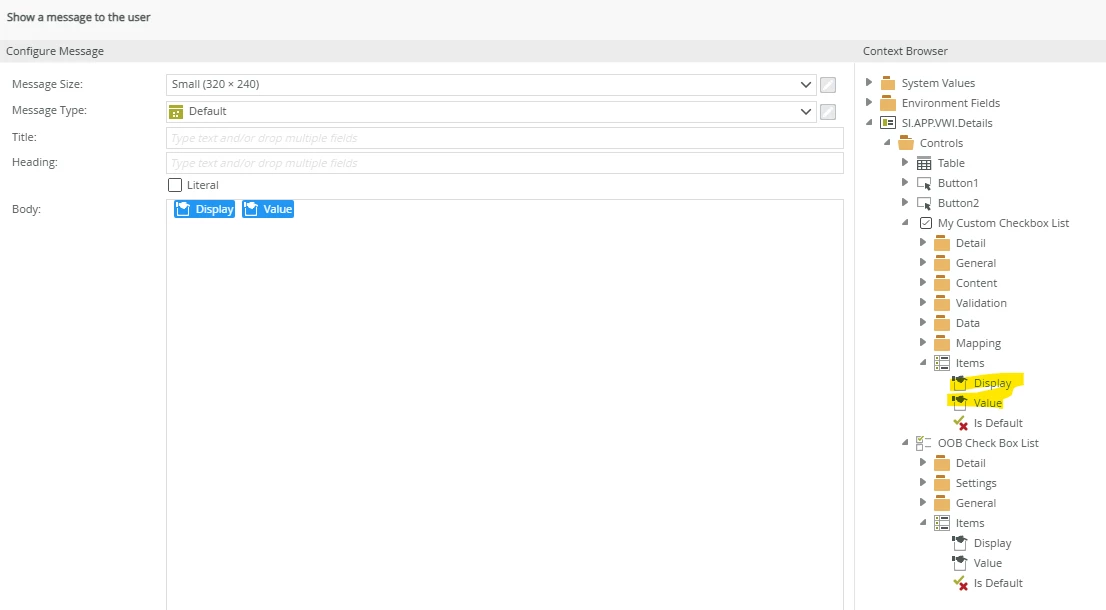
In the rules designer we get the option to enumerate the various items in the control, as expected:
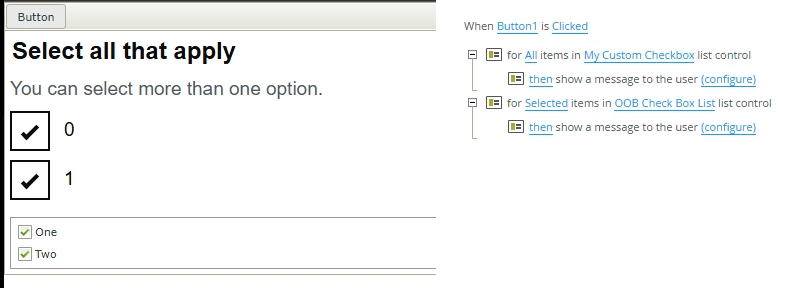
 

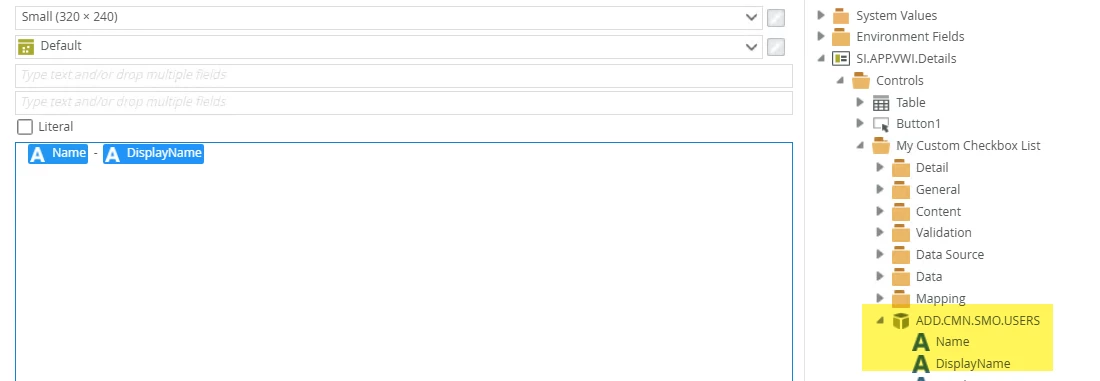
However when displaying a message for each item, we do not get any messages displayed for the custom one, but we do for the standard one.

What methods / properties am I missing.

Cheers.

1 reply

ScottCaseIT
Forum|alt.badge.img+3
  • Novice
  • February 6, 2026

So, the trick is in the details of how you implemented your control. You have to remember that SmartForms deals in SmartObjects for data.

Let’s use a drop-down list as an Example.

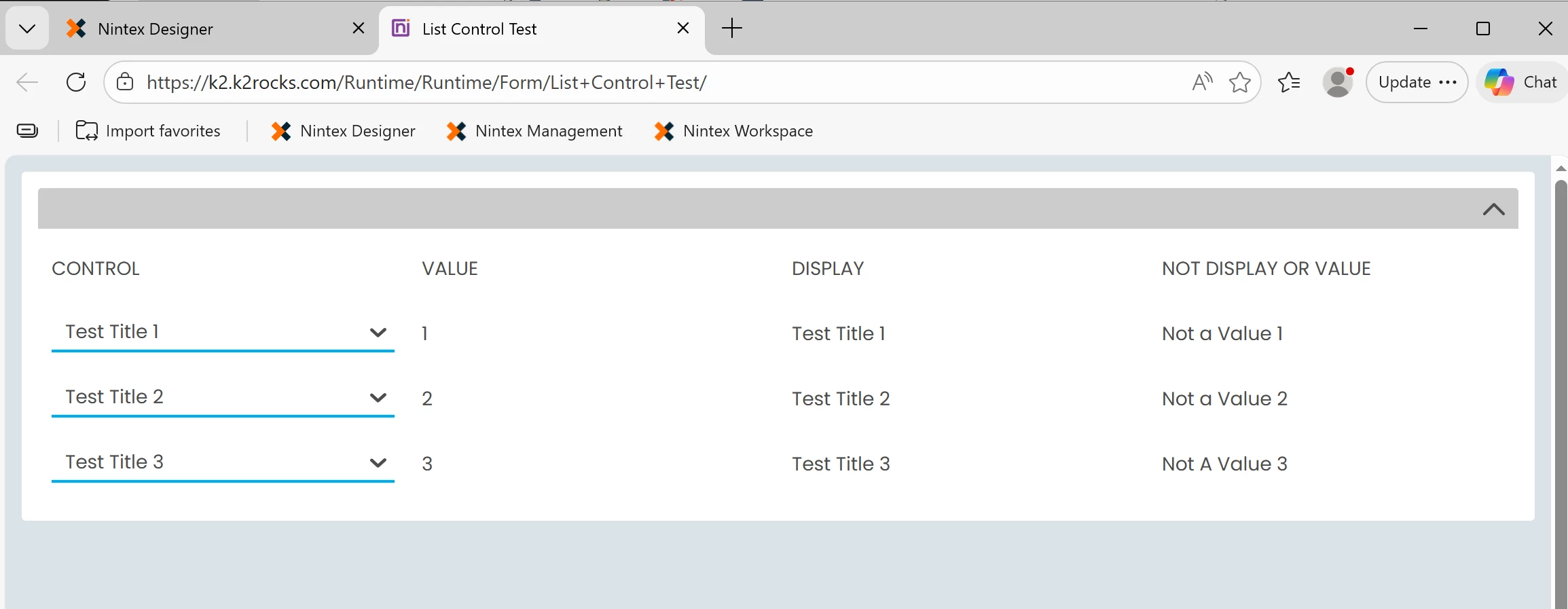
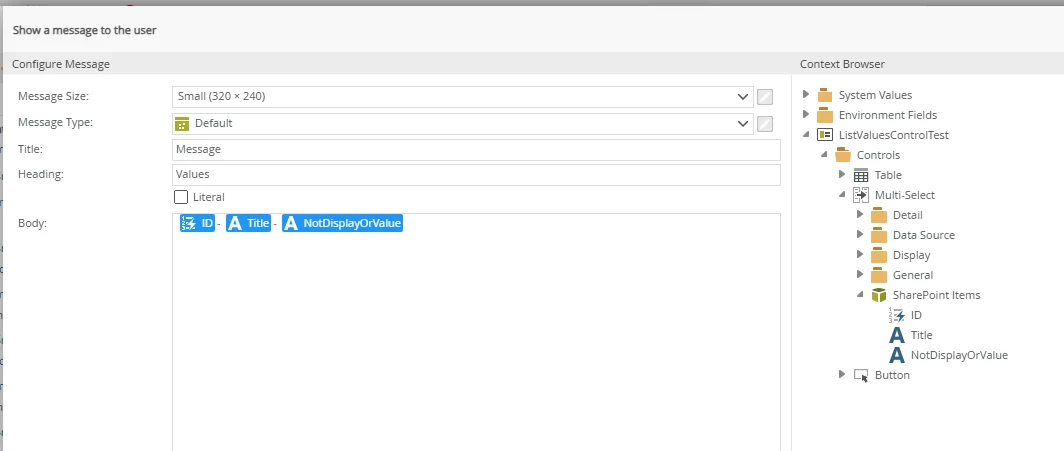
A developer chooses a display and a value for your list items; however, when you are working with the control, you don’t only have access to what the value is from the drop-down, you have access to all the properties in the SmartObject that are representative of that entry in the drop-down list.

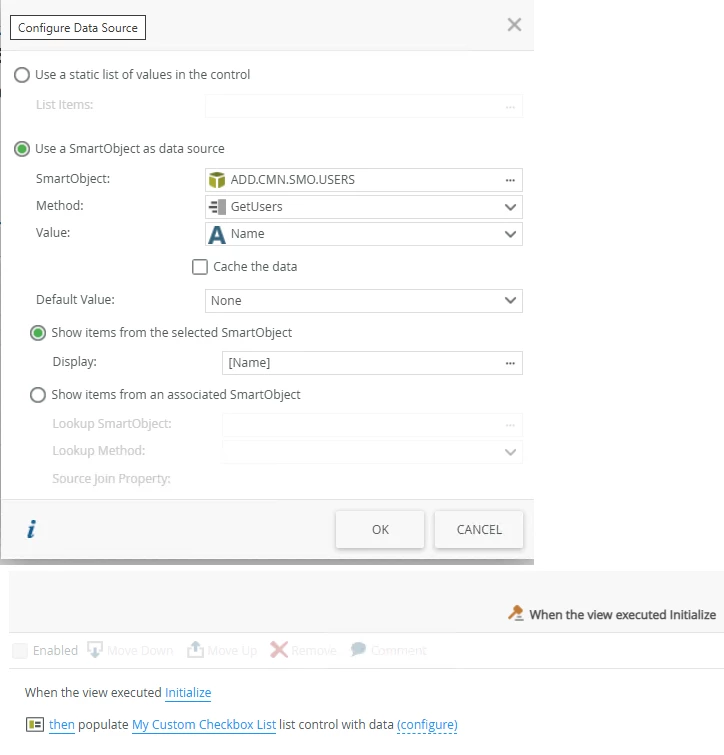
Example of how a SmartObject relates to it’s parent control

I have uploaded this example package to my GitHub up at: GitHub - Case-IT-Solutions/K2-Help-Examples

I provided this background as I suspect your control may need to be tweaked in relation to the SmartObject that is feeding it, or the return value’s type, or something of that nature. Or I could be completely wrong, but if I were building a control and wanted to use the built-in iteration, I feel that focusing on how SmartObjects are used in the rule's framework would be the path.

Hopefully, this example inspires you on how you might address your issue. Would love to know what it ends up being the solution! 😁