




Topic
Send an Outbound Message to Nintex DocGen triggered by Salesforce Flow
(As of Salesforce Winter '23 - new Workflow Rules are restricted)
Additional Information
1. Complete the Setup of the Drawloop_Next Field
2. Complete Configuration of the Salesforce Outbound Message
3. Configure Salesforce Flow and desired logic:
1. Navigate to Flows in Salesforce Setup
- Click the New Flow button.
- Select Record-Triggered Flow.
- Configure the Start Event Object, Trigger, and Conditions.
- Click Done
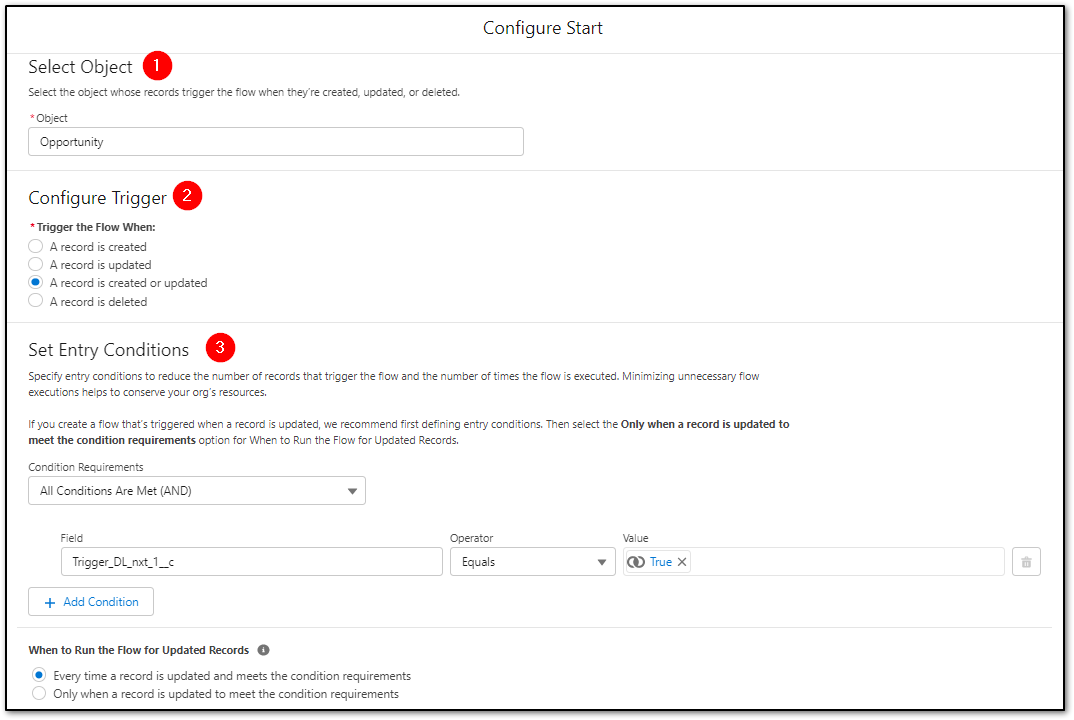
2. Adding the Outbound Message Element
- Click the + to Add an Element
- In Interaction > Select Action
- Filter By = Category
- Select Outbound Message
- Search the Action list for the desired Outbound Message record
- Provide a Label
- Click Done.
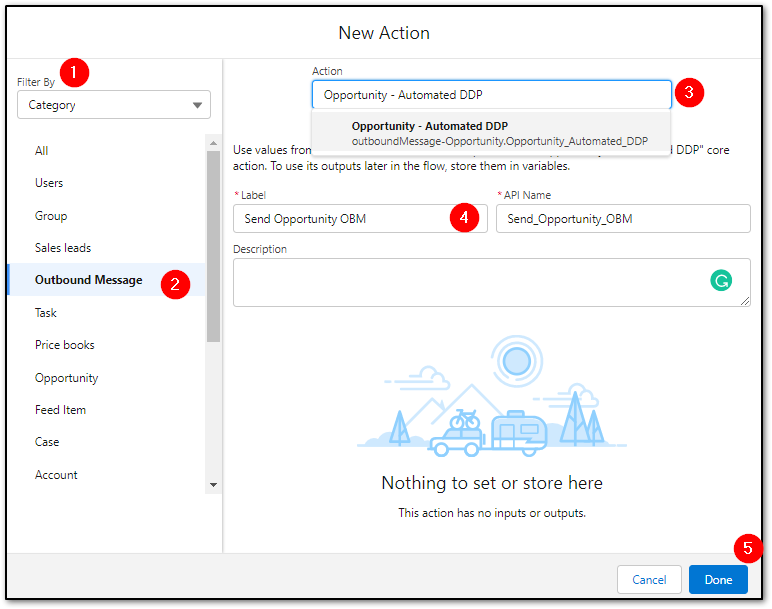
3. Save and Activate the Salesforce Flow.