Topic
Excel’s AutoFit Row Height function can help you adjust the height of rows so that data in the rows can be seen properly and make tables uniform.
Instructions
Note: The Autofit Row Height function automatically adjusts based on the text or font size of the single cell. This behavior will not work for merged cells.
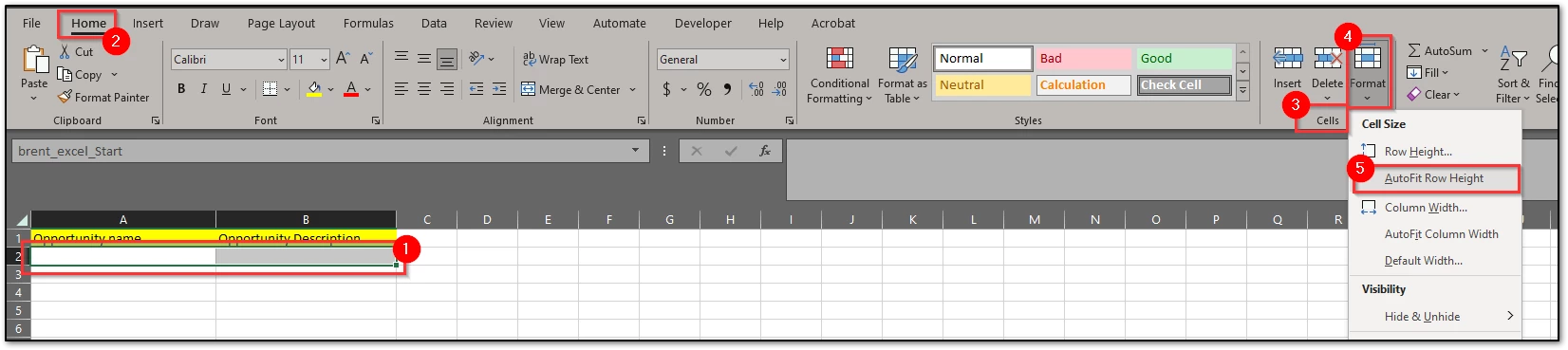
- Navigate to the Home tab.
- Select the cells to be adjusted.
- Navigate to the Cells section.
- Click the Format dropdown.
- Select AutoFit Row Height.
- Click Save.