
Nintex Community Menu Bar

How can I create a button outside of the Worklist to show the "Configure Out of office" feature?

  • Aug 21, 2019 6:01 PM UTC
  • 4 replies
  • 44 views
  • Translate All

Hello all,

My admins tell me that end users aren't setting up their Out of Office delegation, and they would like a big button on the home page of their K2 app (in SharePoint) that offers the option to do that.  Users aren't finding the existing button on their worklist, maybe because it's small and unlabeled so they don't know what it is.


Anyway, is there a URL or some other way to pop up the "Configure Out of Office" dialog window that I can be launched from a big button on the SharePoint/K2 app home page?

4 replies

  • Aug 22, 2019 8:00 AM UTC

Good day MikeOD


Please checkout the video and guide on links provided below:

Configuring out of office on behalf of a user Video https://www.youtube.com/watch?v=KTKlQO40Tmk,

Guide: http://help.k2.com/onlinehelp/K2Cloud/UserGuide/Update_9/default.htm#K2-Management-Site/User_Management/OutofOffice.htm.

If what users want is to know where to navigate to, what to click when they get there e.g. in order to set up out of office, you may train/ show them by guide on this link http://help.k2.com/onlinehelp/K2blackpearl/UserGuide/4.7/default.htm#4.Use/K2Workspace_Legacy_/WS_Worklist_OOF.htm.


Best,

Sunrise

Translate

  • Author
  • Aug 23, 2019 3:41 PM UTC

If the users could find the button then the training resources would help.


I think we want to make that "Ouf of Office" feature a big obvious button on the home page of the app so they become aware, and are reminded, that they should use it.


Translate

Forum|alt.badge.img+16
  • Aug 26, 2019 4:20 PM UTC

Hi,


Perhaps, you can create a button on your form that will navigate to the System UserSetting form (Out-of-Office form).


Sample Form url: http(s)://k2_site_url/Workspace/Form/com.K2.System.Workspace.Form.UserSettings


Translate

  • Author
  • Aug 30, 2019 10:01 PM UTC

That link would be perfect, but unfortunately it also brings up a feature that's not working.

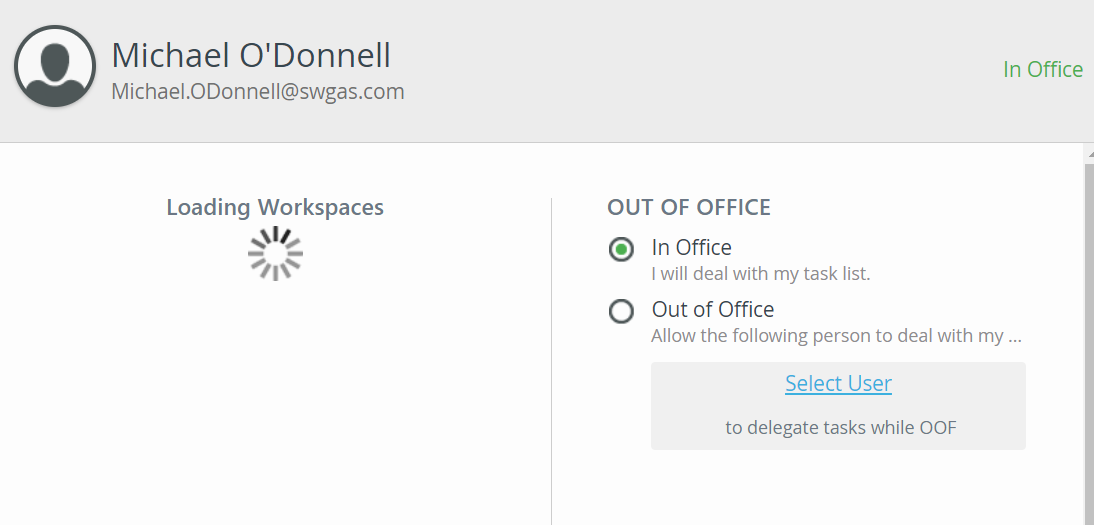
The left pane of the window is stuck on a message "Loading Workspaces" - screenshot attached.


I tried this solution because it looked like a similar problem, but it didn't work: https://help.k2.com/support-services/kbt143121


Sorry to belabor this, but any ideas for how to fix this new problem?


Translate