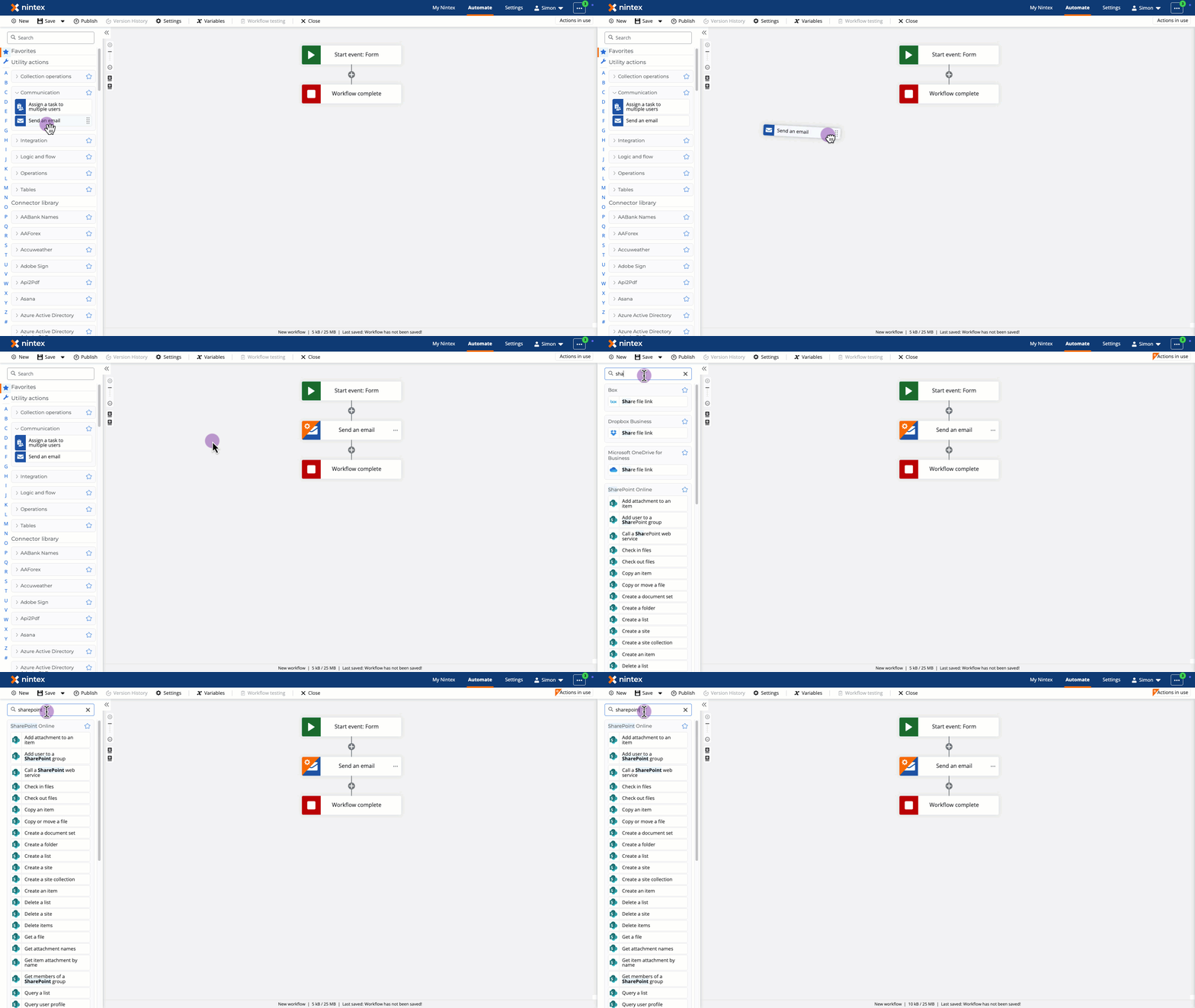
The Nintex Workflow workflow designer makes it easy to create workflows. Actions can be dragged and dropped from the toolbox, which also has a search bar for finding the action you need.
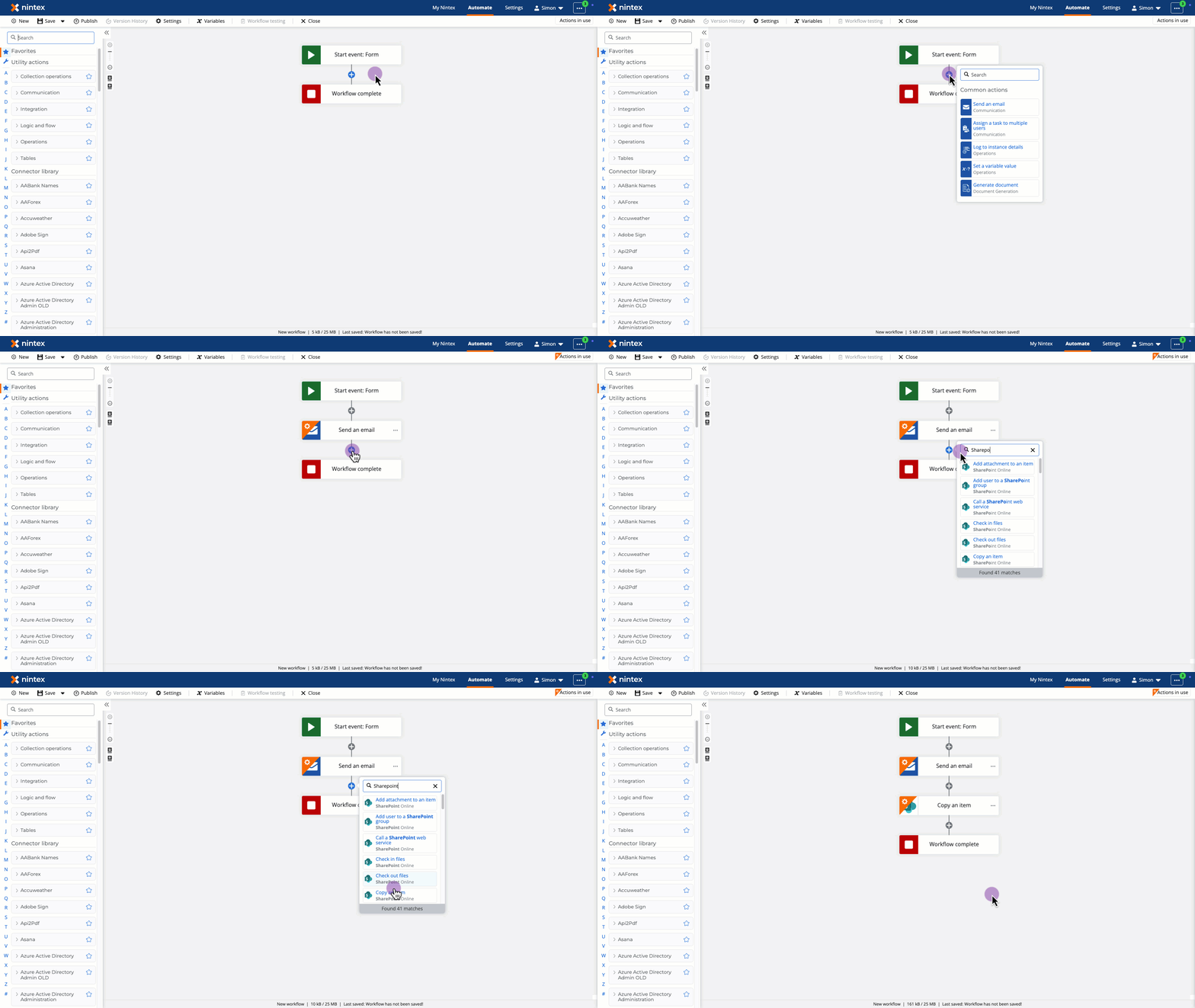
Commonly used actions have been put at our fingertips to make things easier.
Click the plus icon in the designer, and a context menu appears with five frequently used actions, such as Send an email and Set a variable value.
If our favorite action does not appear, there is also a search bar to help find it.
Click the action to add it to the workflow.