Nintex Community Menu Bar

O365 responsive form (display view) issues

  • May 1, 2019
  • 3 replies
  • 31 views

Forum|alt.badge.img+2

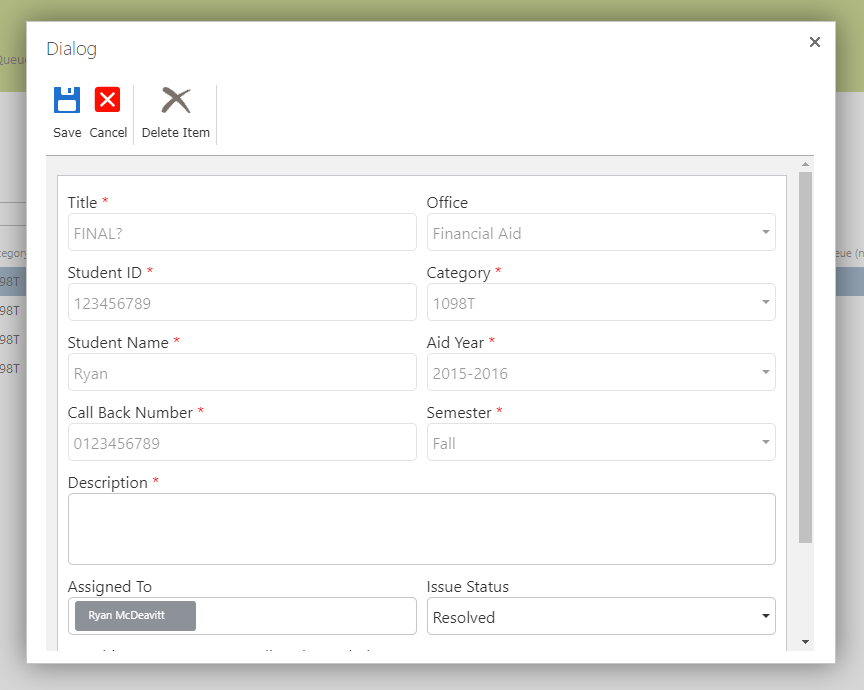
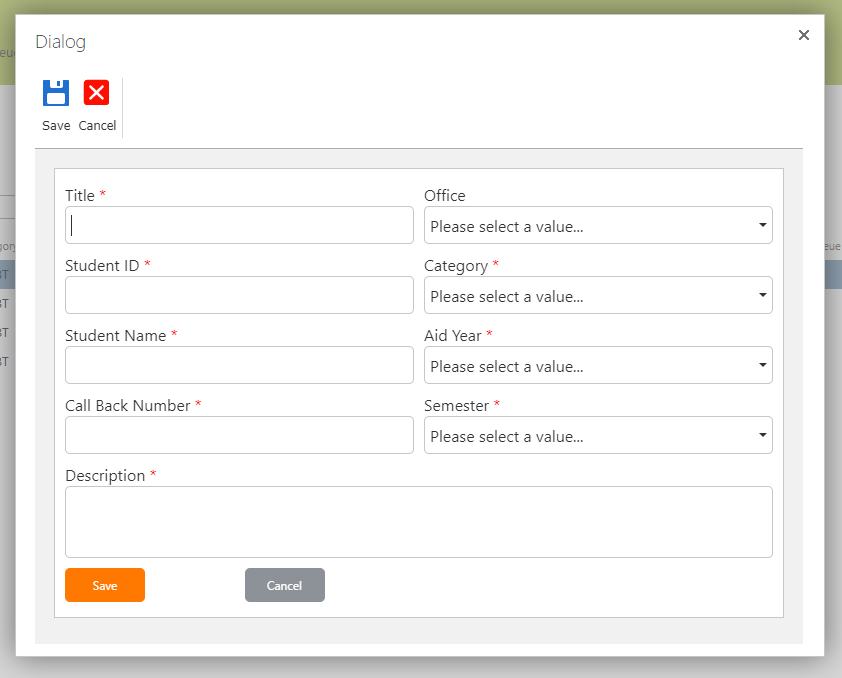
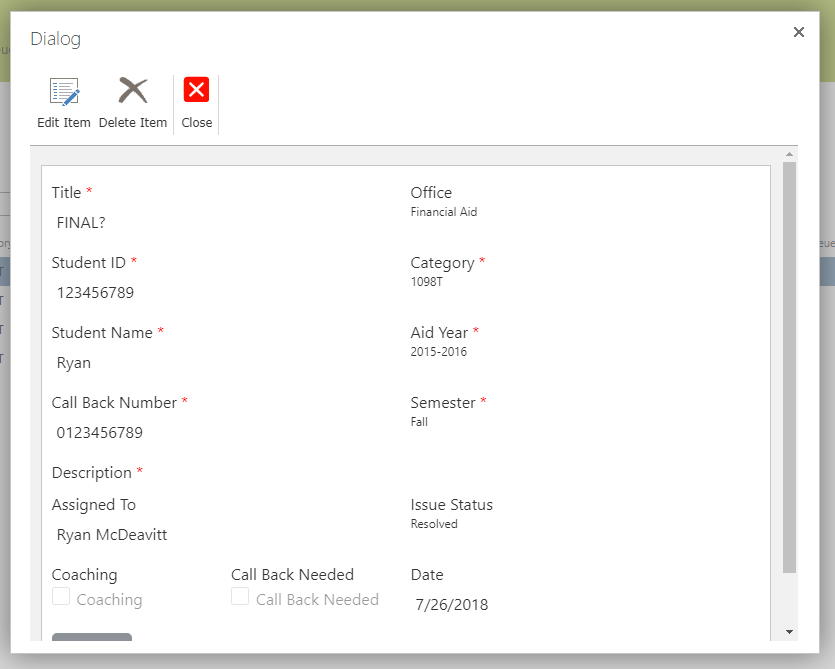
I've created a responsive O365 form but it looks very different just in display mode. Not only are there no borders but it appears even the text is a different type and size. I've included screen shots of the same form in new, edit, and display mode. I've tried different browsers and made sure I'm on the latest version. Any ideas on how to make display mode look like new and edit modes 1762i6E891D61DA208F7F.png1764iC2A051504B442ECA.png1763i5B165EAF18A7AC41.pngdo? 
3 replies

Forum|alt.badge.img+17
  • May 16, 2019

What type of browser are you using? Also could you export the form and zip it up and send it to me here. Just attach it to your response. I would like to test it and see whats going on.


EuanGamble
Nintex Employee
Forum|alt.badge.img+13
  • Nintex Employee
  • June 5, 2019

Hi @Ryan1,


We are currently working on a new version of the Responsive designer which addresses this issue. Here is a video showing off the new experience.


If you would like to have early access, please shoot me an email at euan.gamble@nintex.com so I can get your details.


Cheers,

Euan


Forum|alt.badge.img+2
  • Author
  • Rookie
  • June 6, 2019

This is fantastic news. I'll shoot you my details now. Thanks!