Nintex Community Menu Bar
Solved

User cannot open form as he is not able to access the database

  • Mar 9, 2023 10:01 AM UTC
  • 2 replies
  • 244 views
  • Translate All

Forum|alt.badge.img+4

When a user opens a form, the system prompts a message that “The server principal "XXX" is not able to access the database "YYY" under the current security context.”

Where can I grant access right to the user?

Best answer by tbyrne777

When you set up your SQL Service Instance, you have a number of options for authentication. I think it defaults to “Impersonate”, which means it will try to connect to the database as the user accessing the form. If that is not possible/desired, you can try changing the Authentication Mode to one of the other options to use a specific account instead of the current user.


View original

2 replies

Forum|alt.badge.img+8
  • Nintex Employee
  • Mar 9, 2023 2:14 PM UTC

hi,

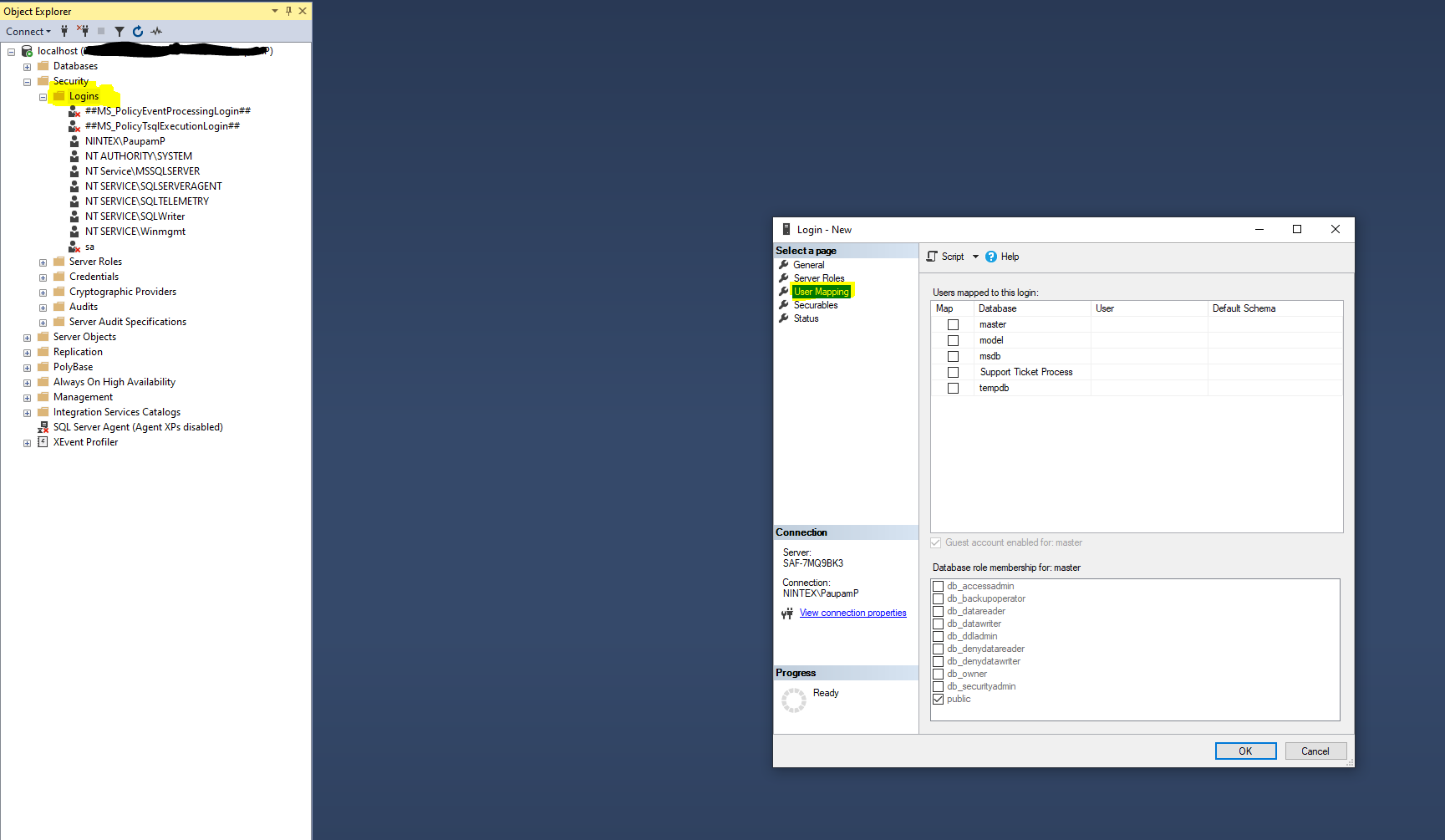
if you are using sql, maybe try giving the user permissions in sql/adding the user to sql:

Keep in mind not to give any admin permissions if not required. Not sure if this is the solution though

Translate

Forum|alt.badge.img+15
  • Nintex Partner
  • Answer
  • Mar 9, 2023 4:05 PM UTC

When you set up your SQL Service Instance, you have a number of options for authentication. I think it defaults to “Impersonate”, which means it will try to connect to the database as the user accessing the form. If that is not possible/desired, you can try changing the Authentication Mode to one of the other options to use a specific account instead of the current user.

Translate