Nintex Community Menu Bar

multiple recipients for single task

  • April 4, 2018
  • 6 replies
  • 137 views
  • Translate All

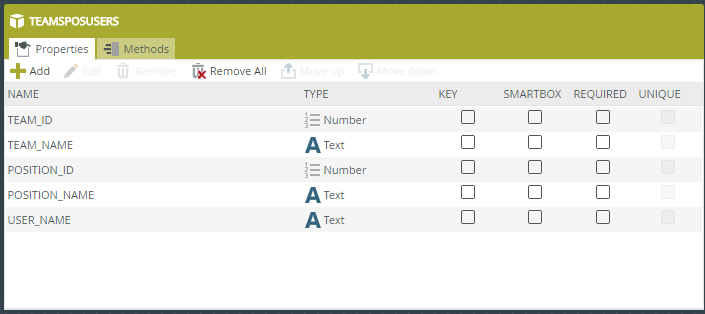
Is it possible to have email notifications go out to multiple employees if they're assigned to the same group?

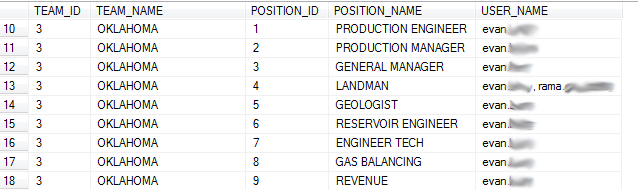
Currently I've got my notifications working if a role has a single user assigned. However if I have multiple employees assigned a role, no one gets the notification. 

Do I need a special delimiter in my field to get this to work? I've already tried bother commas and semicolons

14745iFF0DEBB26400D540.png

6 replies

Forum|alt.badge.img+16
  • April 4, 2018

Hi,


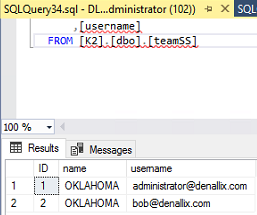
It looks like you are using the SmartObject created from teamSS table for the receipient. Perhaps, this might work in your case.


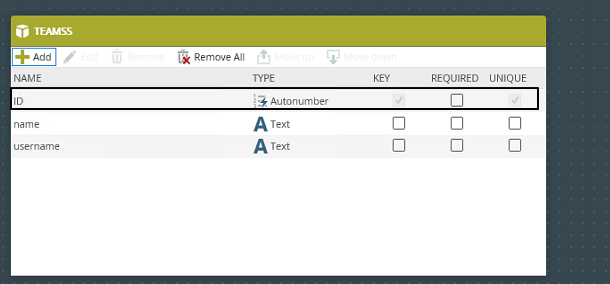
1. Smartobject teamSS is created from teamSS SQL table.


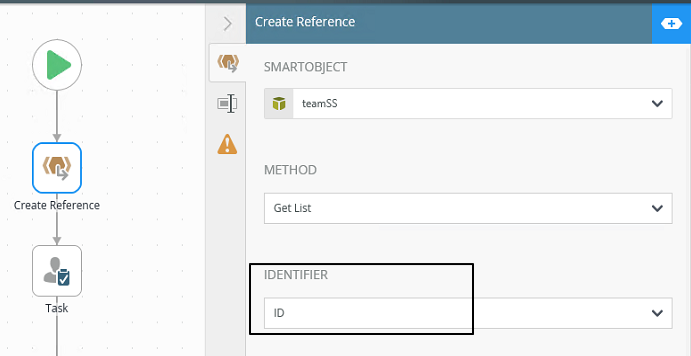
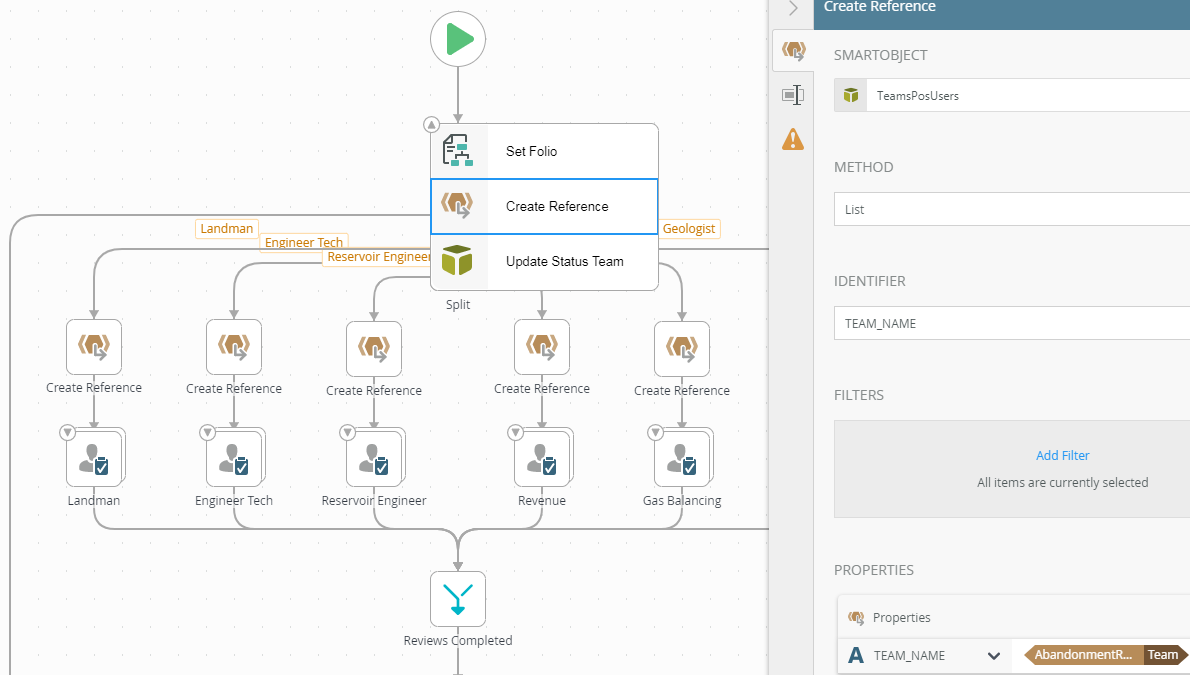
2. Add a Create Reference step in the workflow. It's setup to use the Smartobject from step 1.


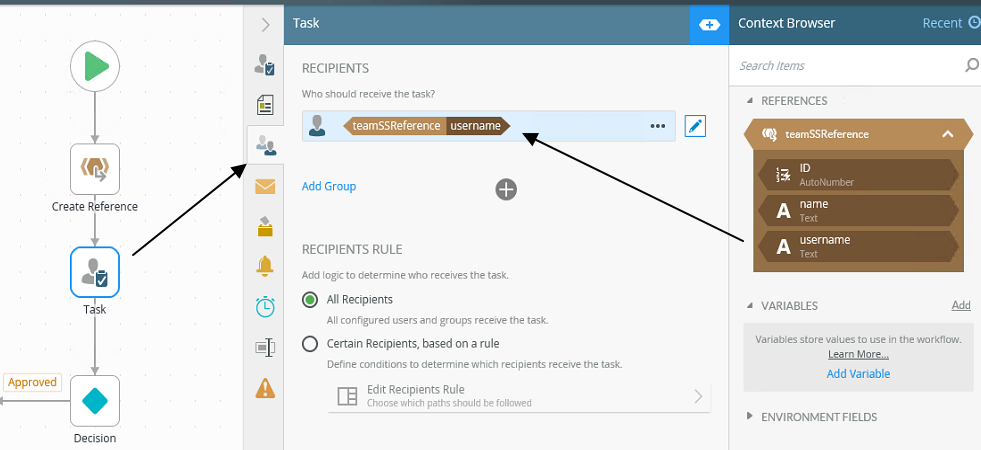
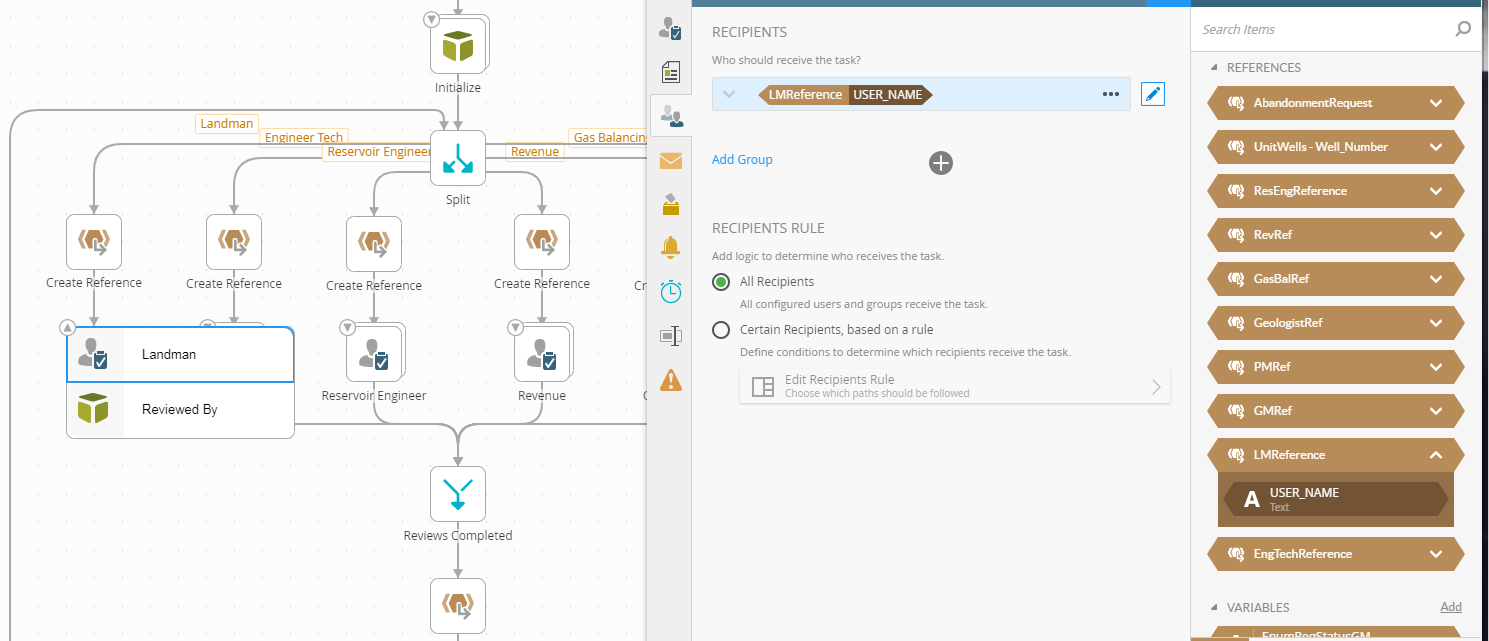
3. Task step is setup to use the username reference from step 2.


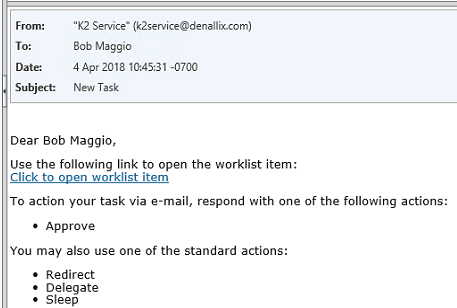
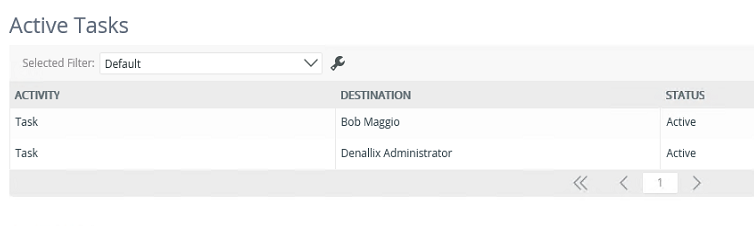
4. When the workflow runs, both users (administrator and bob) will receive notifications.


Translate

Thank you Khanh,

From what I can see, I'm pretty much set up like you show though.


Translate

Forum|alt.badge.img+16
  • April 4, 2018

Hi,


It looks like the SmartObject does not have the identify key. This probably explains why it returns everything in a string.


See sample:


Translate

Forum|alt.badge.img+8
  • Novice
  • April 5, 2018

Hi,

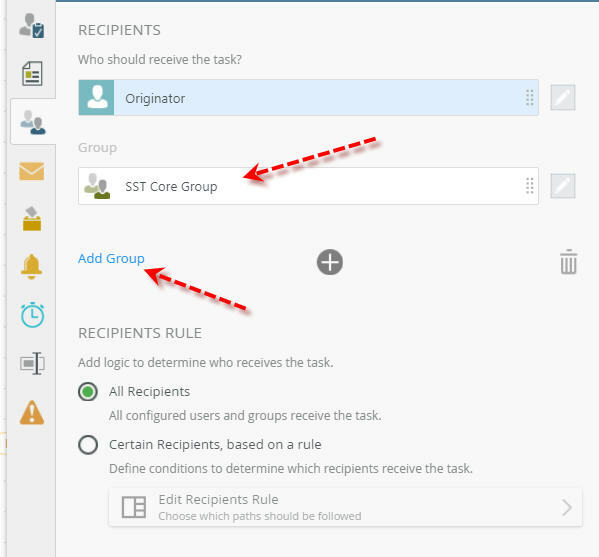
If your users are defined in K2 management Users-->roles then add the roles defined, see snapshot below. Otherwise, if you are reading from your local table use a smartobject. Hope this works for you. It works for me.


Translate

Dabuskol,

That's a really cool approach. Unfortunately, we're trying to stay away from groups that we'd have to manage. We're looking more for it to handle the recipients automatically.


I just heard from my boss that this is a bug that K2 Support was able to replicate on their side. So right now, we're waiting for a fix pack that will address this issue.


Translate

Forum|alt.badge.img+16
  • April 10, 2018

Hi,


Can you try the Split function for this, see this community link.


http://community.k2.com/t5/K2-blackpearl/Destination-User-from-SP-Column-containting-multiple-users/m-p/102776#M34171

Translate