Nintex Community Menu Bar
Solved

Format date in SmartForm (Configure Item Display)

  • February 8, 2019
  • 2 replies
  • 77 views

Hello,

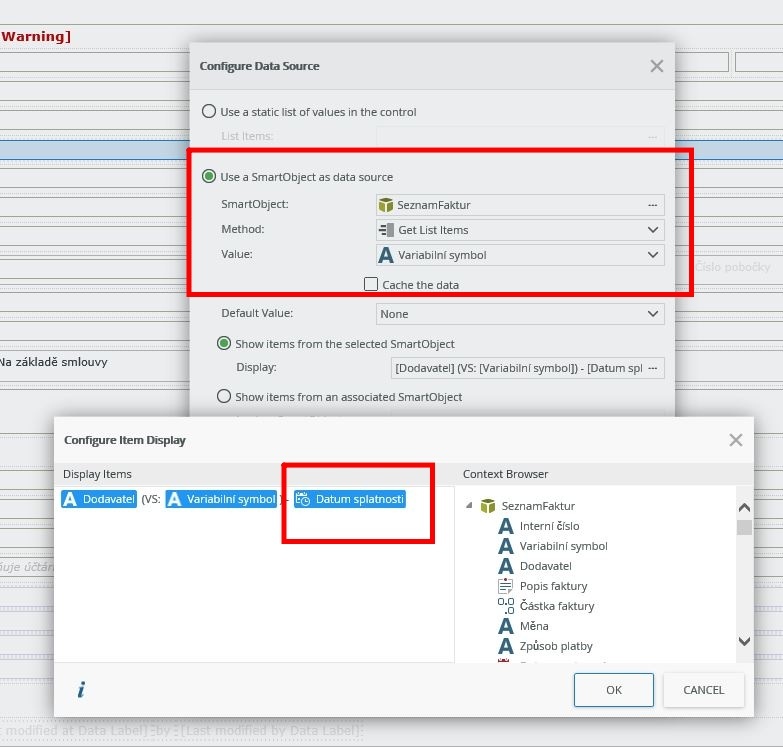
I would like to ask, if it is possible to format date and time showing in the SmartForm (configured via Use a SmartObject as data source -> Configure Item Display)?

I have a data source in SharePoint Online list and the date column is displayed as 20*personal details removed*.23. I would neet to convert it into date only format (08.02.2019)


Thanks a lot

Jan

11794i8E39B67E67E45176.jpg

Best answer by NigelStratton

You're limited in Configure Item Display. In these situations, I've modified the smartobject to return the value I need. In your instance can you can format the date correctly or return a separate column for day, month and year? Then you can arrange the pieces in the configure box as you need.

2 replies

NigelStratton
Forum|alt.badge.img+5
  • Scholar
  • Answer
  • February 14, 2019

You're limited in Configure Item Display. In these situations, I've modified the smartobject to return the value I need. In your instance can you can format the date correctly or return a separate column for day, month and year? Then you can arrange the pieces in the configure box as you need.


  • Author
  • February 15, 2019

Thanks a lot for your answer!

I have created new column with date only and it solved the problem.

Have a nice day :)

Jan