

Nintex Community Menu Bar

User Task Notification Email not being sent from workflow

  • January 18, 2018
  • 3 replies
  • 34 views

Forum|alt.badge.img+7

At the moment the email task notifications are not being sent from the server. I have seen this in our test environment, and found that by rebooting the server it solved the problem. I would like to know which services need to be restarted so that the email notifications can be sent.


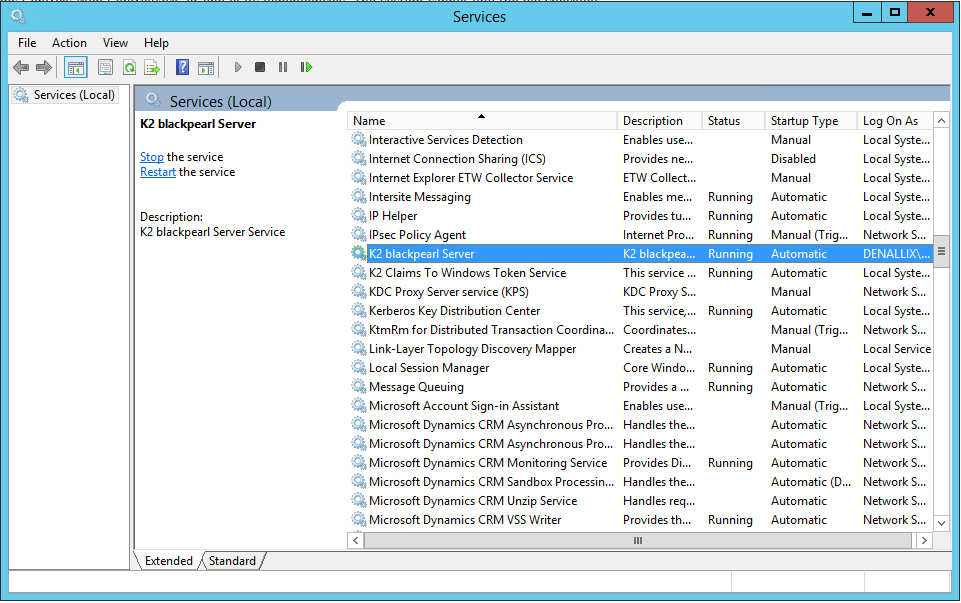
The mailbox for the server is setup correctly, and the mailbox can send and receive email tasks, it is definitely a service, but which one???

3 replies

Forum|alt.badge.img+18
  • January 18, 2018


This would be the "K2 Blackpearl Server" service.


Forum|alt.badge.img+7
  • Author
  • January 18, 2018

Hi

thanks, that what I thought, but I have done that, the only help was to do a reboot of the server


Forum|alt.badge.img+18
  • January 18, 2018

If restarting the K2 blackpearl service does not resolve the issue, then this may indicate that perhaps it also involves MSMQ.  Likely restarting the server will also restart MSMQ.


If it should happen again, perhaps try restarting MSMQ as well as the K2 blackpearl service:


https://blogs.msdn.microsoft.com/johnbreakwell/2008/05/12/how-to-really-restart-msmq/


If it appears to be related to MSMQ also, perhaps MSMQ logs and K2 Hostserver can help determine the issue:


https://docs.microsoft.com/en-us/previous-versions/windows/it-pro/windows-server-2008-R2-and-2008/cc730882(v=ws.11)


https://help.k2.com/kb000298


Perhaps it is related to resources:


https://blogs.msdn.microsoft.com/johnbreakwell/2006/09/18/insufficient-resources-run-away-run-away/


Or test using a private queue to see if it faces the same issue as public queues:


https://help.k2.com/onlinehelp/k2blackpearl/icg/4.7/default.htm#Prepare/SCC/MessageQueuing.htm