Nintex Community Menu Bar
Question

One User Experiencing Skuid UI Problem (Resetting Cookies Fixes Issue)

  • Jul 9, 2024 7:43 PM UTC
  • 7 replies
  • 76 views
  • Translate All

Forum|alt.badge.img+4

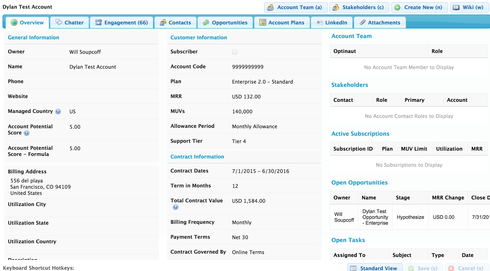
I have one user (only one) that gets a Skuid view that looks something like this:
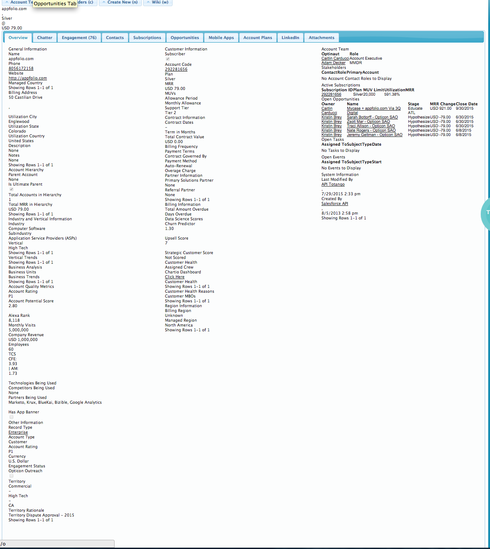
She says that when she resets her cookies, it fixes the problem. However, she said it happens approximately 3 times per week. Any ideas on why this might happen and how we can prevent it? She should be on Chrome (double checking that now - I’ll update if not).

Thanks,
Dylan

7 replies

Forum|alt.badge.img+20

What is it supposed to look like?

Translate

Forum|alt.badge.img+4

Translate

Forum|alt.badge.img+20

Strange. All the styling in the tab is stripped away. 

Is it only this tab?
So it’s specific to this one user, on one computer, one browser?
Are they unique in Salesforce in any way? Profile, Permission Set, Role?
Have they tried another browser and/or computer?

Translate

Forum|alt.badge.img+8

That is indeed strange. Is that overview tab content a page include? It’s weird that the css would load for part of the page and not for another part of the page.

Translate

Forum|alt.badge.img+4

They shouldn’t be unique, an AE in our NYC office that has other people in her role, profile, office, etc.

I can ask her about browsers and/or computers

Translate

Forum|alt.badge.img+4

It is not a page include - it’s part of the primary model for the Account page which loads by default.

Translate

Forum|alt.badge.img+17
  • Nintex Employee
  • Jul 9, 2024 9:19 PM UTC

I’ve seen this before.  The JQuery UI CSS is being loaded,  but the Skuid specific CSS is not. 

The “clear your cache” solution has always worked.  But here the bigger question is “how to prevent it from happening…”  and I don’t know the answer to that question. 

Translate