Nintex Community Menu Bar
Question

Millau upgrade - tab set style issue inside a drawer

  • July 11, 2024
  • 3 replies
  • 31 views

Forum|alt.badge.img+8

Millau 11.2.8

  1. create a new skuid page with Default theme
  2. add tabset with 4 tabs called “New tab”
  3. add contact model
        add table to page
        add a row action of open drawer
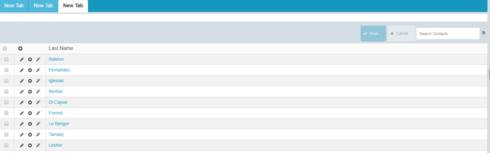
       add tabset with 3 tabs  called “New tab”

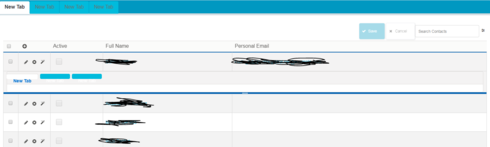
    The tabset in the drawer looks cut off with the background not painted over the whole button. 
3 replies

Forum|alt.badge.img+10
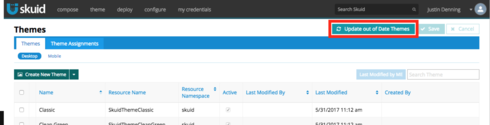
  1. Have you updated your out of date themes?
    179b1324474441eceefe80f528cec7765069f0ed.png
    2. What theme is your default theme based on?
    3. Which browser are you using?

    I have not been able to reproduce this issue on 11.2.9 in Chrome

Forum|alt.badge.img+8
  • Author
  • July 11, 2024

I already ran the updated out of date theme.

Default theme is not listed under themes. It’s the first choice in the theme dropdown. That’s probably a skuid native one?

I switched the theme around and now it starts to work. The tabs are showing fine now. 

The only thing I noticed is the search button looking smaller than the normal save button. 


Forum|alt.badge.img+10

Can you paste the page’s XML here?