
Nintex Community Menu Bar
Question

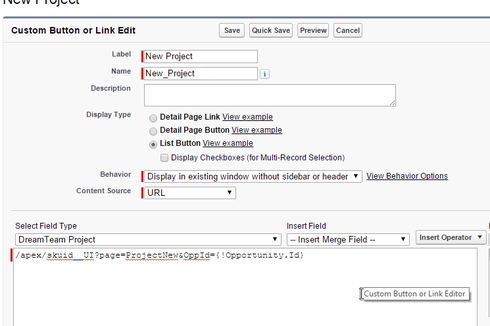
Having issues setting reference field to Opp URL parameter in link?

  • July 9, 2024
  • 10 replies
  • 40 views
  • Translate All

Forum|alt.badge.img+20

78a8a9c6424945799083e45a05167542bd022758.png


10 replies

Forum|alt.badge.img+17
  • Nintex Employee
  • July 9, 2024

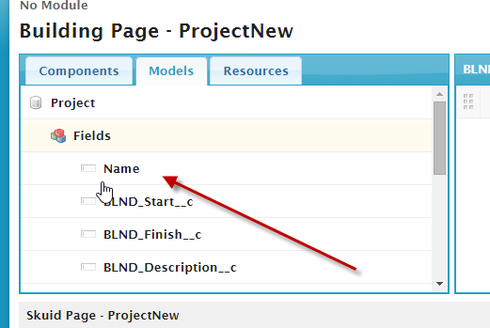
Is the Name field in your Project Model?  

Translate

Forum|alt.badge.img+20

yes

Translate

Forum|alt.badge.img+8

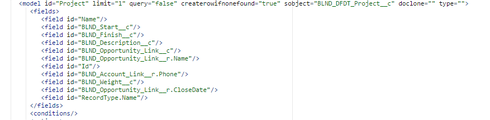
Is Opportunity__r.Name in your model?  Or whatever the name of your custom lookup field on Project to Opportunity is.

Translate

Forum|alt.badge.img+8

Or Maybe BLND_Opportunity_Link__r.Name

Translate

Forum|alt.badge.img+20

feda2308fb5234efcfd3e56ef9c6e89016550622.png

Translate

Forum|alt.badge.img+7

The project model is loaded on page model?

Translate

Forum|alt.badge.img+20

95bb556b3e2ae5971635cc9d82dc01fb14327824.png

I was tinkering before with all the settings. This is what I think it should be.

Translate

Forum|alt.badge.img+8

Oh, I hadn’t noticed that you had “Load Model Data on Page Load” set to false.  Since this is the case, no query is made to look up the opportunity’s name.  You’ll have to work around this issue by either sending the name as another parameter, or having another model that gets the opportunity’s name.

Translate

Forum|alt.badge.img+20

That was it. Added a model to hold the ID of the Opp (PassedInOppID), then set a condition on the Project model  BLND_Opportunity_Link__c to be the  Opportunity ID of the PassedInOppID model.

Thanks

Translate

Forum|alt.badge.img+17
  • Nintex Employee
  • July 9, 2024

Correct!  If you are creating new records in your page -  you either need to bring in prepopulated data in multiple parameters (which gets messy)  or include another model that loads the data you want prepopulated.  Thanks for clarifying the situation Ben.  

Translate